Customer feedback for a small team: where it lands, who logs it, and a weekly Slack roundup that reaches the roadmap

At a team of 5 to 100 people, customer feedback arrives in five places and is written down in none of them. A customer asks for CSV export on a sales call. Another complains about invoices in an email to the founder. A third mentions the same export problem in a support chat, and an account manager types it into a CRM note. Nobody writes it all down in one place, so nobody can say how many customers asked for export, and the roadmap gets decided by whoever spoke to the founder most recently.
This guide is for the founder or product lead who decides what gets built and does not have a product ops person or a feedback tool. It covers where feedback actually lands, the six fields worth logging for each request, one owner and one weekly read, and how to run the logging and the Friday roundup from Slack without hiring someone to keep the list.
The short answer
Most small teams need four things:
- One log. A single table in Airtable, a Notion database or a spreadsheet. One row per request, per customer.
- Six fields per row. Customer, account, request, the customer's exact words, a link to the source, and the date.
- One owner. A named person who makes sure rows get added and reads the log every week. Not "the product team".
- One weekly read. Thirty minutes on the same day each week, where the owner groups the new rows and the founder decides what, if anything, changes on the roadmap.
Why customer feedback gets lost at a small team
The usual advice is to make a feedback channel. Slack's own feedback tracker template creates a #feedback channel and a form, suggests common fields such as type, priority, assignee and status, and recommends turning high-priority items into tickets and setting reminders to review and close items. The feedback intake and triage template adds a canvas with instructions and a form where people pick a type (bug, pain point or praise) and a severity. Both are a good start for feedback that is already in Slack.
Most customer feedback at a small team is never posted in Slack at all: it is said on a call, written in an email or typed into a CRM note, so a feedback channel alone only catches the part someone remembers to repost. The person who heard it has to stop, open the form and retype it. On a busy week they do not.
Vendors that sell feedback tools describe the same failure from their side. Quackback's founder lists the limits of channel forms and emoji routing: forms work only if people use them every time, feedback in other channels and direct messages is missed, and an emoji reaction still depends on someone noticing the message. Savio's post on feature requests from Slack adds that Slack gives you no easy way to count how often a request comes up or to sort requests by customer. Both end by recommending their own product, so read them as vendor views, but the mechanism they describe is real: feedback dies between the place it was heard and the place it should be written.
The second failure is ownership. A channel everyone can post in is a channel nobody is responsible for reading. Slack's template suggests a single owner per category to avoid missed responses. At a team of 15 people there is usually one category, so there should be one owner.
The third failure is the decision itself. Without a log, the founder decides from memory, and memory favours the loudest and most recent customer. A founder on Hacker News asking about tools for customer feedback wanted email and social feedback in the same place as the forum, not a forum alone. The question dates from 2012, and teams still describe the same gap.
Where feedback lands and what to capture
Start by listing the places customers actually talk to you. BuildBetter's guide to consolidating customer feedback makes this its first step: inventory every channel, then note its volume and who owns it. For a Slack-first team of 5 to 100 people the list is usually short.
| Where it lands | Who usually hears it | What to capture |
|---|---|---|
| Sales and success calls (Zoom, Google Meet) | Founder, account manager | The request in the customer's words, with a link to the transcript |
| Email to a person | Founder, account manager | The sentence that asks for something, with a link to the thread |
| Support chats (Intercom, Zendesk) | Whoever answers support | The request, the account, and the conversation link |
| CRM notes (HubSpot, Pipedrive) | Sales | The note's request line and the deal or company |
| Slack direct messages and channels | Anyone | The message link and who the customer is |
Keep the log row small. The six fields are customer, account, request, exact quote, source link and date. BuildBetter suggests more (theme, feature area, request type, sentiment, segment), and Slack's template suggests priority and status. Those are useful at volume. At a small team they are also the fields that stay blank, which makes people stop logging. Add a theme column later, when the weekly read starts to feel slow.
Log the customer's exact words and a link to where they said it, not your summary, because the summary is where two different requests get merged and one real request gets lost. "Better reporting" might be three customers asking for three different things: a CSV export, a monthly email, and a dashboard filter. If the row holds only your summary, the weekly read counts one request with three votes. If it holds the quote and the link, the owner can see three requests and click through to check.
An example row, made up for illustration:
| Customer | Account | Request | Quote | Source | Date |
|---|---|---|---|---|---|
| Dana | Acme Logistics | CSV export of invoices | "I need to get these into our accounting sheet every month" | Link to the Zoom transcript | 2026-10-28 |
One owner and one weekly read
Give the log one named owner and one fixed weekly read, and let the founder decide only from that read, so the roadmap stops following whichever customer spoke last. This is a recommendation built from two sources. Quackback suggests rotating one person each week to review new feedback and says a 30 minute weekly session works for most teams with fewer than 100 feedback messages a month. Slack's template recommends one owner per category and reminders to review and close items. At a small team, rotating can work, but a single owner for a quarter is easier to hold to account.
A 30 minute weekly read looks like this:
- Five minutes: what is new. The owner reads out the week's new rows, grouped by request.
- Ten minutes: what repeats. For each request, how many customers and which accounts. Open the quote links for anything that looks merged.
- Ten minutes: decide. The founder or product lead decides for each repeated request: build, not now, or ask the customer a follow-up question. "Not now" is a decision and gets written down in the row.
- Five minutes: hand off. Anything marked build gets one issue in Linear or Jira with the quotes linked. Anything marked follow-up gets one name and a date.
Decisions happen in the read. Between reads, a loud customer still gets a reply, but the reply is "logged, we review every Friday", not a promise.
Running it from Slack with an agent
The hard part is the logging, because it happens at the worst moment: right after a call, in the middle of a busy day. This is the part a team often hires a coordinator or an assistant for. Before you hire, the repetitive part can run in Slack.
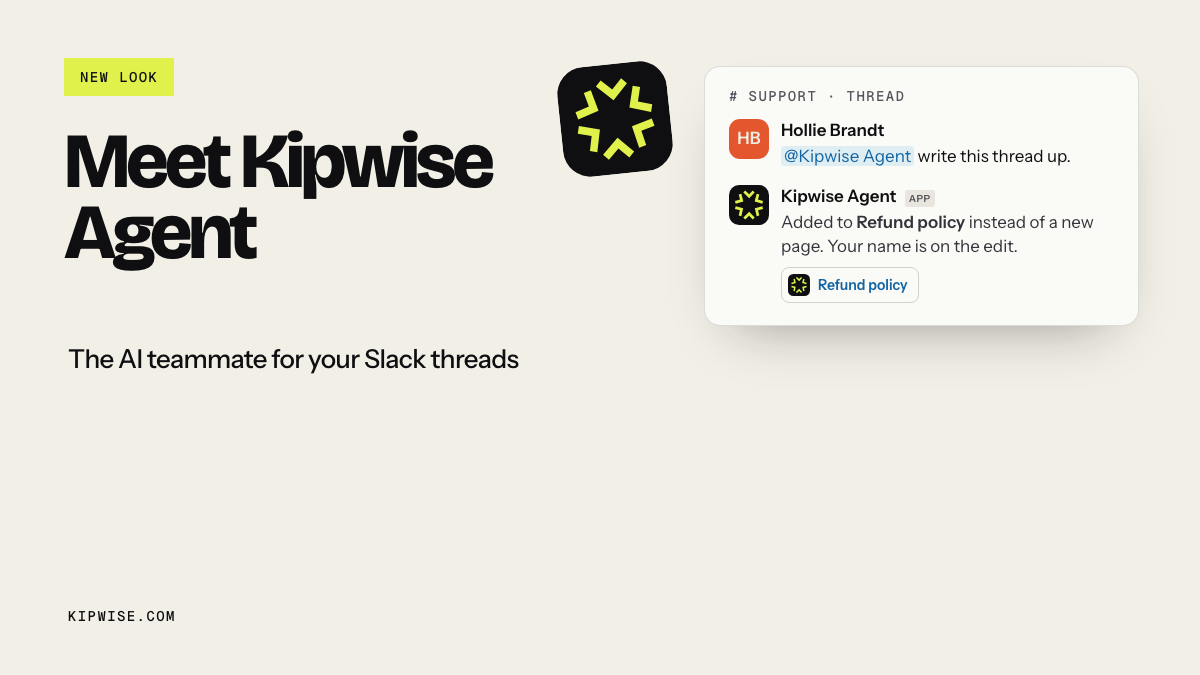
The Kipwise agent works in Slack threads. You mention it once, then plain replies in the same thread continue the work. It reads Zoom and Google Meet transcripts and quotes what was said with a link, searches and reads Gmail, looks up notes in HubSpot and Pipedrive, and reads the team's connected Intercom workspace. It creates and updates records in Airtable and rows in a Notion database as the person who asked, with that person's access. Before any write, it shows an Approve or Deny card that only the asker can use.
A worked thread, with made-up names:
> Maria (founder), in #customer-feedback: @Kipwise log the feature requests from my Zoom call with Acme yesterday to the feedback table. > > Kipwise: I read the transcript. Dana at Acme asked for one thing: "I need to get these into our accounting sheet every month", about invoices. Proposed row: Dana, Acme Logistics, CSV export of invoices, that quote, transcript link, 2026-10-28. [Approve] [Deny] > > Maria: Approve. Is this the same as anything already in the table? > > Kipwise: Two earlier rows mention export: Brightline asked for a monthly invoice email on 2026-10-14, and Northpeak asked for CSV export of invoices on 2026-10-02. The Brightline quote asks for an email, not a file.
Maria asked the comparison question herself. The agent answers from the rows it opened and shows the quotes, so she can see that Brightline wants something different.
The weekly read can start with a scheduled request. Ask once, in plain language: "every Friday at 10am, list this week's new rows in the feedback table, grouped by request, with the accounts behind each". Creating the schedule needs one approval; the later runs post in the channel without asking again. The runs use the same tools and permissions as a live request from you. The Slack reminders guide explains why a plain reminder is not enough for a check like this: it can ping you, but it cannot read the table.
If support runs on Intercom, an automation can fire whenever a new conversation comes in. The agent reads the conversation back before doing anything, and any row it proposes still waits for approval. When the founder decides to build something, the agent can file a Linear or Jira issue with the quotes linked, again behind an Approve card.
People still decide whether something is a real request, merge rows, choose what to build, and reply to the customer. The agent logs the calls, emails and conversations someone points it at, and reads the table; it does not tag sentiment or score requests by revenue.
Pricing is $10 per user per month, with a minimum of 3 users, on the Kipwise pricing page.
Handle the edge cases
A customer gives feedback in a direct message to one person. Make it a norm that whoever receives it posts the link or the gist in #customer-feedback and asks the agent to log it. The link is better than a forward, because the row points at the original.
Two rows are the same request. Do not delete either. Keep both rows and let the weekly read count them together. The second customer is the evidence.
A request is really a bug. Log it, then hand it to whoever fixes bugs. The log tracks what customers asked for; the bug tracker tracks the fix.
The transcript is wrong or missing. Transcripts miss words. If the agent quotes something that looks off, open the recording before you approve the row. If a call had no transcript, the person who was on it writes the row.
Nobody logged anything this week. Calls still happened, so treat an empty week as missed logging. Ask the owner which calls happened and log them in the read itself.
Someone wants to promise a customer a feature. The answer is "it is in the log, we review on Friday". The decision belongs to the weekly read, not to the call.
Check that it is working
After four weeks, check five things:
- Rows per week. If calls happen every day and the log gets two rows a week, logging is still being skipped. Look at which source is missing.
- Rows with a quote and a link. Every row should have both. A row with only a summary cannot be checked.
- Reads held. Four Fridays, four reads. A skipped read is how the old habit comes back.
- Decisions written down. Every repeated request should carry a build, not now or follow-up decision.
- Roadmap items with quotes. Each new issue filed for the roadmap should link at least one row.
If the reads keep slipping, change the owner before you change the tool. Give the job to someone who already runs a weekly meeting.
What to do next
Create the feedback table today with the six columns: customer, account, request, quote, source link, date. Then take your last three customer calls and log every request from them before Friday. If you want the logging and the Friday roundup to run from Slack, install the Kipwise agent, connect Airtable or Notion and Zoom, and ask it in a thread to log the requests from your last customer call.