Post mortem meeting for a small team: a 30 minute agenda, one owner per action item, and a Slack check that closes them
The site was down for forty minutes on a Tuesday, or the launch slipped a week, or a client left after a botched handover. Everyone agrees there should be a post mortem meeting. It happens on Friday, runs an hour, spends most of that hour arguing about what happened in which order, and ends with eight action items in a document. Two of them get done. A month later the same thing breaks.
The cause is usually how a small team runs the meeting. Nobody prepared the record, the list is too long, and nothing checks the list after the call. This guide gives a team of 5 to 100 people, with no incident manager and no incident tool, a short way to decide when a post mortem is worth holding, a 30 minute agenda, a rule for action items, and a weekly check in Slack that keeps those items from dying in the document.
The short version
- Hold a post mortem when an agreed trigger fires, not when someone feels bad about a week.
- Before the meeting, one person drafts a timeline from the Slack thread where the incident was handled.
- Run 30 minutes: open items from last time, the timeline, causes, at most three actions.
- Every action gets one named person, a date and a ticket in the tracker the team already uses.
- A weekly message in the team channel lists the open items until each one is verified done.
Why small-team post mortems produce lists nobody finishes
The large-company playbooks assume roles a small team does not have. The Google SRE book's chapter on postmortem culture describes drafts reviewed by a group of senior engineers and a shared repository of past incidents. Incident platforms assume their own software holds the timeline and the follow-ups. A ten person startup has a Slack thread, a Linear or Jira board and whoever happened to be online.
Three things go wrong as a result.
The record is rebuilt in the room. The incident was handled in Slack: alerts pasted in, guesses, a rollback, a customer message. By Friday nobody remembers the order. The meeting turns into a reconstruction, and the loudest memory wins. Rootly's meeting guide makes the point directly: the meeting should correct a timeline that was drafted before anyone joined, not build one from memory.
The list is too long and owned by everyone. A small team in a good mood after an honest discussion writes down every improvement anyone mentioned. One practitioner's write-up on postmortems that work reports that a post mortem with twelve action items produced zero completed ones, and describes items "assigned to nobody, due never, closed by nobody". That is one author's experience, but anyone who has read an old post mortem document will recognise it.
Nothing looks at the list again. The document goes into a folder. In planning, feature work with a customer attached tends to win over an action item without one. Rootly's guide warns that items living only in the retrospective document get forgotten, and recommends putting each one in Jira or Linear and reviewing overdue ones on a fixed cadence.
When a small team should hold a post mortem meeting
Decide the triggers before the next incident, so nobody has to argue that their failure deserves a meeting. The SRE book lists triggers such as user-visible downtime beyond a threshold, any data loss, an on-call rollback or traffic change, a long resolution time and a monitoring failure, and says the criteria should be set in advance. A small team can adapt that list and add the project and client failures that hurt it most.
| Trigger | Example at a small team | Hold a post mortem? |
|---|---|---|
| Customers could not use the product | Checkout down for 20 minutes | Yes |
| Any data lost or exposed | A sync deleted records in the CRM | Yes, the same week |
| Someone had to roll back or hotfix | A release reverted at 11 pm | Yes |
| You found out from a customer, not a monitor | A client emailed before any alert fired | Yes |
| A launch or deliverable missed its date by a week or more | The new pricing page shipped late | Yes, project version |
| A client churned with a clear operational cause | Onboarding steps were skipped | Yes, project version |
| A near miss that nobody outside noticed | A bad config caught in staging | Optional, a short written note |
Anyone on the team can also ask for one. Write the agreed list in the team's handbook page so the decision is quick.
Keep the meeting blameless. Google's guidance on conducting postmortems says a good one focuses on processes, tools and technology rather than on individuals or teams. In a team of eight, everyone knows who pushed the bad release. Say at the start that the meeting is about the system, and hold to it when names come up.
Hold it soon. Rootly recommends 24 to 72 hours after the incident is resolved, and incident.io's guide to post-mortem meetings adds that a scrappier review held soon beats a polished one held late. A week later, the thread is still there but the reasons behind each message are gone.
Before the meeting: draft the timeline from the Slack thread
Draft the timeline from the incident's Slack thread before the meeting, so the meeting spends its time correcting the record instead of rebuilding it from memory. At a Slack-first team the thread is the best record that exists. It has timestamps, the alert text, who tried what, and when the customer was told.
One person, usually whoever led the response, spends 20 minutes the day before turning it into a list:
- Time and event: when it started, when someone noticed, each attempted fix, the fix that worked, when customers were told.
- Source: a link to the message for each line, so anyone can check it.
- Open questions: gaps the thread does not answer ("why did the alert not fire?").
Post that list in the thread and ask people to correct it before the meeting. We recommend this because corrections made in writing take less meeting time than a live argument about the order of events.
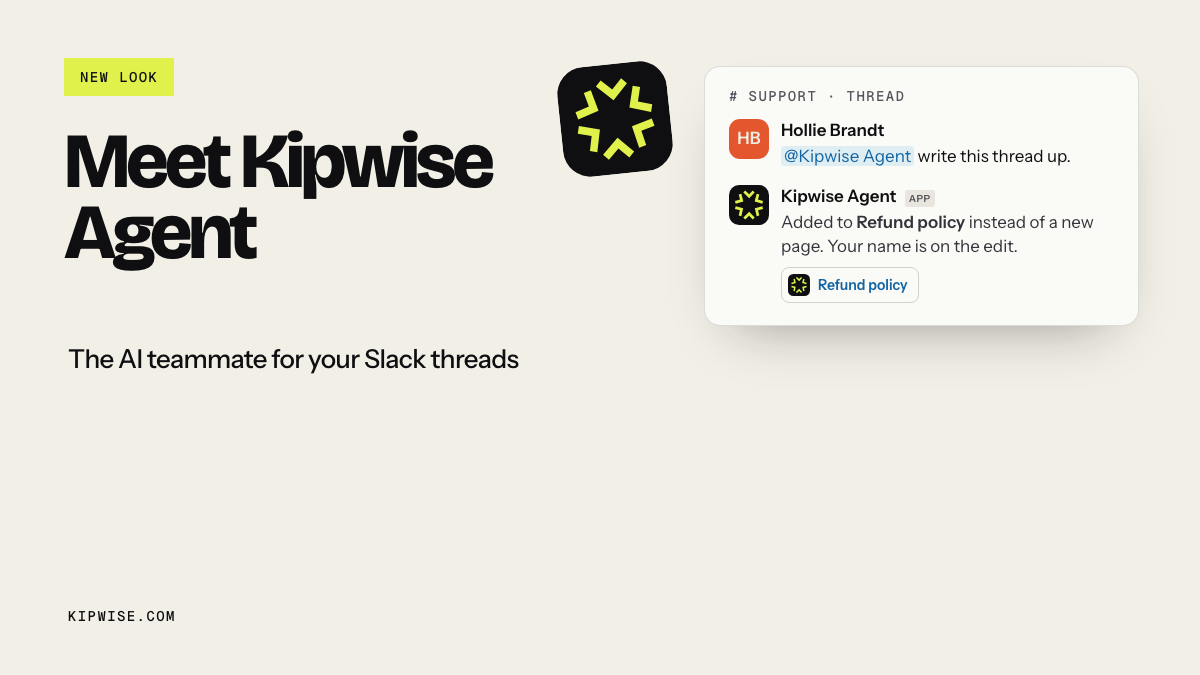
If your team uses the Kipwise agent in Slack, this step is a single request in the incident thread: mention the agent and ask "draft a timeline of this thread and list the open questions". It reads the thread it was mentioned in and answers there, and plain replies in the same thread continue the work, for example "which Linear issues were opened during this?" or "what changed in the repo on Tuesday?". With GitHub connected through the GitHub agent, it reads the actual commits and pull requests with the asking person's own access and links the lines it read. It quotes what it found and does not fill gaps: if the thread does not say why the alert stayed quiet, that stays an open question for the meeting.
A 30 minute post mortem meeting agenda
Rootly's guide puts a review of a minor incident at about 30 minutes and a moderate one at about 60. A small team with a drafted timeline can fit most reviews into 30. Keep attendance to the people who worked the incident plus whoever owns the area; incident.io also warns against inviting too many people.
| Minutes | Item | What happens |
|---|---|---|
| 0 to 5 | Open items from the last post mortem | Read them out, with owner and status |
| 5 to 12 | Timeline | Walk the drafted timeline, fix errors, mark what surprised people |
| 12 to 22 | Causes | Ask why it happened and why it was not caught sooner, until you reach things the team can change |
| 22 to 28 | Actions | Agree at most three, each with one person, a date and a ticket |
| 28 to 30 | Close | Confirm who writes the summary and where it goes |
Open every post mortem by reading the action items still open from the last one, so an unfinished fix is visible before anyone writes a new list. This is a recommendation rather than a rule from the sources, but it follows from the SRE book's point that an unreviewed postmortem might as well never have existed. If last month's "add an alert on failed syncs" is still open and this month's incident was a failed sync nobody noticed, the cause is already on the table.
For a project post mortem (a late launch or a lost client), use the same shape. The timeline comes from the project channel and the board instead of an incident thread, and the causes are usually handoffs, unclear owners or a skipped step rather than code.
The action item rule: three items, one person, a date and a ticket
Cap a small team's post mortem at three action items, each with one named person, a date and a ticket, because a long list owned by the team is a list nobody closes. Rootly's guide asks for one owner, a due date and a ticket per item, and the practitioner write-up above shows what happens without them. The cap of three is our recommendation for teams of 5 to 100: you have the same few people doing feature work, support and the fixes, and three fixes that ship beat eight that do not.
Write each item so a stranger could tell whether it is done:
- Weak: "Improve monitoring."
- Strong: "Alert in #ops when the nightly sync writes zero rows. Owner: Dana. Due: Nov 14. Ticket: ENG-412."
Some rules that keep the list honest:
- A person, not a team. "Backend" cannot be chased. Dana can.
- A date, even a rough one. An item with no date has already been deprioritised.
- A ticket in the normal tracker. If the team plans work in Linear or Jira, the item lives there, so it shows up when work is scheduled. A line in a document does not.
- Size it to the incident. incident.io advises keeping follow-up proportionate to severity. A 20 minute blip does not need a quarter of rework.
- Everything else goes in a parking list in the write-up, explicitly not committed to.
After the meeting: the write-up and a weekly check in Slack
Two things need to happen the same day: a short write-up and the tickets.
The write-up is one page: what happened, the corrected timeline, the causes, the three actions with owners and dates, and the parking list. Google's guidance is to publish the outcome to a wide audience. At a small team, that means posting the link in the main team channel, not only in the incident thread.
Someone, or something, then has to look at the open items every week until they are closed. Rootly recommends reviewing overdue items on a fixed cadence and closing an item only after the fix is verified.
Here is how that looks with the Kipwise agent. Every write below waits for an Approve card that only the person who asked can press; without approval nothing is created.
> Lead (in the incident thread): @Kipwise write up this incident as a page in the Post mortems folder: corrected timeline, causes, and these three actions with owners and dates. > > Agent: Drafts the page from the thread, shows an Approve card, then publishes it with the lead as author and posts the link. > > Lead: Now file one Linear issue per action, assigned as listed. > > Agent: Shows the three issues on an Approve card, files them as the lead, and replies with the links. > > Lead: Every Monday at 9, post in #eng the open post mortem action items with owner and due date. > > Agent: Asks for approval once to create the scheduled task; later runs post without asking again.
This is an illustrative exchange, not a transcript. The capabilities behind it are the ones the agent documents: it writes a thread up as a Kipwise page that shows the asker as the author, files and updates Linear or Jira issues as the asking person (the Linear agent page shows the Linear side), runs requests on a schedule in plain language and posts the result in the channel, and can act when a Linear issue is marked done. It does not decide causes, choose owners or close issues on its own. People do that in the thread.
If you prefer to keep it manual, the same weekly check works as a calendar reminder for the lead and a saved board filter. A weekly cadence matters more than which tool runs it. Teams that already chase other follow-ups this way can reuse the habit described in keeping follow-ups from falling through the cracks in Slack.
When it goes wrong
The thread is a mess. Half the response happened in DMs or a call. The drafted timeline will have gaps. Leave them as open questions and ask the people involved to fill them in writing before the meeting. Next time, agree that incident work happens in one channel thread.
Someone gets defensive. Stop and restate the blameless rule. Move the question from "why did you push it" to "what let a bad change reach production without a check".
The owner leaves or changes teams. The weekly check will show an item whose owner has gone quiet. Reassign it in the meeting where it surfaces, with a new date.
An action turns out to be bigger than planned. Split it. Commit to the first step with a date and park the rest. Do not let one large item block the other two.
The same incident happens again. Read the old post mortem first. If its actions were closed, the cause analysis missed something. If they were open, the problem was follow-through, and the fix is the weekly check, not a longer list.
A sensitive incident. If the failure involves customer data or a person's conduct, keep the write-up in a restricted place and share a summary. The agent works with each person's own permissions, so a page or channel someone cannot open stays closed to them through the agent too.
How to know it is working
Give it a quarter and check three numbers:
- Action items closed by their date. Count closed items against all committed items. If the cap of three is working, this should climb.
- Repeat incidents. Count incidents whose cause matches an earlier post mortem. This should fall.
- Time from resolution to meeting. Aim for within three working days, in line with Rootly's 24 to 72 hour guidance.
A simple checklist for each review:
- [ ] The trigger was on the agreed list, or someone asked for the review.
- [ ] The timeline was posted in the thread before the meeting.
- [ ] The meeting opened with last time's open items.
- [ ] No more than three actions, each with one person, a date and a ticket.
- [ ] The write-up was posted in the main team channel the same day.
- [ ] The open items appear in the weekly check until verified done.
If you already keep a record of decisions from Slack threads, link each post mortem to it. The approach in capturing Slack decisions in a decision log works well for the "we decided to change X because of incident Y" lines that otherwise get lost.
What to do next
Before your next post mortem meeting, write down your triggers using the table above and agree on the three-item rule with your team. Then pick the last incident thread in your Slack and draft its timeline, with a link per line, in 20 minutes. If you want the agent to draft that timeline, file the tickets and run the Monday check, install the Kipwise agent, connect Linear or Jira, and ask it in that thread. It costs $10 per user per month with a minimum of three users, as listed on the pricing page.