Incident report template for a small firm: an owner, a decision and a weekly check

A good incident report template has two halves: what happened, and what you will do about it. The second half needs one named owner, a due date, a recorded decision and a sign-off, because Riskrsuite's form guide treats a report with no decision as still open. Most free templates stop at "what happened" and leave the follow-up as a blank box.
That blank box is where small firms lose the value of the report. Reports pile up in a folder, the same incident happens again, nobody can say how many are open, and staff stop reporting because nothing visibly happens. If an insurer, a client or a regulator later asks what you did, the record is thin. This article gives you a one-page form to copy, a four-state rule for a log, and a Slack routine that checks the open reports every Monday.
The short version
- Use a one-page form with two halves. The first half is facts from the reporter. The second half is the follow-up, filled in by a person.
- Every report gets one follow-up owner and one due date. A report without both is in a state of its own, not an open report with a late date.
- Every report ends in a decision: an action to prevent a repeat, or a written reason that no action is needed.
- Every closed report is signed off by its owner with a date.
- Keep one row per report in a shared Sheet, and have the agent post three lists in Slack every Monday.
What should an incident report template include?
It should include the date, time and place, the people involved, what happened, what was done at the time, who was told, and then a follow-up block with an owner, a due date, a decision and a sign-off. Every template has the first half. The second half turns a story into a record.
HiBob's template is typical of the top results. It covers date, time and location, people involved, what happened, injuries or damage, immediate actions, contributing factors and signatures, and it ends with a follow-up section that asks management to summarise next steps. The page's own advice is to assign responsibility for each action item and include target completion dates, but the form has no field for either. Smartsheet's collection of free templates offers many variants in Word, PDF and Google Docs, and none of the ones read here has an owner or due-date field. Riskrsuite's form is the exception: its follow-up block records who it is assigned to, the action to prevent a repeat with an owner and due date, a decision, and who closed it and when.
Here is a one-page form built on that last pattern. Copy it into a Google Doc or paste it into your incident channel.
Part 1: the report (filled in by whoever saw it)
- Date and time
- Where it happened
- Who was involved, and who saw it
- What happened, in the reporter's own words
- What was done at the time
- Who was told, and when
- Any injury, damage or client impact (yes or no, then details)
Part 2: the follow-up (filled in by a person, never left blank)
- Follow-up owner: one name
- Due date
- Likely cause, in one sentence
- Decision: action to prevent a repeat, or no action needed with the reason
- Closed by, and closed on
Keep part 2 short so it can be checked at a glance: each box has a name and a date, or it does not.
Try Kipwise Agent free in Slack: mention it once in a thread and it does the repetitive work, with your permissions.
Why do incident reports go stale at a small firm?
Because nobody is assigned to the open ones, and nobody can see them all in one place. A guide from the consultancy Calgary Safety Consultants describes a hypothetical 60-person steel fabrication shop where corrective actions lived in four places: inspection forms in a binder, incident reports on a shared drive, committee minutes in email and last year's audit report. In the example, when someone finally pulled them together there were 112, the oldest was 14 months old and 31 had no owner. This is the author's illustration, not a measured result, but the pattern will look familiar at any firm that keeps reports in a folder.
The fix in that example was ordinary: every open item went into one tracker with a priority, a named owner and a realistic due date, anything without an owner was assigned on the spot, and the list became a standing item at a weekly meeting. A firm of 10 to 80 people does not need a safety committee for that. It needs the same three things, a list, an owner on each row and a weekly look.
How do you track open reports with a log?
Keep one row per report in a shared Google Sheet, with these columns: id, date, reporter, one-line summary, follow-up owner, due date, decision, closed by and closed on. The log gives you the one list that the example above lacked.
Then give every row one of four states, worked out from the columns rather than typed in:
| State | How to tell | What it means |
|---|---|---|
| No action set | Owner or due date is empty | A report exists but nobody is on the hook |
| Open | Owner and due date set, due date not passed, no sign-off | Work in progress |
| Overdue | Due date passed, no sign-off | The owner needs to act or move the date |
| Closed | Decision recorded and signed off with a date | Done |
Two of these states need extra care.
A weekly check for overdue follow-ups cannot see a report that has no due date, so the log needs a list for reports with no owner or due date, and that list comes first. An overdue filter compares a due date with today, and a blank date is never overdue. Those are the reports most likely to be forgotten, and the 31 ownerless items in the shop example were in the same position. This is a recommendation, drawn from the gap in those examples rather than from a source that states it. Put "no action set" at the top of the Monday check, and clear it before you read anything else.
A decision that no action is needed is a legitimate way to close a report, but only when the reason is written down and the owner signs it off. Riskrsuite's guide says both choices are valid decisions: an action to prevent a repeat, with an owner and a due date, or a decision that no action is needed, with the reason written down. A report with neither is still open. Some reports really do need nothing, such as a one-off with no cause you can fix, and a log that forces an action on every row trains people to write vague actions to make the row close. A written "no action, because" is honest and is useful if the question comes back later.
What does the Slack workflow look like?
Whoever saw the incident posts in an #incidents channel and tells the Kipwise agent what happened. Mention the agent once in a thread, and plain replies in that thread continue the conversation.
- The reporter posts. In #incidents, in their own words: "Mentioning the agent: the delivery driver slipped on the wet entrance step around 2 pm, he's fine, I put a cone out and told Dana."
- The reporter fills the gaps. Ask the agent in the thread which part 1 fields are still missing, such as the exact time, who else saw it and who was told, and the reporter answers there.
- A person sets the follow-up. The owner or office manager names one follow-up owner and a due date in the thread. This is a human step on purpose. Deciding the cause and the corrective action stays with people.
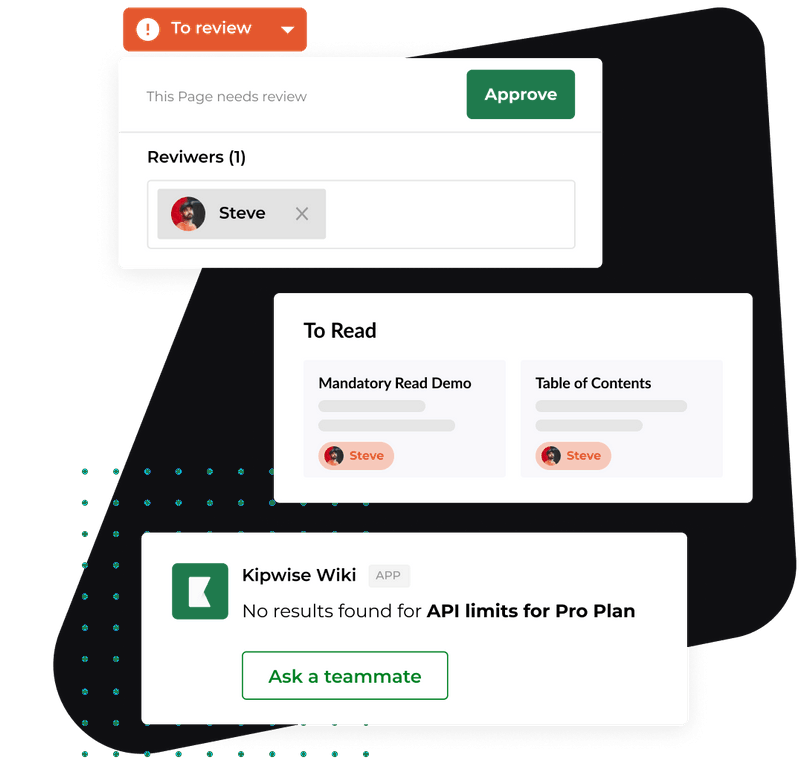
- The agent logs it. On request, the agent reads the log Sheet, adds one row for the report and fills in the columns from the thread. In a Google Sheet it can read a range, add rows and update cells when asked, and each change waits for an Approve or Deny card that only the asker can use. The card expires after 30 minutes, and if it expires, the row is not added. Editing a Sheet is a separate Google connection from reading one, so whoever logs reports connects it once.
- The agent can write it up. If someone asks "Can someone write this up?", the agent drafts a Kipwise page from what was said, puts it in the folder you name and posts the link. That gives the incident a readable record beyond the Sheet row.
A made-up example of the finished row: "INC-014, Tuesday, front desk, driver slipped on wet entrance step, owner Dana, due Friday, decision: add a mat and a wet-floor sign to the closing checklist, closed by Dana on Thursday." The example is illustrative, not from a real firm.
How do you run the weekly check?
Ask the agent, once, in plain language, for something like this: "Every Monday at 9 am, read the incident log and post three lists in #incidents: reports with no owner or due date, reports past their due date, and reports with a decision recorded but not signed off. Put the owner's name beside each row." The agent runs requests like this on a schedule and posts the result in the channel. Creating a scheduled task needs your approval once, and later runs do not ask again. A scheduled run uses the permissions of the person who set it up, so that person must be able to read the Sheet. The scheduled jobs guide covers how recurring runs behave and fail.
The three lists map onto the four states. "No action set" is the first list, "overdue" is the second, and the third catches reports where the work is done but nobody has signed off, which would otherwise sit open forever. Each row on the Monday post then gets one decision from its owner in the thread: do it today, move the date and say why, or hand it to someone else and say so.
The escalation rule in the Calgary guide is a useful model for the third step. It suggests a ladder: the owner's supervisor at the due date, a manager at two weeks overdue, and senior management at 30 days. In a firm of 10 to 80 people, that usually means the owner is the only rung above the follow-up owner, so write down who that is and what they do at two weeks. For other ways the same owner-per-item pattern is used, see how a post mortem meeting, a risk register and a customer complaint log each give one person responsibility for every item.
What stays with a person?
Everything that carries judgment or liability. The agent does not decide the cause, choose the corrective action, judge how serious an incident is or sign a report off as closed. It does not file anything with an insurer or a regulator, and nothing in this article claims it does.
Keep these with a named person, and say so in your process:
- Any injury, however minor it looks at the time.
- Any incident involving a client's data.
- Any contact with an insurer, a regulator or a lawyer.
- Any discipline of a person.
- The decision on cause and corrective action.
- The sign-off that closes a report.
This is not legal advice. OSHA's recordkeeping page says many employers with more than 10 employees must keep a record of recordable work-related injuries and illnesses, and that certain industries are exempt. The rule for small employers is set out in 29 CFR 1904.1. Whether a given incident is recordable, and whether your industry is exempt, is for you or a safety adviser to check against that page. An incident log is useful either way, but it is not the same as the OSHA forms, and this template does not replace them.
What if the log goes wrong?
- The reporter leaves out half the facts. Ask the agent in the thread for the missing part 1 fields. If the answer is still thin, the owner follows up with the reporter by voice and updates the row.
- Nobody picks an owner. The report stays in "no action set" and appears at the top of the next Monday list with a blank where the name should be. The office manager assigns an owner that week, so the row never reaches a third Monday.
- The approval card expires. The row is not added. Ask again in the thread and approve it, and check the Sheet before you assume it is there.
- A due date slips. The owner moves the date in the thread and says why. Moving a date once is normal. A date moved three times is a sign the action is the wrong size, and the owner should split it.
- The reporter gets no response. Close the loop with the person who raised it. When people see what happened after a report, they keep reporting, and when they do not, they stop.
- A report is a near miss. Log it the same way. A near miss report is cheap to write, and its follow-up is often the cheapest fix you will get.
How do you know it is working?
After a month, check four things using the log alone.
- No unowned reports. The "no action set" list is empty by Tuesday each week.
- Overdue count falling. The number of overdue rows on Monday is the same or lower than the week before.
- Every closed row has a decision and a date. Open the closed rows and read ten of them. If a decision says only "done", the form is being filled in to get the row closed.
- Reporters can find out what happened. Ask two people who reported something whether they know the outcome.
If you cannot answer how many reports are open from the Sheet in under a minute, the log is not doing its job. Fix that before adding any more fields.
What to do next
Copy the form above into a Google Doc, then create the log Sheet with the nine columns this week. Paste the form into #incidents, ask the agent once to keep the log, and schedule the Monday check with "no owner or due date" first. The Kipwise agent costs $10 per user per month with a minimum of 3 users, and the process works the same way with a plain Sheet and a calendar reminder if you prefer to start there. Whichever you use, name the person who reads the Monday list before the first report comes in.