Agentic Workflows for a Small Slack Team: What to Run First and What to Keep Human
Give an agent the job that costs your team the most hours a week, whose output you can check in a minute, and where a wrong answer costs a reply in a thread and not a client. For most Slack-first teams that is the weekly status roll-up or the follow-up chase. We recommend running it read-only in a thread for two weeks, letting it write to internal tools only behind an approval card, and scheduling it once most outputs need no edits. Anything a customer reads stays a draft that a person sends. Hire for what is left.
If you run a 5 to 100 person company on Slack, the useful question is which recurring job an agent should take first, and whether that is enough to skip hiring a coordinator or VA for the repetitive part. A wrong pick is easy to miss: you end up with a clever setup for a task that happens twice a month while the chasing that eats your week stays manual, or with an agent that sends a customer the wrong number.
Workflow or agent: decide per job
Anthropic's engineering post on building effective agents draws the line most guides blur. In a workflow, the code paths are predefined and the model works inside them. In an agent, the model directs its own process and tool use. The same post recommends finding the simplest solution that works and adding complexity only when needed, and notes that agents trade latency and cost for flexibility.
For a small team the distinction decides how you set up the job. A weekly status roll-up has the same steps every time: read these channels, group by owner, flag what is late. That is a workflow, and you want it predictable. Working out why a client's onboarding stalled, across email, the CRM and three threads, has no fixed path, which is closer to an agent. Most good first jobs are the first kind with a little of the second: fixed steps, with a model doing the reading and summarising inside each step.
Guardrails are covered well elsewhere. Box's agentic workflows guide describes workflows that pause for human approval on sensitive steps and log every action. What a small team still has to settle is which job goes first.
Four questions that pick the first job
A practitioner who builds inbox and lead automations for small businesses describes the usual mistake in an r/AI_Agents thread: an impressive agent for a task that happens twice a month, while the job that eats six hours a week never gets touched. That is one author's report, and the author promotes a related kit in the comments, so treat it as a pattern to test against your own week and not as a finding.
Write down every repetitive coordination job your team or your would-be hire does in a week, then run each through four questions.
1. How many hours does it really take? Rank jobs by times per week multiplied by minutes each, not by how annoying they feel. A daily ten-minute chase is 50 minutes a week. A monthly report that takes two hours is about 30. The chase wins, even though the report feels heavier. Do the multiplication on paper before you decide.
2. Are the inputs bounded? Inbound email is a good case: intent falls into a handful of buckets (pricing, booking, complaint, spam). If you cannot write the categories down, the job is not ready. As a gut check, describe the job in one sentence with no except-when clause, because a frequent task with a dozen hidden exceptions costs more supervision than a boring, uniform weekly one. "Every Monday, list open deals with no next step, by owner" passes. "Reconcile invoices, except when the vendor uses the old template, except when..." does not, yet. "Handle my Slack" fails at once, because an agent with unbounded inputs invents categories as it goes.
3. What does one wrong output cost, and how fast can you catch it? Set the approval point by what one wrong output costs, not by how capable the model looks. Anything a customer reads starts as a draft a person approves, and for customer-facing work the safest setup gives the workflow no send step at all. Internal summaries can run on their own. A wrong internal status line costs a reply in the thread. A wrong price in writing to a client costs a relationship.
Pick output you can check in a minute. A list of open deals with a link to each can be checked against the CRM at a glance, and a long narrative summary with no sources cannot. The first two weeks exist to learn how the agent fails, and you learn that fastest from output you can verify without a second research task.
4. Does someone already run it by hand, and does anyone read the result? If nobody does the job today, you have no baseline to compare against and no one who knows what good output looks like. Start with a job that has an owner, a current format and a person who will notice when it is wrong. Delete a report nobody reads before you automate it: Remova Tech makes the same point, that the best automation removes bad work instead of only speeding it up.
A job that scores well on all four is your first agentic workflow. A job that fails question 2 or 3 stays with a person for now, or waits until you can write its rules down.
Five agentic workflows a small team can run in Slack
These five pass the filter for most Slack-first teams of 5 to 100 people. Each shows what the agent does and where a person approves. Kipwise has single-topic guides for several of them, linked below.
| Job | Typical weekly cost by hand | Inputs | Agent does | Person approves |
|---|---|---|---|---|
| Weekly status roll-up | 1 to 3 hours of asking and collating | Project channels, Linear or Jira | Reads updates, groups by owner, flags silence | Posting to the wider channel |
| Follow-up chase | Daily, 10 to 30 minutes | Starred threads, CRM deals with no next step | Lists open loops by owner, drafts nudges | Each CRM write and each nudge |
| Monday operating brief | 1 to 2 hours | CRM, issue tracker, payments | Pulls numbers, compares to last week, notes gaps | Nothing, if it is read-only in a thread |
| New deal or payment handoff | Per event, 10 to 20 minutes | HubSpot deal created, Stripe payment received | Reads the record back, posts a checklist in the channel | Any change to the record |
| Client update draft | 30 to 60 minutes per client | Project threads, tracker, last update | Drafts the update from the week's work | The person sends it, every time |
The hours column is an illustrative range for a small team, not a measurement. Replace it with your own times-per-week multiplication.
Status roll-up. Someone mentions the agent in a project channel thread and asks for every update from the last week, grouped by owner, with anything silent for seven days flagged. Getting team status updates in Slack without an ops coordinator covers this job end to end.
Follow-up chase. The agent lists open loops and drafts the nudge. A person approves each write. See keeping follow-ups from falling through the cracks in Slack.
Monday brief. A read-only job in one thread, then a schedule. Scheduling recurring AI agent jobs in Slack without silent failures covers what to check when a scheduled run fails.
Event handoff. Instead of a time, the trigger is an event in a connected tool. The agent should read the record back before acting, not trust the notification alone.
Client update draft. It is tempting to automate this one first. Keep it draft-only longest, because a customer reads it.
How it runs in a Slack thread
This example is made up, not a customer story. The ops generalist at an 18-person design studio that uses Slack, HubSpot and Linear was about to post a part-time coordinator role. Instead she opens a thread in #ops and mentions the agent once: "Every Monday at 9, list HubSpot deals with no next step and Linear issues with no update in seven days, grouped by owner." She replies in the same thread to drop one pipeline she does not care about. The first run comes back read-only in the thread. When she asks it to put the list on a schedule, she approves that once. Two weeks later she lets it draft nudges and CRM notes, and each one waits on an Approve or Deny card that only she can use.
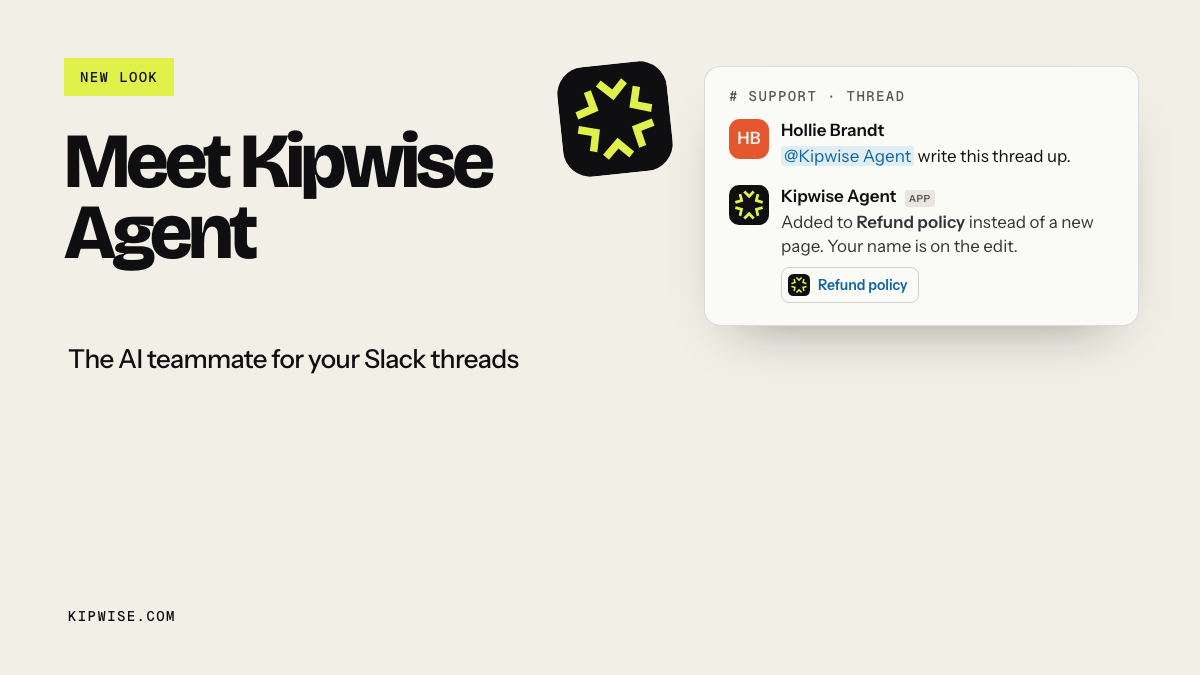
That is how the Kipwise Agent works. You mention it once in a channel thread and plain replies continue the conversation. It acts with the asking person's own access in each connected tool, so it cannot read a deal or page you cannot open. Before a live request changes something in a connected service or posts a message, it shows an Approve or Deny card that only the asker can use, and the card expires after 30 minutes. A scheduled task needs approval once, and its later runs post to the channel without asking again. It can also act when something happens in a connected tool, such as a deal being created in HubSpot or a payment arriving in Stripe, and it reads the record back with your tools first. The architecture behind this is in how to build a thread-native AI agent for Slack, and the approval cards are covered in adding human approval to AI agent workflows in Slack.
Where a person keeps the decision
Agentic workflows move the repetitive part, and someone still answers for the result. Keep these with a person, whatever the tool:
- Choosing which job to automate. The filter above is a judgment call about your business.
- Anything a customer reads before it is sent. Draft-only until you have weeks of evidence for one narrow message type.
- Money, hiring, legal and pricing exceptions. Remova Tech's examples keep payment approval, hiring, legal approval and customer commitments with an accountable person, and a small team has less room to absorb a mistake than an enterprise.
- Complaints and relationship calls. Complaints, pricing exceptions and ambiguous account details stay draft-only.
- Fixing the process itself. If three people disagree on how a job should run, an agent will not settle it.
Decide autonomy one output type at a time. Run each message type in draft mode first, record how often a person edits it, and graduate only a narrow slice, such as appointment confirmations, to sending on its own. Base each promotion on the edits you recorded for that message type, not on how the last week felt.
Run it as a four-week pilot
- Week 1: read-only in a thread. Write down the minutes the job took by hand that week.
- Week 2: still read-only. Count corrections you would have made before sharing the output.
- Week 3: allow approved internal writes. Count cards approved unchanged versus edited or denied.
- Week 4: put it on a schedule if most cards went through unchanged.
At the end, compare three numbers: minutes per week before and after, the share of outputs approved without edits, and the open loops that closed without you chasing them. If the minutes fell and the edits are rare, take the next job off your list. If the edits stayed high, the job failed question 2, and no prompt change will fix that. If the work left over is mostly judgment and relationships, that is when a hire makes sense, for those parts and not for status chasing.
When a week goes badly, look for one of these:
- Stale source data. The brief lists a deal that closed last week. Fix the data hygiene in the CRM first; do not add outreach on top of a bad list.
- The job had hidden exceptions. Edits climb instead of falling. Narrow the scope until it passes the one-sentence test again.
- A scheduled run fails quietly. Ask the agent what happened on previous runs. With Kipwise you can list your jobs and ask about past runs, including failures, so check that history weekly during the pilot.
- Permissions surprise someone. The agent uses the asker's access, so a teammate who cannot see a deal will not get it in their brief. Decide whose job it is and have that person set it up.
- An approval card expires. Nothing runs. That is the safe default; ask again when you are back.
Today, list the repetitive coordination jobs your team does each week and write times per week times minutes next to each. Circle the top one that passes the one-sentence test and has a low cost of being wrong. If your team works in Slack, open a thread, ask an agent to do that one job read-only, and compare its output with what you would have written. Kipwise Agent costs $10 per user per month with a 3-user minimum and has a free trial, so you can run the first two weeks of the pilot before you decide whether to hire. The Kipwise Agent introduction shows what it looks like in a thread.