AI Chief of Staff in Slack: What It Can Run Before You Hire One
If every plan, owner, and deadline in your company still routes through you, you are acting as your own chief of staff. The work that slips first is follow-through: the instruction you gave on Tuesday that nobody filed, the deal that sat without a next step, the Monday picture of the business you assemble by scrolling Slack. An AI chief of staff promises to take that over.
This guide is for founders, CEOs, and ops generalists at Slack-first firms of roughly 5 to 100 people who are deciding between a chief of staff hire, a right-hand operations person, and an AI chief of staff product. It separates the part of the role an agent in Slack can run today from the part that still needs a person, and it gives you the checks to make before you buy anything.
What a chief of staff actually does
In HBR's case for a chief of staff, Dan Ciampa quotes a chief of staff who breaks the job into five roles: an air traffic controller for the leader and the senior team, an integrator connecting work streams that would otherwise stay siloed, a communicator between leadership and the wider company, an honest broker, and a confidant. Ciampa adds that a chief of staff "acts with the implicit imprimatur of the CEO".
In Lightspeed's interview on hiring a chief of staff, the CEO calls the role "a force multiplier for the CEO's strategic value" and lists planning and budgeting, exec meetings, meeting prep, and cross-functional projects.
Smaller firms hire for a narrower version. In Kipwise's review of Upwork job posts for work inside a client's own Slack, three posts were titled as a chief of staff role. One asked the hire to "convert founder instructions into tracked action items with owners/deadlines" and to follow up until they were done. Another, paying $55 to $75 an hour, wanted every deliverable to have "a clear owner, deadline and status" and concise operating briefings for the CEO. The pain lines in those posts are blunt: "nothing falls through the cracks", "I know before the CEO has to know", and "I have the information and the plan, but not enough hours to get it to the right people". Those are job posts, not a survey.
Judge it on follow-through, not on email
Most AI chief of staff products are sold on the executive assistant half of the job. Viktor's AI chief of staff page promises briefings, reports, CRM updates, and team nudges "every morning, without being asked". The withtai explainer describes agents that read your inbox, draft replies, schedule meetings, and track commitments. A builder's comment on Hacker News says founders lose time to communication triage that "mostly only needs a quick decision or rerouting", and that Superhuman and Lindy fell short for them. That is one author's report, but it matches how the category is pitched.
HBR draws the line the other way. Unlike an executive assistant, Ciampa writes, a chief of staff "does not handle routine correspondence or manage the leader's day-to-day schedule". A chief of staff is not an executive assistant, so judge an AI chief of staff on owners, deadlines, and follow-through across your tools, not on how well it drafts email or moves meetings.
Email drafting and calendar moves are cheap to get elsewhere, while follow-through is the work small firms hire people for. In the same Upwork review, status updates and reporting appeared in 58% of 124 posts, and creating tasks, following up, and chasing appeared in 56%. Answering internal questions from SOPs appeared in 2%. When you trial a product, test it on the follow-through jobs first:
- Does it turn your instruction into a tracked item with an owner and a date, in the tool your team already uses?
- Can it tell you, on Monday, what is overdue by owner, with a link to each item?
- Does it notice a promise from last week that never became a task?
- Does it say plainly when it could not read a project, a board, or a deal?
A product that shines at inbox triage but fails those four is an AI executive assistant under a different name. If inbox triage is your real bottleneck, our guide to triaging your Slack inbox without a VA covers that job.
What an AI chief of staff can run in Slack
The operational half of the role is repetitive, and it lives in the tools you already have. Provision's operations agent page, a vendor source, puts it as "the strategic 20% requires real judgment; the operational 80% requires consistency and tireless follow-through". Treat the split as a vendor's framing rather than a measurement, but the list of operational work is a fair one: weekly goal reviews, status pings, standup digests, action-item tracking.
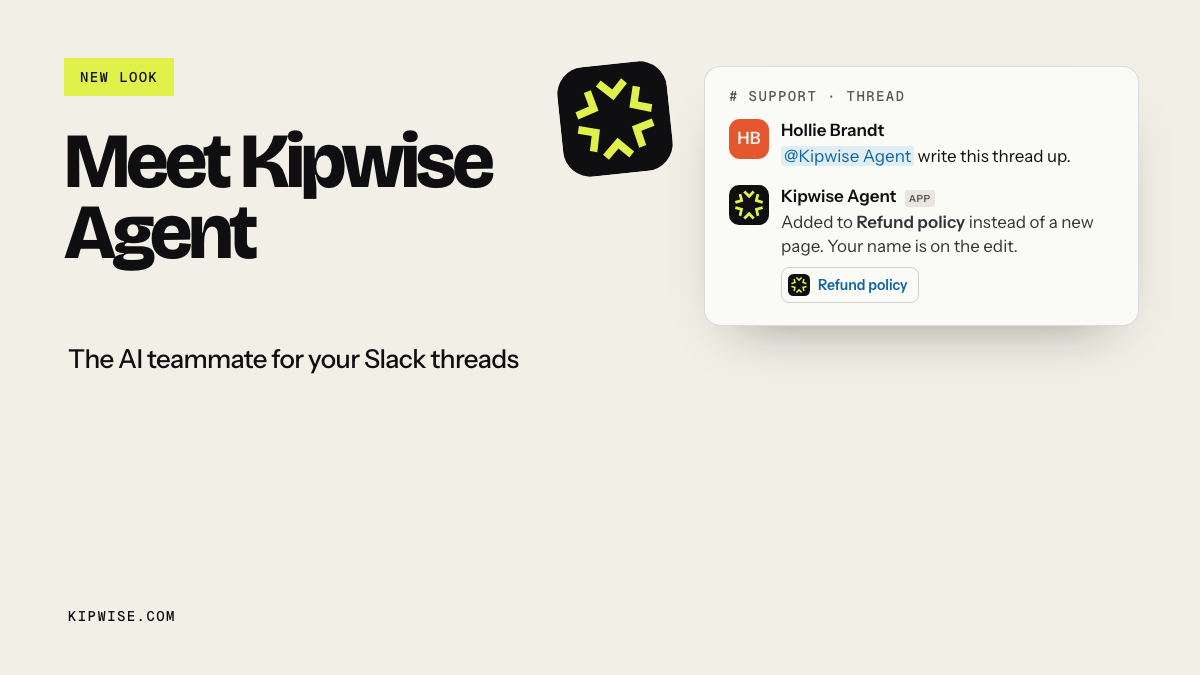
With the Kipwise Agent, that work runs in one internal operating thread. You mention the agent once, and plain replies in the thread continue the conversation. A practical loop looks like this:
- A Monday operating brief. A scheduled request runs each Monday with your connections. It lists open and overdue Linear or Jira issues by owner, open HubSpot or Pipedrive deals with no next step, and the Stripe or QuickBooks figures you agreed to watch, each with a link. It also searches last week's Slack discussions you can see for decisions and promises.
- Instructions become tracked items. During the week you reply in the thread: "file this for Maya in Linear, due Friday". The agent shows an Approve or Deny card before it files the issue, and the issue is attributed to your account.
- Follow-up drafts. For each overdue item, the agent drafts a short nudge in the thread. You approve it, edit it, or post it yourself.
- A Friday close-out. A second scheduled request lists what closed, what slipped, and what has no owner, so Monday starts from facts.
Creating each scheduled request needs one approval; later runs post their results without asking again. The agent uses your Slack timezone and the same tools and permissions as a live request from you. The task-level guides go deeper on each piece: keeping follow-ups from falling through the cracks, getting team status updates without an ops coordinator, and turning Slack conversations into action items.
Keep the founder's authority in the founder's hands
The pitch for an autonomous chief of staff is that it chases people for you. Viktor's page says it "nudges the right person and follows up until it's done". That sounds like relief until you remember Ciampa's point about the human role: the chief of staff speaks with the CEO's implicit imprimatur. Every nudge an AI chief of staff sends carries the founder's authority, so have nudges drafted for you to approve or post until you trust the pattern, instead of letting the agent chase people on its own.
A nudge to a senior teammate about a deadline they renegotiated with you in a hallway reads as distrust, and a nudge about an item you already waived reads as disorganization. Neither shows up in a demo. Slack's agent design guidance asks agents to signal clearly when they act on a user's behalf so people can tell what is human and what is automated, and that is the minimum.
Our recommendation for the first four weeks:
- Let the agent draft every nudge in your operating thread, and post the ones you agree with.
- Note which drafts you change and why. Those edits are your rules: "skip anyone on leave", "never chase the board", "deadlines in Linear beat deadlines in chat".
- Only after the drafts stop needing edits, consider letting a narrow class of reminders go out on a schedule.
The Kipwise Agent fits this pattern by default. Posting a report to a channel, sending email, or filing an item each shows an Approve or Deny card that only the person who asked can use, and an unanswered card expires after 30 minutes without running. It will not post to a different channel from the one you asked in.
Check whose permissions it reads with
A chief of staff sees more than most people in the company. An AI one can see even more, and the question is through whose eyes. Slack's agent design docs state that an agent "shouldn't be able to read, access, or use information that the invoking user wouldn't be able to access on their own". Some products are installed with broad access and then "monitor every channel", as the Cyrus product page puts it.
Check that the agent reads with your own permissions and posts the brief only where everyone can see the sources, because an agent that reads every channel can put private-channel content in front of the whole team. In ordinary use, a Monday brief can draw on a private leadership channel and a DM about a hire, then land in a public ops channel where twenty people read it.
What to do differently:
- Ask the vendor, in writing, whether the agent searches Slack with the asking person's access or with its own.
- Keep the founder's brief in a DM or a private leadership channel. Make a second, team-facing brief that is asked for in the public channel, so it only draws on what that channel's members can see.
- Read the first few briefs for anything that should not have been there, and treat any leak as a setup fix before you widen the schedule.
The Kipwise Agent searches Slack live with the asking person's own Slack connection, and every connected tool, from Linear and HubSpot to Gmail and Stripe, uses that person's own account and permissions. A deal or a page you cannot open cannot be summarized for you. Our per-user permissions guide explains why shared bot tokens break this.
What still needs a person
Be honest about the gap before you cancel the hiring plan. From the HBR list, the honest broker and confidant roles are judgment about people, and no agent should hold them. From the Lightspeed list, strategic planning, offsites, and fundraising support need someone who can weigh trade-offs and talk to outsiders. Provision's page, written by a vendor that sells the agent, still says hard trade-off decisions and executive communication with judgment "still belongs to a human".
The job posts add practical limits. Phone calls were the most common thing an agent could not do across the 124 posts Kipwise reviewed, and two of the chief of staff posts named Asana, Monday.com, or ClickUp; Asana and ClickUp are not built-in Kipwise connections. If your work lives there, an agent in Slack sees the conversation about the work but not the board. Test that before you rely on the Monday brief.
So the honest path is to put the repetitive part in Slack before you hire. If you still hire afterwards, you hire someone for judgment, people, and outside relationships, and they inherit a working operating cadence instead of building one from scratch.
Compare the cost honestly
Most published figures here come from vendors, so read them as claims. Provision states that a full-time chief of staff costs $150,000 to $250,000 all in and a fractional service $5,000 to $15,000 a month, against its own $299 per agent. A Stackbases review of Bond reports $99 per seat per month billed annually and notes its API is still listed as coming soon. The Kipwise Agent is $10 per user per month with a minimum of 3 users, so $30 a month for a three-person team. For the smaller hire most firms make first, Kipwise's Upwork review found a median of $10 an hour, about $800 a month for a 20-hour-a-week assistant.
Durability is the harder comparison. Sliq's survey of the category reports that OpenAI acqui-hired the team behind Nerve, an AI chief of staff startup, in February 2026 and that the product was sunsetting. Before you build your operating cadence on a standalone product, ask what happens to your briefs, rules, and history if it disappears. A cadence built on your own Linear, CRM, and Slack threads survives a vendor change better than one stored inside the vendor.
What native Slack covers
Slack itself now summarizes. Slack's guide to AI features lists recaps, automated daily summaries of channels you choose, on Business+ and Enterprise+ plans, plus conversation summaries on Pro and above. If what you want is "tell me what I missed in these channels", start there.
Recaps summarize conversation. They do not read Linear, the CRM, or Stripe, file the item, or draft the nudge, which is the step a chief of staff covers.
An illustrative example
This example is made up to show the loop. A 22-person agency runs on Slack, Linear, and HubSpot. On Monday the founder's brief, posted in a private leadership channel, lists six overdue Linear issues across three owners, two HubSpot deals with no next step for over a week, and one promise from last Thursday's thread, "I'll send the revised scope", that never became a task. The brief links each item and says it could not read the design team's ClickUp board.
The founder replies "file the scope task for Priya, due Wednesday" and approves the card. For the overdue issues, the agent drafts three nudges in the thread. The founder posts two, rewrites one because the deadline moved in a call, and adds a rule: check the issue's latest comment before drafting a nudge. On Friday the close-out shows four of six issues closed and the scope sent.
Failure modes to plan for
- Confident gaps. A brief that skips a board it could not read looks complete. Require a "could not read" line in every brief.
- Stale deadlines. Dates in the tracker drift from dates agreed in chat. Decide which source wins and tell the agent in the scheduled request.
- Nudge fatigue. Daily reminders train people to ignore them. Keep nudges to overdue items, once per item per week, unless you ask.
- Wrong audience. A brief posted in a public channel drew on private sources. Move it and narrow the request.
- Silent schedule failures. You can list your scheduled jobs and ask what happened on previous runs, including failures. Check after the first two weeks.
Pilot it for four weeks
Before you write the job description, run the operational half for a month and measure:
- Overdue items per owner, week over week.
- How often you ask "did this get done?" in Slack.
- Briefs delivered on schedule, and how many had a "could not read" gap.
- Nudges approved as drafted versus edited or dropped.
If overdue items fall and your "did this get done?" messages drop, the repetitive half is handled and any hire can focus on judgment. If they do not, you have a sharper job description: you know which parts need a person.
To start, add the Kipwise Agent to Slack, open a private operating thread, and ask it for this week's overdue Linear issues by owner, with links. That one answer tells you whether an AI chief of staff can see your company clearly enough to help.
References
- HBR: The case for a chief of staff: the five roles, the CEO's implicit imprimatur, and the difference from an executive assistant.
- Lightspeed: Should I hire a chief of staff?: the startup chief of staff as a force multiplier and typical projects.
- Slack Developer Docs: Agent design: signaling when an agent acts for a user, and respecting the invoking user's data boundaries.
- Slack Help: Guide to AI features in Slack: recaps and conversation summaries by plan.
- Viktor: AI chief of staff: vendor messaging on briefings and nudges without being asked.
- Provision: Operations AI agent: vendor cost comparison and its split of operational and strategic work.
- Cyrus: AI chief of staff: vendor messaging on monitoring every channel.
- withtai: What is an AI chief of staff agent: category explainer centered on inbox, calendar, and commitments.
- Hacker News: builder comment on an AI chief of staff: an author's report on founder triage overhead.
- Stackbases: Bond review: third-party review with pricing and API status.
- Sliq: AI chief of staff, what actually exists: vendor survey reporting the Nerve acqui-hire.
- Kipwise Agent: product page with pricing and what the agent does as the person asking.