Aged Receivables Report: How to Read It and Review It Weekly in Slack

Most small firms open the aged receivables report only when cash already feels tight. By then the money that matters is past 60 days, and the founder has to work out who owes what, why, and who should call them. This guide is for the person in a 5 to 100 person firm who owns that job without a credit controller: what the aged receivables report shows, how to run it in QuickBooks Online and Xero, how to read it, what it cannot tell you, and a short weekly review where every overdue customer has an owner. The goal is fewer balances reaching 90 days, without hiring someone just to look at the report.
The short answer
An aged receivables report (in the US usually called an accounts receivable aging report, or AR aging) lists what each customer owes you and how long it has been outstanding, grouped into time buckets. QuickBooks describes aging reports as an overview of "who are falling behind their payments, how much is still due, and how long they're past due."
To use it well, do four things every week:
- Run the summary as of today, aged by due date.
- Read the oldest buckets first, then concentration, then the change since last week.
- For each customer past 30 days, decide the cause (dispute, missing paperwork, or no stated reason) and name one owner.
- Hand the routine reminders to your chase process and keep the calls and judgment calls with a person.
What the report shows, bucket by bucket
Both QuickBooks and Xero group open balances into periods. The QuickBooks blog lists the common ranges as Current, 1 to 30 days past due, 31 to 60, 61 to 90, and 91 or more, and both products let you change the periods.
| Bucket | What it usually means | Typical action |
|---|---|---|
| Current | Not yet due | Nothing, unless the customer is new and large |
| 1 to 30 days | Normal slippage, often a missed payment run | A polite reminder |
| 31 to 60 days | A pattern is forming | A direct follow-up and a check for paperwork problems |
| 61 to 90 days | Real risk | A call or a formal payment request |
| 90+ days | At risk of becoming bad debt | Immediate outreach and a decision on next steps |
The actions in the right column follow the Xero guide to reading the AR aging report, which says a 90+ balance needs "immediate outreach, not a routine reminder" and that 61 to 90 day balances warrant "a direct call or a formal payment request".
There are two versions of the report. The summary shows one line per customer with a total in each bucket. The detail report, in QuickBooks' words, shows "which customers have past due balances and how long each transaction is past due." Read the summary to decide where to look, then open the detail for the customers you will act on.
One setting changes what you see. Xero Central explains that you can age balances by Due Date or by Invoice Date. Due date answers "how late is this?", which is what a follow-up review needs. Pick one setting and keep it, or your week-to-week comparison will move for no real reason.
How to run it in QuickBooks Online and Xero
QuickBooks Online. Per the QuickBooks help article: go to Reports, then Standard reports, open the "Who owes you" section and select Accounts receivable aging summary (or aging detail). Use General options to set the aging periods, then Save as so you can reopen the same layout next week.
Xero. Per Xero Central: in the Reporting menu, select All reports and open the Accounts Receivable Aging Summary (called Aged Receivables Summary outside the US). Choose the date, set Aging Periods and Aging By, then click Update. Clicking an amount opens the detail for that contact. Xero also notes that only certain user roles (for example administrator, sales or viewer) can open this report, so check the reviewer's access before the first review.
A scheduled copy. QuickBooks can email a saved AR aging report on a schedule: the QuickBooks help page on scheduled reports walks through Save As and then Create a schedule from the Action menu. That page also says QuickBooks Online "doesn't have the ability to create recurring customer statements". The schedule sends numbers; it does not assign anyone to follow up.
Read it in a fixed order
Plooto suggests you can read the report "in about ten minutes" if you "start with shape, then risk, then root cause." A version of that order for a small firm:
- Oldest money first. Total the 61 to 90 and 90+ columns. That number is the problem; everything else is context.
- Concentration. The Xero guide says to check the total column for concentration risk. If one or two customers carry most of the overdue amount, this week's work is two conversations with those customers. Dash makes the same split: concentrated exposure is "a focused phone-and-email problem", while overdue amounts spread across many small accounts are "an automation problem".
- Change since last week. Compare the two oldest totals with last week's.
An aging report is an as-of snapshot, so a weekly review should compare this week's 61 to 90 and 90+ totals with last week's instead of reading one report on its own. Xero Central states that outstanding transactions "show as of the report date" and can include invoices paid since that date. Dash says: "One aging report is a snapshot. Three in a row is a trend." Write down two numbers each week, the 61 to 90 total and the 90+ total, and look at the direction. A 90+ total that is flat but large is a write-off decision. A 61 to 90 total that grows every week means invoices are aging faster than anyone follows up.
What the report cannot tell you
The aged receivables report knows dates and amounts. It does not know why a balance is late, who is handling it, or what was said last time. Three gaps follow from that.
The cause of the delay. Before anyone chases a 61 to 90 day balance, check whether it is waiting on a missing purchase order, a wrong billing contact or an unapproved invoice, because a reminder does not fix an administrative gap on the customer's side. Plooto, a payments vendor, reports that the Atradius survey found administrative inefficiency in the customer's own payment process to be the leading cause of late B2B payments in the US, and lists missing purchase orders, wrong remittance details and invoices sent to the wrong billing contact. A practitioner on Hacker News gave the same advice from the other side: "Call them. Yes call. Ask for accounts payable. Ask what the problem is, missing invoice, missing approval etc.", adding that this "is what credit controllers do all day." That is an author report, and it matches the causes on the vendor's list. For anything past 60 days, start by asking the customer what is missing.
Who owns it. Nothing in the report assigns a customer to a person. In a firm without a credit controller, the founder, the account manager and the ops generalist each assume another one is on it.
What happened last week. Promises to pay live in email threads and in someone's memory, so next week's review starts from zero unless someone writes them down where the team can see them.
The QuickBooks scheduled email leaves all three gaps open. A scheduled email of the report delivers numbers, not decisions: each overdue customer still needs a named owner and a next step, or the report gets read and nothing changes. This is a recommendation, not a quote from either vendor; the QuickBooks scheduler sends the report and does nothing after that.
A weekly review that fits a small team
The routine below is an illustration. The times and names are made up for this article.
Monday, 9:00. The summary as of today, aged by due date, arrives in the finance channel. Only customers more than 30 days past due are listed, oldest first, with the two weekly totals and last week's figures beside them.
Monday, 9:20. Priya, who runs operations at a 25 person agency, replies in the thread with an owner for each line. The client lead takes the two customers they talk to every week. Priya takes the rest.
During the week. Each owner records the cause in the thread: "waiting on a PO number", "wrong billing contact", "disputed line item" or "no reason given". Paperwork problems get fixed; unexplained balances go into the reminder process.
Friday. A one-line status per customer: paid, promised with a date, disputed, or escalated to the founder.
Three decision rules keep this from becoming a long meeting:
- 1 to 30 days: no discussion. These go into your normal reminder sequence. One practitioner on Hacker News described a simple version: invoice on time, mention the previous past-due invoice when sending the next one, and send "a polite second reminder at 1 week".
- 31 to 90 days: an owner and a cause, every time.
- 90+ days: the founder decides. Another commenter described reminders every two weeks and a small claims filing at 90 days. Your threshold may differ. Write yours down before you need it.
For the chase itself, the reminder drafts and the approval before anything is sent, see how to chase overdue invoices from Slack without hiring a bookkeeping VA.
Where each option stops
| Option | What it does well | Where it stops |
|---|---|---|
| Open the report yourself | Free, complete, always current | Depends on you remembering, and nobody else sees it |
| QuickBooks scheduled email | Arrives on time without anyone remembering | Lands in an inbox; no owners, no thread, no record of follow-up |
| A slash-command reminder in Slack | Nudges the team on a schedule | Posts text only; it does not read your books, as covered in what /remind cannot do |
| A bookkeeping VA | Reads the report, chases, makes calls | Costs hourly pay every month and still needs you for disputes and write-offs |
| An agent in Slack | Runs the report on a schedule and posts it where the team works | Does not make calls or settle disputes; a person still decides |
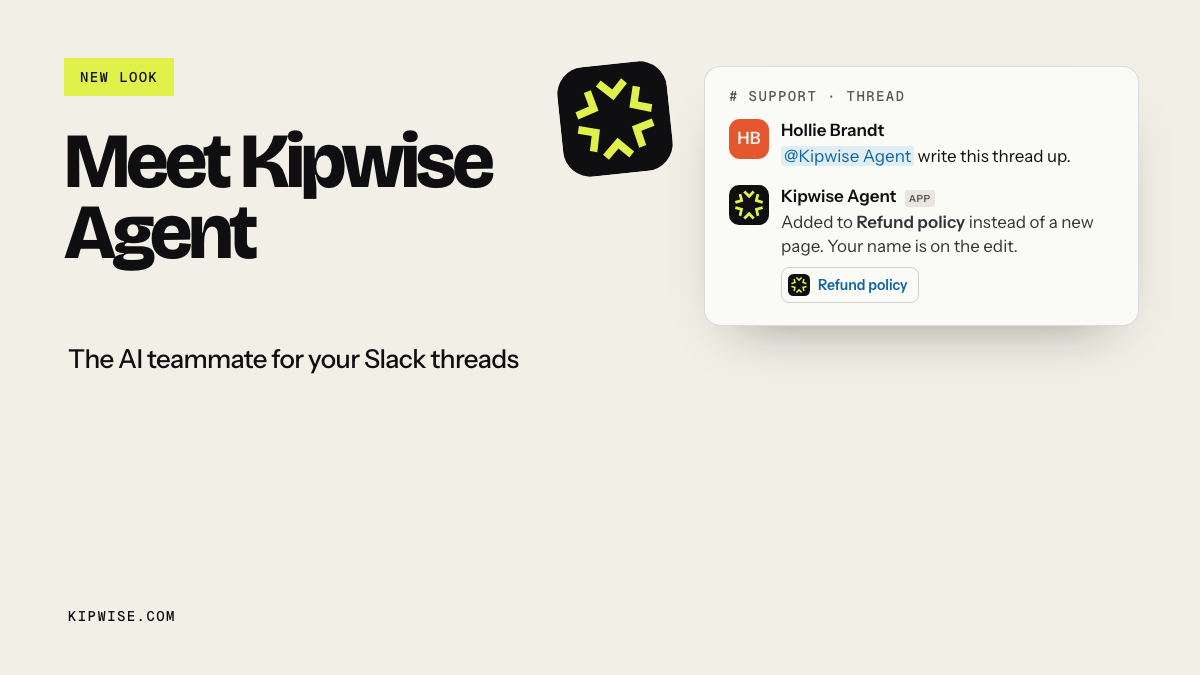
The last row is where Kipwise fits. The Kipwise agent can run an aged receivables report from a connected Xero organisation or QuickBooks company using your own access, and it says which organisation or company it read. You can ask it in plain language to run that request on a schedule, for example every Monday at 9 am; it uses your Slack timezone when available and posts the result in the channel. Creating the scheduled task needs approval once, and later runs do not ask again. You can list or cancel the job and ask what happened on earlier runs, including failures. If someone asks it to record a payment, add a note to an invoice or draft a reminder email, an Approve or Deny card appears first, and only the person who asked can use it. Nothing in this setup categorizes transactions or reconciles the bank; that stays with your bookkeeper.
If you are weighing a hire, Before you hire a virtual assistant covers which parts of a VA's week to put in Slack first. For receivables: put the weekly report and routine reminders in Slack, and hire when calls and disputes take more time than you have.
When the review goes wrong
The numbers look wrong. If a customer insists they paid, check in QuickBooks or Xero that the payment was recorded against the right invoice before anyone chases. Remember that the report is as of its date, so a payment made this morning may not match what you are looking at.
Two companies, one report. Each Xero organisation you connect to Kipwise is a separate grant, and a QuickBooks connection is one company at a time. If you run two entities, review them as two lists and name the company on each.
Nobody updates the thread. Keep the Friday status line, even when the answer is "no change", or the review turns back into a list.
How to tell it is working
After four weekly reviews, check three things:
- The 61 to 90 total is flat or falling from week to week.
- Every customer past 30 days has an owner and a recorded cause, with no blank lines.
- Fewer balances move from 61 to 90 into 90+ than in the month before you started.
If the first number keeps growing while every line has an owner, the problem is upstream: payment terms, deposits or who you extend credit to. The Hacker News thread on clients who don't pay on time is a long list of those upstream fixes (deposits, shorter terms, stopping work after a set delay), which is a different decision from the weekly review. For loose ends beyond invoices, see keeping follow-ups from falling through the cracks in Slack.
What to do next
This week, run the aged receivables report as of today, aged by due date, and write down two numbers: the 61 to 90 total and the 90+ total. Then name one owner for every customer past 30 days. If you want the report to arrive in Slack each Monday instead, connect your QuickBooks or Xero account to the Kipwise agent and ask for one weekly aged receivables post. The agent costs $10 per user per month with a 3 user minimum, and the trial is $2 for 7 days on install, or $10 for 14 days with a saved card or a paid Slack plan.
References
- QuickBooks help: Run an accounts receivable aging report in QuickBooks: menu path for the summary and detail reports, aging periods, Save as.
- QuickBooks help: Set up customised reports with scheduled email in QuickBooks Online: scheduled email of a saved AR aging report; no recurring customer statements.
- Xero Central: Accounts Receivable Aging Summary report: as-of-date behavior, aging by due date or invoice date, required user roles.
- Xero: Accounts receivable aging report, how to use it to get paid faster: reading order, actions for 61 to 90 and 90+, concentration risk.
- QuickBooks blog: What is an accounts receivable aging report: standard aging buckets (vendor content).
- Dash: Accounts receivable aging report, how to read and use it: snapshot versus trend; concentrated versus spread-out overdue amounts (vendor content).
- Plooto: AR aging report, how to read one: ten-minute reading order; administrative causes of late payment citing Atradius (vendor content).
- Hacker News: How do you handle clients who don't pay on time?: practitioner discussion of upstream fixes (author reports).
- Hacker News comment 47639477: call accounts payable and ask what is missing (author report).
- Hacker News comment 47638781: reminder rhythm with a second reminder at one week (author report).
- Hacker News comment 47645589: fortnightly reminders and a small claims filing at 90 days (author report).