How to Run a Month-End Close Checklist in Slack Without Hiring a Finance Admin
If your company runs on Slack and your books sit with an outside bookkeeper, month-end close usually slips before the ledger work starts. A card charge has no receipt. The bookkeeper emails three questions and nobody answers for a week. Someone has to look at who still owes you money before the reports go out. By default, that someone is the founder.
That is often the moment a founder starts writing a job post for a finance admin, a bookkeeping VA, or an online secretary. In Kipwise's review of 124 Upwork job posts for work inside a client's own Slack, invoicing and payments showed up in about 18% of posts, and bookkeeping or accounting was the named role in 9. The words posters used were the same ones you would use: they want a person so "nothing falls through the cracks" and so work "keeps it moving without me chasing it."
This guide is for founders and ops leads at Slack-first companies of roughly 5 to 100 people on QuickBooks Online or Xero. It shows how to put the repetitive coordination part of the close in Slack first, so that if you still hire, you hire for judgment rather than for chasing.
Why month-end close stalls before the accounting starts
The accounting steps are well documented. Xero's month-end close guide recommends a living checklist that runs from transaction cutoff to final approval, assigns a responsible person to each task, shows which tasks block others, and tracks status so delays show up early. Xenett's close guide puts the order as reconcile, adjust, review, lock the period, then package the financials. ScaleXP's checklist gives every step a preparer, reviewer, or approver, and notes that many small finance teams are one person.
What those guides assume is that the inputs arrive. In a small company they often do not. ClientClose describes the familiar pattern from the bookkeeper's side: the books are 90% done and the last 10% waits on a handful of receipts. Entries notes that clients send receipts by email, by Slack, or as photos by text, so the logistics change every month even when the accounting does not.
The company side feels this as interruptions. One founder building an AI bookkeeping product wrote on Hacker News that even after you hire a human bookkeeper, you still end up sending receipts, answering clarification emails, and chasing missing information. The same author described in an earlier post going a full year without closing their own books while their accountant chased them for year-end. These are one author's reports, not a survey, but they match the job posts.
Most close delays are input delays on the company side, so automate the chase for missing receipts and answers before you automate any bookkeeping. This decides what to fix first. A close-management tool built for accountants speeds up reconciliation, and it does little for the founder who owes the accountant six receipts and two answers.
What a Slack agent should and should not do in the close
Be precise about the split, because "AI bookkeeper" claims set the wrong expectations.
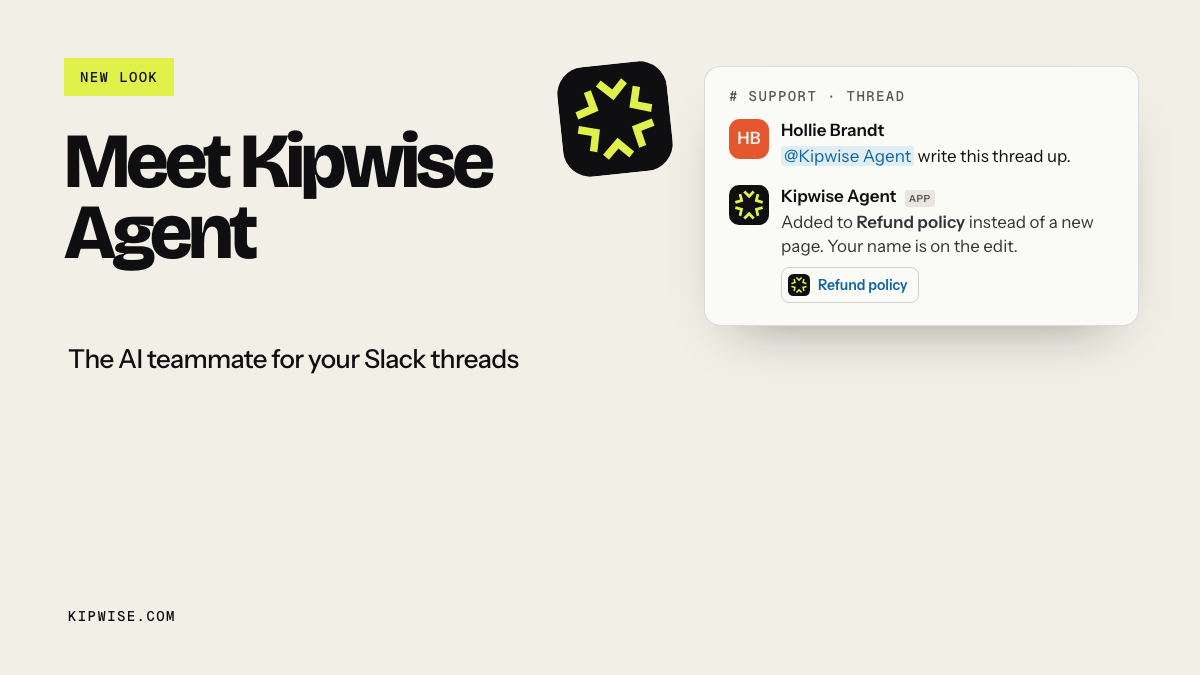
Your bookkeeper keeps the accounting: categorizing transactions, reconciling bank and card accounts, posting accruals and adjustments, locking the period, and anything to do with tax. A Slack agent such as Kipwise Agent does not categorize transactions, reconcile the bank, post journals, or file anything.
What the agent can take is the coordination around that work:
- Posting the close checklist on a schedule, with the cutoff date and a named owner per step.
- Reading the bookkeeper's open-questions sheet or a Drive folder you point it at, then listing each missing item next to the person who owes it.
- Running reports from the QuickBooks or Xero company you connected. The Kipwise QuickBooks agent covers profit and loss, balance sheet, aged receivables, aged payables, and cash flow. The Kipwise Xero agent covers profit and loss, balance sheet, aged receivables, aged payables, and bank summary, with bank transactions read-only.
- Answering follow-up questions in the same thread, so the close has one place where its status lives.
Each teammate connects their own QuickBooks or Xero access, so the agent only reads what that person can already see, and it says which organisation or company it read from. Before a live request posts a message or changes something in a connected service, the person who asked gets an Approve or Deny card that expires after 30 minutes. Creating a scheduled request needs that approval once; later runs of the same schedule do not ask again. That matches what Slack's agent design guidance asks for: show sources, and confirm before consequential actions.
The close as one Slack thread
Here is a simple shape that works for a company with an outside bookkeeper. Adjust the days to your own calendar.
| When | Step | Who owns it | What the agent does |
|---|---|---|---|
| Last working day | Post the checklist and cutoff date | Founder or ops lead | Scheduled post in the finance channel with owners |
| Day 1 | List missing receipts and statements | Each card holder | Reads the open-items sheet and names each owner |
| Days 1 to 3 | Answer bookkeeper questions | Whoever made the charge | Posts each question to its owner in the thread |
| Day 2 | Review who owes you and who you owe | Founder | Pulls aged receivables and aged payables |
| Days 2 to 4 | Reconcile, adjust, lock the period | Bookkeeper | Nothing; this is the bookkeeper's work |
| After lock | Read the month's numbers | Founder | Pulls profit and loss and balance sheet |
ScaleXP says many small finance teams aim for about five working days. Accountix lists a close that takes longer than two weeks as one sign it is time for outside help. Those numbers give you a target to measure the pilot against.
Build it in four plain requests
You do not need a workflow builder for this. Mention the agent in your finance channel and ask in plain language.
1. Schedule the kickoff. "On the last working day of every month at 10:00, post the month-end close checklist in this channel with the cutoff date, and tag Maria for card receipts, Tom for the payroll report, and me for the receivables review." You approve the schedule once.
2. Turn the open-items sheet into named asks. "Read the open items tab in the bookkeeping questions sheet and list each missing item with its owner, amount, and the date the bookkeeper asked." The agent works from the sheet the bookkeeper already keeps. If a row has no owner or no amount, it says so instead of filling one in.
3. Check the money owed both ways. "Show aged receivables and aged payables from QuickBooks as of the last day of the month, and flag anything over 60 days." This gives the founder the review step the bookkeeper usually needs a decision on. If you want customers chased, that is a separate, approved action, and it is covered in our guide to overdue invoices.
4. Pick up the reports at the end. "When Ana confirms the period is locked, pull the profit and loss and balance sheet for the month and compare them with last month."
Every answer comes back in the same thread, with the company named, so the next person who asks "where are we on the close?" can scroll up instead of asking you.
Write the cutoff rule down before you need it
Bookkeeping practitioners already have a rule for this, and it needs no software. Sorted Receipts recommends one named reminder for each missing gap, including the exact closing date, and deciding up front which gaps must be resolved before bookkeeping and which can be recorded as pending. Receiptflow recommends that figures are prepared on the information available and missing items are flagged and followed up in the following cycle.
Write the cutoff rule into the thread: anything still missing at cutoff is posted as open and carried to next month, never filled in with a guess. This matters more with an agent than with a person. A tired human might plug in a likely amount to get the close done. An agent should never do that, and you want the rule written where everyone can see it, so nobody asks it to. The open list then becomes the first item of next month's checklist rather than a reason to hold the current close open.
Read the numbers after the lock, not during
It is tempting to ask for the profit and loss as soon as the month ends. Wait for the lock instead. Reconciliation, accruals, and late receipts all move numbers during the close, and Xenett's sequence puts packaging the financials after the period is locked for that reason.
Pull the profit and loss and balance sheet only after the bookkeeper confirms the period is locked, because numbers read mid-close can still change. This is our recommendation rather than a platform rule, and it prevents a common mistake: a founder quotes a mid-close margin in a board update or to a lender, and the final figure lands a week later and does not match. Make the bookkeeper's "locked" message the trigger for request four, and the numbers you share are the ones that stay.
An illustrative example
This is a made-up example to show the shape, not a customer story.
A 14-person design agency runs on Slack and QuickBooks Online, with a part-time outside bookkeeper. Before the change, the founder spent the first week of each month answering the bookkeeper's emails, forwarding receipts from four people, and opening QuickBooks to check who had not paid.
With the thread in place, the scheduled kickoff posts on the last working day. On day one the agent lists nine missing receipts from the bookkeeper's sheet: six belong to one account manager, two to the founder, and one has no owner, which the agent flags instead of guessing. By day three, seven are in. The two still missing at cutoff are posted as open and carried to next month under the written rule. On day two the founder asks for aged receivables, sees one client at 75 days, and decides to call them personally. After the bookkeeper posts that the period is locked, the agent pulls the profit and loss and balance sheet and a short comparison with the prior month.
The founder still reviewed the numbers and still made the call. What went away was collecting, forwarding, and asking the same questions twice.
Native Slack tools are not the same loop
Slack already has good building blocks, and they may be enough for a very small team. A Slack reminder can nudge the channel on the last working day. Scheduled recurring messages can post the same checklist each month. Workflow Builder and Slack's workflow automation can collect a form response or route a request without code. Slack's AI features can summarize a long thread.
None of those read your bookkeeper's sheet, check QuickBooks or Xero, or know which receipt belongs to whom. Fixed text cannot tell you that six of the nine missing items belong to one person this month. Zapier's financial close automations can send daily checklist emails and post scheduled Slack summaries of overdue items, which is close to the loop described here, but someone has to build and maintain the tracker those summaries read. For a company that would rather hire a person than configure a workflow, that maintenance is the problem.
Failure modes to plan for
- Receipts that live outside the tools. If people send receipts by WhatsApp or as photos in a text, the agent cannot read them. Agree on one place, such as a Drive folder, before the pilot.
- The wrong company. A QuickBooks connection is one company at a time. If you run two entities, check the company name in every report the agent returns.
- Judgment calls. "Is this a client expense or ours?" is a question for the person who made the charge. The agent can route the question; it should not answer it.
- Unapproved changes. The agent can create, approve, or void invoices when explicitly asked, which is useful elsewhere. Keep those actions out of the close thread unless the bookkeeper asks for them, and let the approval card do its job.
- Phone calls. Calling a client about a late payment stays with a person. Phone calls were the most common item on the list of tasks an agent could not cover in Kipwise's review.
Pilot it on one close
Run one full month before you write the job post.
- Pick the finance channel and the cutoff date, and write the cutoff rule as the first message.
- Ask your bookkeeper to keep open questions in one sheet the agent can read.
- Set up the four requests above and approve the schedule once.
- Record four numbers: close length in working days, items still open at cutoff, bookkeeper questions answered within one business day, and how many chase messages you sent yourself.
- At the end, ask the bookkeeper what changed on their side.
If the close got shorter and you stopped forwarding receipts, the coordination part of the job post is covered. What remains, such as calls, vendor negotiations, and messy exceptions, is a smaller and clearer role.
Before you hire the finance admin
Hire when you need someone to make judgment calls, talk to vendors and clients by phone, or take over bookkeeping tasks your bookkeeper does not cover. Put the repetitive part in Slack first when the pain sounds like "the close keeps slipping because I am the only one chasing it."
A scheduled checklist, named owners, a written cutoff rule, and reports pulled after the lock will not replace your bookkeeper, and they are not meant to. They take the chasing out of the founder's week, which is usually why the job post got written in the first place.
References
- Xero: Month-end close process
- ScaleXP: Month-end close checklist
- Xenett: Month end close guide
- Accountix: Month-end close checklist for small businesses
- Entries: How to automate month-end close for CAS firms
- ClientClose: Collect receipts from clients
- Sorted Receipts: Month-end receipt checklist
- Receiptflow: Receipt management SLA
- Hacker News: Accounting is the real low-hanging target
- Hacker News: Bookkeeping tool built after missing a tax deadline
- Zapier: Financial close automations
- Slack Help: Set a reminder
- Slack Help: Schedule recurring messages
- Slack Help: Guide to Workflow Builder
- Slack Workflow Automation
- Slack Help: Guide to AI features in Slack
- Slack Developer Docs: Agent design
- Kipwise: QuickBooks agent
- Kipwise: Xero agent
- Kipwise Agent