SEO report for a small team: what a monthly one needs and who writes each part
At a firm with no SEO specialist, the monthly SEO report is usually an evening of someone opening two tools, picking dates in each and pasting numbers into a document. It then goes out with no date range and no explanation, so the owner cannot tell whether search is helping. This guide splits a monthly report into its sections and sorts each one into three piles: what an agent can pull in Slack, what needs another tool, and what one named person must write. It also gives you a rule for the moment Search Console and Analytics disagree, which they will.
The short answer
A monthly SEO report for a small team needs six things. The first three can come from a scheduled pull. The last three need a person.
- Search Console figures for the month: clicks, impressions, click-through rate (CTR), average position and top queries, each with its date range.
- Analytics figures for the same dates: traffic and the channels it came from.
- A comparison against the previous month and the same month last year.
- Three sentences from a named person: what happened, why, and what you will do next.
- A short list of items that need another tool or a specialist (rankings, backlinks, technical checks).
- One line stating that the two data sources will not match exactly.
The rest of this article covers the ownership table, the rules that keep the numbers honest, a monthly Slack request, and how to check the report is working.
Why monthly reports fail at small firms
Two things go wrong.
The first is data. Google's own guidance on using Search Console and Analytics together says the two tools use different metrics and systems, so the data will not match completely, and that clicks and sessions are calculated differently. It lists the usual causes of a large gap: a missing Analytics tag on some pages, visitors who decline tracking, Search Console reporting in Pacific Time while Analytics uses the timezone you chose, different attribution, canonical URLs, different traffic breakdowns, non-HTML files such as PDFs, and bot traffic that Analytics filters out and Search Console does not necessarily filter. A person who sees 1,200 clicks in one tool and 950 sessions in the other has not found a bug.
The second is ownership. Nobody is assigned the paragraph that explains a number. Semrush tells you to give context for each data point and to explain why a metric moved, but it does not say who at a five-person firm does that. In a r/SEO thread, a business owner describes getting mostly rankings and traffic numbers from an agency and feeling that more was happening than the report showed. That is one author's account, not a survey, but it describes the problem this guide addresses: an owner who cannot judge the report they receive.
What a monthly SEO report needs
The published templates agree more than they differ. Semrush lists an executive summary, a traffic summary, AI visibility, keyword rankings, conversions, backlinks, content, technical SEO and recommended actions, and says reports run weekly, monthly or quarterly with monthly the common choice. Ahrefs offers a ten-slide deck and recommends comparing with the previous month and, ideally, year over year. Reportr suggests four sections for a solo freelancer and six to eight for an agency of two to ten people, and says to write the executive summary last.
Those lists are written for people who do SEO for a living. A small firm that owns one website needs fewer sections and a clear owner for each. Cut what you cannot act on this quarter. If nobody on the team will build backlinks next month, a backlink section is decoration.
Who does each part
The left column is each section the templates name. The other columns say who produces it and what the Slack pull covers.
| Report section | Who produces it | Source or note |
|---|---|---|
| Search Console clicks, impressions, average position | Agent pulls it | Search Console, with the date range beside each figure. Read CTR in Search Console itself; the Kipwise page lists clicks, impressions and positions |
| Top queries and top pages | Agent pulls it | Search Console, say how each table is grouped |
| Traffic and channels | Agent pulls it | Analytics, same dates as Search Console |
| Comparison with last month and last year | Agent pulls it, you set the dates | Two extra requests in the same thread |
| Executive summary | A named person writes it | Written last, three sentences |
| Why numbers moved | A named person writes it | Needs knowledge of what the firm changed |
| Next actions | A named person writes it | One to three items with an owner |
| Rank tracking, backlinks, technical audit, AI visibility | Another tool or a specialist | Not in Search Console or Analytics reports |
| Conversions | A person checks the source | The Kipwise pages do not list conversions among what the agent reports |
Nightwatch puts the same split in one sentence: collection and formatting should be automated, while the summary, the explanation of drops and the recommendations should be written by a human who knows the business. It is written for agencies, but the division of labour is the right one for a small team too.
Fix the dates before anything else
Most "wrong number" arguments come from dates, not data.
Search Console's default view is not a calendar month. Google's Performance report help says the default view covers the past three months, and Google's Looker Studio template for the two tools defaults to the last 28 days. Ahrefs makes the same point about 28-day defaults and tells you to pick custom dates to compare whole months, with the same number of days on each side. A 31-day month against a 30-day month flatters the longer one by about three percent before anything has changed.
The newest days can be incomplete. The same help page says the newest data can be preliminary and may change within hours, and the Looker Studio guide warns that Search Console data can be delayed by a couple of days. Add the Pacific Time boundary, and a report run at nine on the first morning of the month can quietly miss the last day or two of the month it describes.
The next point is a recommendation, not a Google rule. Run the monthly pull a few days after month end with explicit dates, because Search Console's default view is not a calendar month and its newest days can still be incomplete. Schedule it for the third of the month and check that the dates printed beside each figure read "March 1 to March 31". The figure you post is then the figure you can defend a week later.
For comparisons, ask for two extra periods in the same thread: the previous month, and the same month last year. Seasonal swings are real, and Ahrefs warns that a month-over-month dip can simply mean the busy season ended. Year over year is the check that keeps a quiet August from looking like a decline.
One rule for when Search Console and Analytics disagree
Google gives a working rule on the discrepancy page. The general trends should follow the same pattern even though the totals differ. A small difference is normal and needs no fix. A large difference is the signal to check the listed causes.
In practice that becomes one habit. Treat Search Console as the source for search performance and Analytics as the source for what happens after the click, and never adjust one to match the other. Google states that the source of truth for search performance is Search Console and for behaviour inside your site is Analytics. The report shows both side by side, in separate rows, each labelled with its tool, and compares trend direction rather than totals. If clicks rose 15 percent and sessions rose 12 percent, say nothing. If clicks rose 15 percent and sessions fell, open the causes list: first check whether the Analytics tag is on every page and whether a consent banner changed.
A practical threshold helps, and it is a recommendation, not a Google number. Pick one, such as "investigate when the two trends point in opposite directions, or when the gap changed by more than a quarter since last month", write it in the report footer, and stop relitigating it each month.
Say how each Search Console figure is grouped
Even inside Search Console, one figure can have two correct values. Google's page on the data in the Performance report explains that chart totals are aggregated by property, while table rows grouped by page are aggregated by URL. With property aggregation a site that appears twice on one results page counts as one impression, and only its topmost position is reported. With page aggregation each URL is counted separately. Google says CTR and average position are generally higher when aggregating by property, if several pages from the same site appear in the results.
This changes how you label figures. Search Console's click-through rate and average position change with how the table is grouped, so a report should say whether each figure is for the whole site or for one page or query. Otherwise the owner sees an average position of 8.1 on the summary and 14 on the top-pages table, assumes one is wrong, and stops trusting both. Label the headline figures "whole site" and the table figures "per page" or "per query". Average position also moves with what is in the table. A new page that ranks around 40 for many queries can pull a per-page average down while your best page improves.
Set up the Slack pull
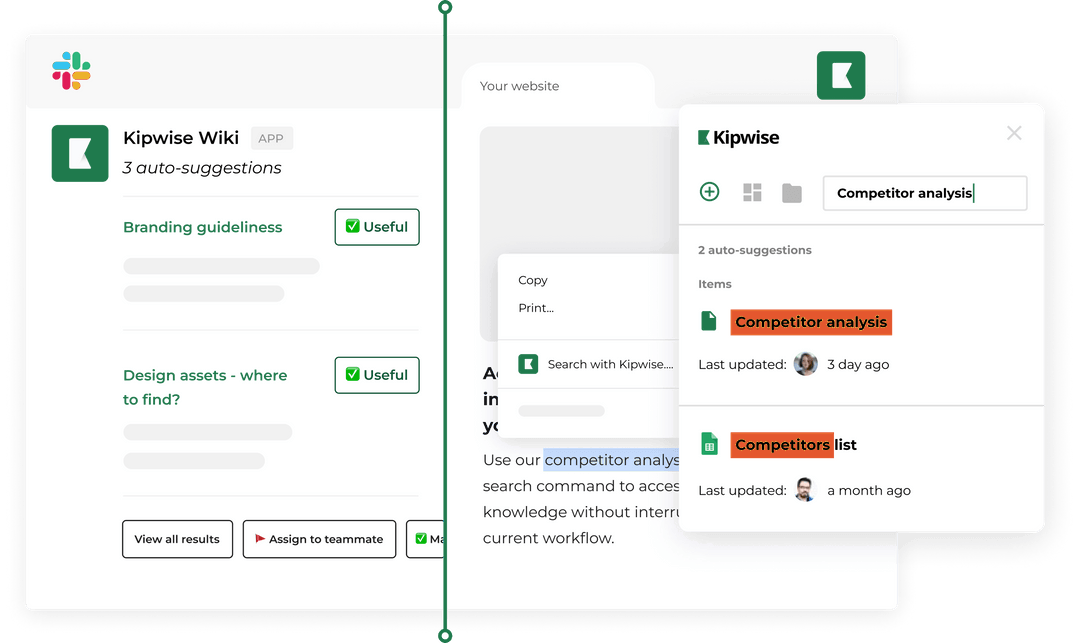
The Kipwise agent reads Search Console and Analytics read-only, each person connecting through their own Google account, so it sees only what that person can see. According to the Kipwise pages for Search Console and Google Analytics, it reports top queries, clicks, impressions and positions for the dates you name, or traffic and active users, with the date range next to every figure, and it reports only what it fetched. Each Google service is its own connection, so you connect Search Console and Analytics separately.
The sequence:
- In the marketing channel, mention the agent and ask about Search Console. Press Connect and sign in with the Google account that has access. Repeat for Analytics.
- Ask in plain words for a monthly schedule. The Kipwise agent runs requests on a schedule in plain language, and its Search Console and Analytics pages give "every Monday" as an example. A monthly version could read: "On the 3rd of each month at 9, post last month's Search Console clicks, impressions, average position and top queries, and Analytics traffic by channel, with the dates next to each figure."
- Approve the scheduled request. Creating a scheduled task needs approval once, and the later runs do not ask again.
- When the post lands, continue in the same thread. Ask "compare with the same month last year" and "which queries lost the most clicks". Replies in a thread continue the conversation.
- A named person adds the whole site or per page label to each Search Console figure and writes the three sentences in that thread.
Because the agent works as the person who connected, the schedule belongs to someone who will still be at the firm next quarter. Unattended runs need their own checks: the post on scheduling recurring agent jobs covers delivery proof and stale-data guards, and the post on weekly KPI reports in Slack covers fixed periods and source checks.
The next table is a made-up month with invented numbers, to show the shape rather than any real result:
| Figure (March 1 to March 31) | Source | Grouping | This month | Last month |
|---|---|---|---|---|
| Clicks | Search Console | Whole site | 1,200 | 1,050 |
| Average position | Search Console | Whole site | 8.1 | 8.4 |
| Sessions, Organic Search | Analytics | Whole site | 950 | 880 |
The person writing the summary now has what they need: clicks and sessions both rose, so the trend agrees, and the gap between 1,200 and 950 is inside the normal range Google describes. Their three sentences might be: "Search clicks rose about 14 percent in March, mostly from two guides we updated in February. Analytics shows the same direction. In April we will update the next two guides on the list." The explanation depends on something the firm did, so the person writing it has to supply it.
Handle failure and edge cases
Decide in advance who acts on each of these.
- A connection has lapsed or the person left. The post fails or is missing. The owner of the schedule reconnects, or someone else creates the request under their own access. Check for a missing post by the fourth of the month.
- A figure comes back without a date range. Do not publish it. A number with no dates is the original failure this guide is meant to end.
- The two tools disagree by more than your threshold. Run through Google's causes list in order, starting with the cheapest checks: the tag on every page, then consent changes, then timezone.
- Conversions. The Kipwise pages do not state that the agent reports conversions or key events, so keep that section with a person who reads it in Analytics directly.
- Rankings, backlinks and technical audits. These are outside a Search Console and Analytics pull. Use a specialist tool or hire a freelancer for a quarterly check, and do not let the monthly report imply it covers them.
- Client reporting. This is a monthly report for your own team. If you need a branded, white-label deliverable for clients, a dedicated reporting tool fits better.
Verify it works
Run a pilot for two months before you trust it. In month one, produce the report by hand and by the agent for the same exact dates, then compare Search Console clicks and impressions directly in the Search Console interface. They should match, because the agent reports figures it fetched from Search Console. If they do not, check the dates first.
Then use this checklist each month:
- Every figure has a date range next to it, and the ranges match across Search Console and Analytics.
- Each Search Console figure says whole site, page or query.
- The report names its comparison periods: previous month and same month last year.
- The three sentences exist, are written by a named person, and mention one thing the firm did.
- At least one next action has an owner and a date.
- The footer states your threshold for investigating a gap between the two tools.
After three months, look at whether the owner can answer one question without asking you: is search helping? If yes, the report is working. If not, shorten it and rewrite the summary before adding sections.
What to do next
Open Search Console and Analytics today and write down, in one note, the exact dates for last month and the name of the person who will write the three-sentence explanation. Then send the scheduled request for your monthly SEO report in your marketing channel. If you want the agent to do the pull, it costs $10 per user per month with a minimum of three users, and a new workspace can try it free first.