Operations Manual for a Small Team: What Goes In It, Who Owns Each Section, and a Slack Check That Keeps It Current
The founder goes on holiday for a week. By Wednesday three people have asked in DMs how to issue a refund, which vendor fixes the printer, and who approves a new laptop. Nobody knows, because the only operations manual the firm has is the founder's memory, plus a Google Doc called "How we do things" that was last touched eighteen months ago and still names a bookkeeper who left.
This guide is for founders and operations generalists at Slack-first firms of 5 to 100 people. It gives you an operations manual outline you can copy, a rule for who owns each section, a short list of what must never go in it, and a weekly check in Slack that tells each owner when their section is due for review. The point is a manual that is still true six months from now, not a binder you write once.
The short answer
A small team's operations manual is a short index of how the business runs, with links out to the detailed procedures. Build it in this order:
- Write the outline first, using the eight sections in the table below. Leave sections empty rather than inventing content.
- Name one owner per section and write a next review date into the section heading area.
- Link, do not copy. Each process gets one paragraph and a link to its standard operating procedure.
- Keep secrets out. Credentials live in the password manager; the manual says where to find them, not what they are.
- Put the review on a schedule that posts overdue sections in a Slack channel every week, so owners answer in the thread.
For most small firms, a guide from What's the Process For estimates the core of an operations manual at 10 to 25 pages, plus links to the underlying SOPs. That length is a useful ceiling. If yours is heading past it, procedures are leaking into the manual and should move into their own documents.
Why operations manuals go stale
Most advice on how to write an operations manual focuses on the writing, but manuals usually fail later. Tallyfy's guide puts it bluntly: the main failure is maintaining the manual, not creating it, and a written procedure starts to age as soon as it is written.
At a small firm the mechanism is easy to see. The founder writes the manual in a burst before a hire. Six months later the firm has switched invoicing tools, the refund threshold has changed in a Slack thread, and the new office manager has quietly started doing payroll a different way. None of those changes reach the manual, because no single person is responsible for any single part of it. The manual still reads with full confidence, which is worse than having no manual: a new hire follows it and gets the refund wrong.
Owners of small firms often ask where to begin. In one r/smallbusiness thread about starting an operations manual, a restaurant owner preparing to franchise asked for templates, and one reply said to talk to employees first, because they know how things actually run. That is one person's advice, but it points at the real issue: the people doing the work hold the current version, so they are the ones who should keep each section true.
Most published guides agree on the sections. Where they go quiet is ownership. The What's the Process For guide recommends a review every six months and says someone should own updating it, but it does not say who, or how a review actually gets started. The next three sections cover both.
A small business operations manual outline you can copy
Use this as your table of contents. The owner column is an example for a 15 person service firm; change the names to your own roles.
| Section | What goes in it | Example owner | Review every |
|---|---|---|---|
| 1. How the business works | What you sell, to whom, what you do not do, and when to escalate | Founder | 6 months |
| 2. People and roles | Org chart, who decides what, who covers whom during leave | Founder | 3 months |
| 3. Client work | Intake, onboarding, delivery and handover, one paragraph each, linked to SOPs | Head of delivery | 3 months |
| 4. Money in and out | Invoicing, collections, bill approval and spend limits, linked to SOPs | Operations lead | 3 months |
| 5. Tools and systems | Which tool holds what, who administers it, where access is requested | Operations lead | 3 months |
| 6. Vendors and contracts | Key suppliers, contacts, renewal dates and who may sign | Operations lead | 6 months |
| 7. Standards | What good looks like: response times, quality checks, brand rules | Head of delivery | 6 months |
| 8. When things break | Outage, data incident, key person unavailable, who to call first | Founder | 6 months |
A few rules keep the outline honest:
- One paragraph per process. Section 3 does not explain client onboarding step by step. It says who owns onboarding, when it starts and links to the onboarding SOP. If you need help writing those procedures, the Kipwise guide to writing an SOP and the SOP template cover that layer.
- People policies live elsewhere. Holiday, benefits and conduct belong in the employee handbook, not the operations manual. Keeping them apart stops HR wording from burying the operational answers. The employee handbook template is a starting point for that document.
- Write down the current process. A manual that describes how you would like to work is wrong on day one.
Give every section one owner and a review date
Give every section of the manual one named owner and a next review date written into the section itself, because a manual owned by everyone is reviewed by no one.
This is a recommendation. When the founder owns the whole manual, a review means rereading 20 pages, so it never happens. When the operations lead owns sections 4, 5 and 6, a review means rereading six pages they work with every day, and they are the person most likely to notice a change anyway.
Put two lines at the top of each section, in plain text that anyone (or any tool) can read:
Owner: Priya (operations lead)
Next review: 2027-01-15
That example is made up; use your own names and dates. Writing the date into the document, rather than relying on a file's "last edited" stamp, matters for two reasons. A typo fix updates the edit stamp without anyone checking the content. And when the manual is split across several documents, a written date is the one signal that means the same thing everywhere.
When an owner reviews a section, they either change it or confirm it is still true, and then move the next review date forward. "Still true" counts as a review.
Decisions that change a section usually happen in Slack threads first. If your team already captures those, a decision log built from Slack threads gives each owner a list of what changed since their last review, which makes the review fast.
What must stay out of the operations manual
Keep passwords, recovery codes and bank logins out of the operations manual and point to the company password manager instead, because the manual is the document you share most widely.
It is tempting to paste the logins into the manual so the business can run while the owner is away. The goal is right and the method is risky. The manual is shared with every new hire, contractors and sometimes a franchisee, and it is copied into exports and onboarding packs. CISA's guidance for small businesses recommends a company-wide password manager so employees can follow good password practice, which is where credentials belong.
So the manual says "The bank login is in the Finance vault in the password manager; the founder and the operations lead have access," and nothing more. Apply the same rule to:
- recovery codes and two-factor backup codes;
- customer personal data and real client examples with names;
- salary figures and individual pay;
- anything under a confidentiality agreement with a client.
If a section cannot be written without one of these, it links to the system that holds it, with a line on who has access.
Make the review run itself in Slack
Make the review a recurring job that lists overdue sections in Slack, where owners already answer, instead of a calendar reminder that one person has to chase.
A calendar reminder fires for the founder, who then has to message five people and remember who replied. That is the coordination work a small firm hires an office manager to absorb, and it is the first thing to lapse in a busy month. If you are weighing that hire, the guide on what an office manager does at a small firm shows which duties can run in Slack first.
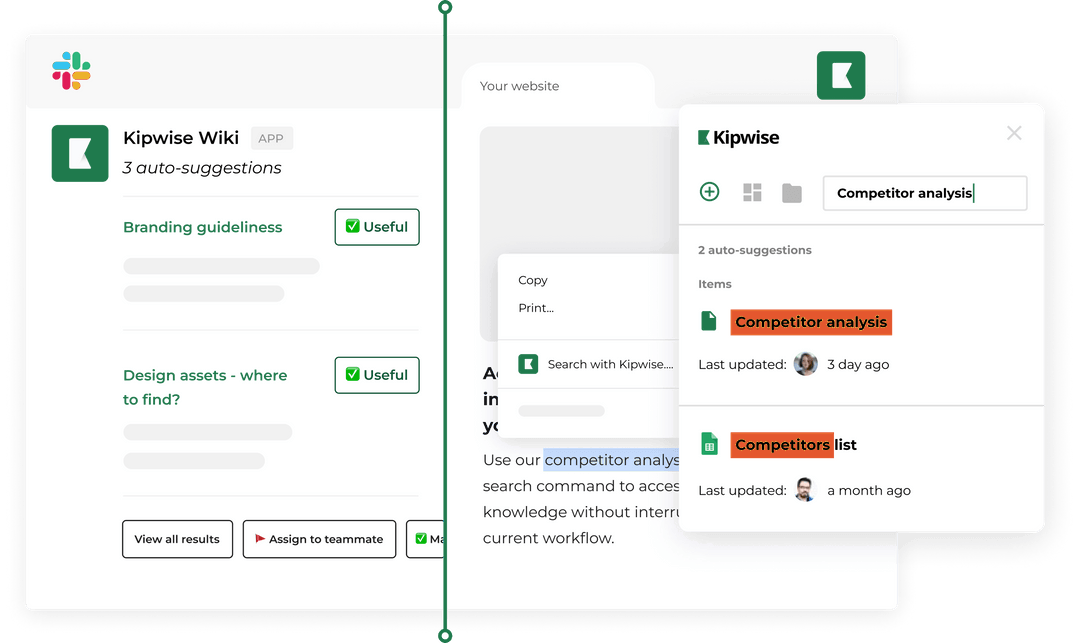
Here is how the check works with the Kipwise agent, using only what it can do today:
- Keep a simple index. A Google Sheet or a Notion database with one row per section: section name, owner, link to the document, next review date. The agent can read Google Sheets and rows in a Notion database through your own connection, and it reads Google Docs, Notion pages and Confluence pages the same way, with your access.
- Ask once, in the operations channel. Mention the agent and write something like: "Every Monday at 9, read the operations manual index, list every section whose next review date has passed or falls this week, and tag each owner." The agent can run a request on a schedule in plain language and posts the result in the channel, with the same tools and permissions as a live request from you. Creating the scheduled task needs your approval once; later runs do not ask again.
- Owners answer in the thread. "Section 4 still true, moved the date to April." "Section 5 needs the new invoicing tool, I'll fix it Thursday." The thread becomes the review record.
- Edits stay explicit. If an owner asks the agent to update the next review date in the sheet or a line in the Notion page, the agent shows an Approve or Deny card first, and only the person who asked can approve it. Nothing in the manual changes silently.
What stays with a person: deciding what the policy is. The agent finds what is overdue and keeps the thread moving. The owner decides whether the refund limit is still 200 dollars.
If your old manual lives in Notion or Confluence and you want it in Kipwise's knowledge base instead, the agent can import an export file you attach in a thread, behind one Approve card, into a new folder named after the source tool and date.
Handle failure and edge cases
An owner leaves. The weekly check will keep tagging someone who is gone. Make "reassign their sections" a line in your offboarding SOP, and when the check tags a departed owner, the founder reassigns in the same thread.
The index and the document disagree. If the sheet says the review date is in March but the section heading says January, trust the earlier date and fix both. One source of truth is better; if you can, keep the date only in the index and have each section link to it.
Nobody answers. A tagged owner who ignores two weekly posts is a management conversation, not a tooling problem. The weekly post shows who has not replied.
A section is wrong and someone already followed it. Fix the section first, then post in the thread what changed and why, so anyone who followed the old version knows.
The scheduled job fails. You can ask the agent to list your jobs and say what happened on previous runs, including failures. If Monday's post did not appear, ask in the channel.
Franchise or regulated manuals. A franchise disclosure manual or a manual your regulator inspects has requirements this guide does not cover. Use this outline for internal operations and get specialist advice for those.
Verify the manual works
A manual works when someone other than the founder can use it. Test it rather than assuming:
- The holiday test. Before the founder's next week away, list the five questions people DM them most. Each should have an answer in the manual within two clicks.
- The new hire test. Ask the most recent hire to find three answers using only the manual, and note where they got stuck.
- The overdue count. Track how many sections the Monday check lists. A healthy manual has zero to two overdue at a time. Ten overdue means review dates are too frequent or owners are overloaded.
- The DM count. Count "how do we..." questions sent to the founder in a week before and after the manual goes live. It should fall.
A simple pilot: build the outline and owners for sections 3, 4 and 5 only, run the weekly check for four weeks, then add the rest.
What to do next
Copy the eight-section table into a new document today, write one owner and one next review date under each heading, and leave the content empty where you do not yet have it. Then put the index in a sheet. If your team runs on Slack, install the Kipwise agent and ask it, once, in your operations channel, to post overdue sections every Monday. It costs $10 per user per month with a three user minimum, and the pricing page lists the free trial. Your operations manual then gets its first review without anyone having to chase it.