Risk register for a small team: one owner and one review date per risk, plus a weekly Slack check for stale rows
A risk register for a small team is one Google Sheet with seven columns, one named person in the owner column and a review date on every row, plus a weekly Slack post that lists every row breaking those two rules. The seven columns come from Bitrix24's guide to a risk register template a team will actually update: risk description, owner, status, next action, review date, impact and likelihood.
The usual failure is writing the register at kickoff and never opening it again. Arcturus Pro, a project software vendor, describes registers decaying from about the third week and says entries on the programmes its author reviewed are typically more than six weeks old by mid project (an author figure, not a measured rate). In a firm of 5 to 100 people the cost is a client who pays 60 days late, a key person away in the busiest week or a supplier with no backup, each noticed only after it has already cost money. The payoff of the setup below is a register that stays current for about ten minutes of review a week, with no project manager.
What goes in a one-sheet risk register?
Start with seven columns and nothing else. Bitrix24 argues that too many fields is one of the fastest ways to kill a register, because every extra dropdown is friction that loses to real work. It keeps impact and likelihood to a simple high, medium or low and skips 5 by 5 scoring matrices unless a policy requires them.
| Column | What goes in it | The rule that makes it checkable |
|---|---|---|
| Risk | One sentence on what could go wrong | Specific enough to picture: "Client Northwind pays more than 45 days late", not "cash flow" |
| Owner | One person's name | Blank and "unassigned" both count as no owner; a team or a role title does not count either |
| Status | Open, mitigating, monitoring or closed | Four values only, so a filter works |
| Next action | The single next step the owner will take | It must be something that can be finished and ticked off |
| Review date | The day this row is looked at again | Filled on every row, as a real date, even when nothing has changed |
| Impact | High, medium or low | Set by a person |
| Likelihood | High, medium or low | Set by a person |
Here are three made-up rows for an imaginary 14-person design agency, to show the level of detail:
| Risk | Owner | Status | Next action | Review date | Impact | Likelihood |
|---|---|---|---|---|---|---|
| Client Northwind pays more than 45 days late | Priya | Monitoring | Send the reminder on day 30 | 2026-12-01 | High | Medium |
| Only Marcus knows the hosting login | Marcus | Mitigating | Add the login to the shared password manager | 2026-11-24 | High | Low |
| Freelance illustrator has no backup | Dana | Open | Ask two other illustrators for a rate card | 2026-12-08 | Medium | Medium |
The review dates differ on purpose. One review day for the whole register looks tidier, but it turns the weekly check into one long list on one Monday and a quiet month after it, because every row goes stale together. Spread the dates across the next four to six weeks.
Try Kipwise Agent free in Slack: mention it once in a thread and it does the repetitive work, with your permissions.
Who owns a risk when there is no project manager?
The owner is the one person who would feel the risk first and can act on it, and the sheet holds exactly one name. The big project-software guides, Asana's among them, say the project manager typically leads the register. A firm of this size has no project manager, so the owner column has to carry what that role would do.
Bitrix24 is blunt about the alternatives: a risk assigned to a team belongs to nobody, and a risk with a placeholder owner is not being managed. So the late-paying client is owned by whoever sends the invoices, not by the founder by default, and the one-person login risk is owned by that person, with a next action that removes the dependency. The ownership habit is the same one behind one Accountable name per row in a RACI chart for a small team, and the register's owner column can reuse those names.
The person who spots a risk is often not the person who should own it. That is fine. The intake step below asks for the owner before the row exists, which is cheaper than finding out in a month that the row has no owner.
Why does a risk register go stale?
It goes stale because risks surface in conversations while the register sits in a file someone has to open later. Arcturus Pro calls this a location mismatch: the risk is spoken in a supplier call or a status meeting, and recording it is a separate manual step that loses to more urgent work. Its author also points to spreadsheets having one de facto editor and no owner prompts, so nothing nudges the person responsible for a risk to report movement.
Bitrix24 lists four reasons that fit a small firm just as well: a template that is too complex, vague ownership, no trigger for review, and a register kept somewhere other than the tools the team uses every day. Slack is the place a Slack-first firm already talks, which is why the setup below captures risks and checks the sheet there.
A commenter in an Ask HN thread on whether a startup has a risk register says their company kept risks in their heads at first, then formalised a register with regular reviews at about 10 to 15 employees, and found it made more sense as new people brought in risks the founder knew less about. That is one person's report from one B2B company, not a pattern.
NIST IR 8286 Rev. 1 gives guidance on using risk registers to record cybersecurity risk and on rolling those measures up to the whole enterprise, and its companion report on identifying and analysing risk covers documenting the likelihood and impact of threat events in a register. It confirms that a register with impact and likelihood is standard practice, but it is written for enterprise cybersecurity programmes, not for a 12-person firm.
How does a risk get from a Slack conversation into the sheet?
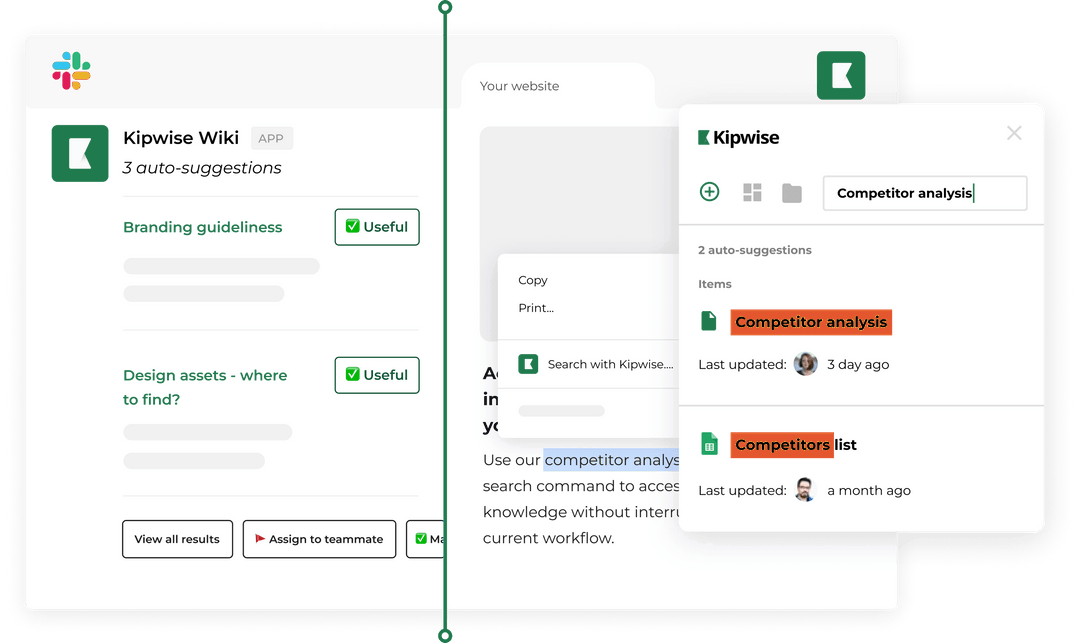
Create a channel such as #ops-risks and let anyone post into it. The agent turns each post into a row, and a person approves it.
- A teammate who spots a risk posts it in #ops-risks and mentions the Kipwise agent once. Plain replies in that thread continue the conversation without another mention.
- The agent proposes one row from the thread using the seven columns. If nobody named an owner, it asks who owns it and does not accept "unassigned" as an answer.
- The teammate answers with the owner, the impact and the likelihood. Rating a risk stays a human judgment; the agent does not score risks.
- The agent shows an Approve card with the exact row. Adding a row to a Google Sheet always waits for the asker's approval, and the card expires after 30 minutes if nobody taps it.
- After approval, the row is in the sheet and the thread is the record of who said what.
This follows what Arcturus Pro recommends for capture: log it at the moment it is identified, as a thin entry with an owner, and score it later. The same source says a tool may propose a register entry from what was said, but nothing should enter the record without a person confirming it. The Approve card is that confirmation.
What counts as a stale row?
A row is stale when it is open and it meets any one of three conditions: the owner is blank or reads "unassigned", the review date has passed, or the next action is not something a person could finish. Closed rows are never stale.
The second condition depends on one habit. A review date on every row, set even when nothing has changed, is what lets a weekly check find stale rows without anyone reading the whole sheet. Bitrix24 asks for a review date on every risk whether or not anything has changed, for a different reason: so the register keeps a rhythm. The same habit also gives the check something to compare against today's date. A row with no review date can never be late, so it can never be found.
| Condition | How it is checked | Who decides what to do |
|---|---|---|
| Owner is blank or "unassigned" | By rule: the cell is empty or says unassigned | The person running ops names an owner |
| Review date has passed | By rule: the date is today or earlier | The owner reviews and sets the next date |
| Next action is not a task | By judgment: it reads like "monitor the situation" | The owner confirms or rewrites it |
The last row needs different handling. Treat the first two stale conditions as rules and the third as a question: a next action that does not read like a task is flagged for its owner to confirm, never rewritten or closed by the agent. Bitrix24 draws the same line between "schedule a call with the vendor to confirm the timeline", which is a task, and "monitor the situation", which is not. Whether a sentence reads like a task is a judgment, so the weekly post should show those rows as questions for the owner and keep them separate from the two rule-based lists.
If you would like the sheet itself to show the mechanical part, add a helper column on the right. With the seven columns in A to G of a sheet that has a header in row 1, put this in H2 and fill it down:
=IF(LOWER(TRIM(C2))="closed","",IF(OR(TRIM(B2)="",LOWER(TRIM(B2))="unassigned",E2="",E2<=TODAY()),"STALE",""))Test it on three rows you broke on purpose before trusting it. Review dates must be real dates, not text; if the formula never fires, check that first.
How do you set up the weekly Slack check?
Ask the agent once, in plain language, to run the check every Monday morning, and approve the Create card once. Later runs post in the channel without asking again, with the same tools and permissions as a request from you, and the agent uses your Slack time zone when it has one. For a wider view of how these jobs behave, see how to schedule recurring AI agent jobs in Slack without silent failures.
Here is a request you can adapt:
Every Monday at 9:00, read the Risk register sheet, rows 2 to 200. Post in this channel every row that is not Closed and has a blank or unassigned owner, or a review date of today or earlier. Then list separately any rows whose next action does not read like a finished-able task, as questions for the owner. Name each row's owner. If nothing is stale, say so in one line.The request names each owner on purpose. A spreadsheet has no owner prompts, so the weekly Slack post should name the owner on every stale row, because the name is the prompt. A row in a sheet cannot tap anyone on the shoulder. A post in the channel that says "Dana, the freelance illustrator row passed its review date" can be answered in a thread in ten seconds, and everyone sees whether it was.
The job only reads the sheet. Changes to rows still wait for an Approve card from whoever asks, so the weekly check cannot quietly edit your register. A workspace admin can switch the lookups and changes off if you ever want to.
What stays with people, and what happens when the check fails?
Everything that needs judgment stays with a person. The Kipwise agent does not find risks on its own, does not score them and is not a risk management product; it reads and writes a sheet and posts in Slack when asked. People rate impact and likelihood, choose the response, spend anything to reduce a risk, accept or close a risk, and talk to the client or supplier. If a response costs money, the rule for who can approve it belongs in a delegation of authority for a small team.
Four failures to plan for:
- The sheet cannot be read. The agent reads with the Google access of the person who set up the job, so if that person loses access the run fails. Ask the agent what happened on earlier runs; it can list your jobs, cancel one and report failures. Set the job up from someone who will stay on the sheet, and check it whenever that person changes role.
- Silence on Monday. Without a line saying nothing is stale, a quiet channel could mean no stale rows or a broken job. That is why the request asks for an all-clear line, and it is why you should read the first two Mondays yourself.
- Wrong flags. A date typed as text, or a status written as "Done" when the rule expects "Closed", will make rows look stale or hide them. Fix the data validation on those two columns before blaming the check.
- The sheet outgrows the habit. Bitrix24 says spreadsheets start to struggle at around 15 to 20 risks, and Arcturus Pro keeps its live register to ten or fifteen ranked risks. Move closed rows to a second tab and keep the check pointed at the live tab only.
How do you verify it works?
Run a pilot on a copy of the sheet before the real one. Add three rows you have broken on purpose: one with a blank owner, one with a review date last week and one with the next action "monitor". Run the request now, in a thread, instead of waiting for Monday. The agent should list exactly those three, in the right groups, with owners named where there are any.
Then watch four numbers each Monday for a month: how many rows were flagged, how many of those were closed or updated within a week, the age of the oldest passed review date, and how many new risks were added to the sheet. Bitrix24 puts a review inside an existing standup in about ten minutes, and the weekly post is the agenda for that slot.
As a recommendation, not a finding: if the weekly list is empty for four weeks while people keep mentioning new risks in conversation, the intake is failing, so look at #ops-risks and ask who last posted there. When a listed risk does become a real failure, record what happened in a post mortem for a small team, and close the row.
What to do next
Today, open a new Google Sheet, add the seven columns and enter up to ten risks that are currently in your head, each with one owner's name, a next action that is a task and a review date, spread over the next six weeks. Then add the Kipwise agent to your Slack workspace, point it at the sheet and ask it to list every row with a review date of today or earlier. The agent costs $10 per user per month with a minimum of three users, and a new install starts with a trial: $2 for 7 days on a free Slack plan, or $10 for 14 days on a paid Slack plan with at least three members. If that first list is right, ask for the weekly job.