How to Add New Employee Compliance Training to an AI Onboarding Company Brain

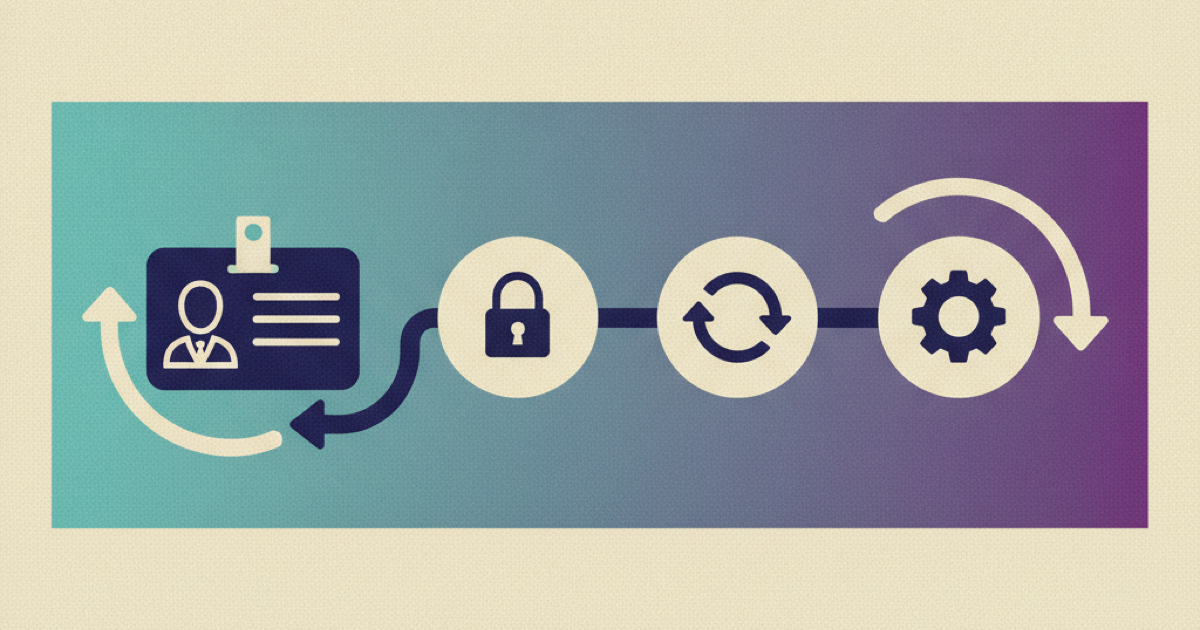
New employee compliance training fails when an onboarding assistant treats a policy answer, a page view, and a completed course as the same event. They are not. A new hire may read a summary yet miss training required for a supervisor, a work location, or a specific hazard. The company then has a friendly AI experience but no reliable proof that the right training happened. The fix is to keep requirements, assignments, assessments, and evidence in authoritative systems while the company brain guides the employee through them.
The control loop starts with applicability and ends with a readiness check. Between those points, it has to preserve course versions, completion evidence, exceptions, and recovery decisions. Otherwise the assistant can declare success before the training system has earned that conclusion.
Why policy access is not training completion
A company brain is good at finding an answer in scattered internal knowledge. Compliance training has a different job. It must establish which requirement applies, deliver approved material, capture the required interaction or assessment, and retain an acceptable record. Each step has an owner and a source of truth.
The distinction matters because requirements vary. OSHA's education and training guidance tells employers to train workers in language and vocabulary they understand, explain relevant hazards and controls, and evaluate whether training is effective. The California Civil Rights Department training page provides a different example: covered employers have defined harassment prevention training duties for supervisory and nonsupervisory employees, along with timing, content, delivery, and recordkeeping rules.
A chatbot cannot infer these obligations safely from a job title alone. "Operations lead" might supervise people in one business and supervise nobody in another. A remote employee's residence may not match the legal entity or work location used for an assignment. A warehouse visitor does not have the same exposure as a warehouse operator. If the assistant guesses, it can omit required work or assign irrelevant courses that waste the employee's first week.
Use the AI layer as a navigator. The compliance system remains the source of record. The assistant may explain why a task appears, link to the approved course, answer questions from approved sources, and route an exception. It must not create requirements, forge completion, rewrite approved course content, or override an accountable owner.
Define a requirement register before adding AI
Start with a controlled register of training requirements. Do not begin with prompts. The register should let a compliance owner answer five questions for any assignment:
- What rule or internal control requires this training?
- Which employee facts make it applicable?
- Which approved course version satisfies it?
- What evidence proves completion?
- Who resolves an exception or ambiguity?
A useful requirement record includes these fields:
- A stable requirement identifier and plain language name.
- The governing source, owner, and review date.
- Applicability rules for legal entity, location, role, supervisory status, work exposure, and contract type.
- The due date rule, including whether it starts at hire, assignment, transfer, or first exposure.
- The approved course identifier and version.
- Required delivery mode, language, duration, assessment, and passing rule.
- The evidence fields that must be retained and their retention policy.
- An exception owner and escalation deadline.
- The actions allowed when status is assigned, started, completed, expired, waived, or disputed.
This register closes a gap that a normal onboarding checklist leaves open. A checklist says "complete safety training." The register states which safety training applies to this employee, why it applies, which version is valid, what completion means, and who can approve a documented exception.
Keep the governing source beside the rule. When a compliance owner changes the rule, create a new version rather than editing historical meaning in place. Existing completion records should continue to point to the requirement and course versions the employee actually received.
Separate employee facts from training decisions
The assignment engine needs verified employee attributes. Pull them from the HR system, identity directory, safety system, or another named authority. Useful inputs often include start date, employing entity, work location, manager, supervisory status, department, job family, facility access, equipment exposure, and employment type.
Do not let the language model convert free text into a binding decision without review. It may suggest that a job description mentions forklift work, but an accountable safety owner should confirm the exposure before the system assigns or removes required training. For ambiguous inputs, produce an exception task instead of a confident result.
Use three states for every input:
- Verified: the authoritative system provides a current value.
- Missing: no approved value is available.
- Conflicting: two approved systems disagree.
Only verified facts should satisfy an applicability rule automatically. Missing and conflicting facts should block affected decisions and route them to the field owner. Other unrelated assignments can continue. This keeps one bad attribute from freezing the entire onboarding plan.
The assignment result should be reproducible. Save the employee fact snapshot, requirement version, rule result, course version, due date, and evaluation time. A reviewer should be able to rerun the same inputs and reach the same assignment.
Build the assignment and evidence workflow
Connect six components and give each one a narrow responsibility.
1. Employee event intake
Receive a hire, transfer, manager change, location change, or exposure change from the authoritative source. Give each event a stable identifier so retries do not create duplicate assignments.
Validate required fields before evaluating rules. If supervisory status is missing, for example, create an owner task for requirements that depend on that status. Record the reason instead of silently treating missing as false.
2. Deterministic applicability service
Evaluate versioned rules outside the language model. Inputs should be structured facts. Outputs should name the matched requirement, rule version, supporting facts, and decision. This service should produce the same result every time for the same versioned inputs.
The company brain can explain the result in natural language, but its answer should cite the requirement record. If an employee asks why a course was assigned, the assistant can state which verified attributes triggered it and provide the approved escalation route. It should not expose private employee facts that the current viewer is not allowed to see.
3. Learning system assignment
Send the approved course identifier, version, due date, and employee identifier to the learning system. Treat the returned assignment identifier as the authoritative link. A successful API response means the assignment was created, not that the employee completed it.
The company brain can surface the assignment and due date inside the onboarding experience. It should deep link to the learning system instead of recreating controlled training in chat. This preserves approved delivery behavior and keeps assessments in the system designed to record them.
4. Completion event intake
Accept completion only from an approved learning system or documented manual process. Capture the assignment identifier, learner, course version, completion time, assessment result when required, delivery mode, and issuer.
The ADL xAPI specification provides one established model for exchanging learning activity statements. Its actor, verb, object, result, context, and timestamp concepts can help teams normalize events across learning tools. Using xAPI does not decide whether a statement satisfies a legal obligation. Your requirement register still defines which event and evidence fields count.
5. Evidence ledger
Store an immutable completion reference linked to the employee, assignment, requirement version, and course version. Protect the underlying record with role based access and a retention rule. The company brain normally needs a narrow status view, such as assigned, due, completed, expired, or under review. It does not need unrestricted access to every assessment response.
6. Readiness projection
Calculate onboarding readiness from authoritative states. A person is compliant for a requirement only when the expected assignment exists, valid completion evidence is present, the accepted version matches, and no blocking dispute or expiry remains.
Expose the projection to the company brain as read only data. The assistant may say, "Your required workplace safety course is complete and was accepted on August 21." It should not say, "You are fully compliant," unless the readiness service confirms every applicable blocking requirement.
Work through a realistic hire
Consider a California warehouse supervisor who starts in two weeks. The HR system confirms the employing entity, California work location, supervisor status, and start date. The safety system confirms warehouse access and equipment exposure.
The assignment service evaluates those facts against the current register. It creates the applicable harassment prevention assignment from the approved course catalog, then assigns the safety courses tied to the confirmed work exposure. Each assignment carries its own rule version, course version, owner, and due date.
During preboarding, the company brain shows only tasks allowed before employment begins. It can explain the purpose of each course and answer logistical questions from approved material. If the employee asks whether previous training from another employer counts, the assistant opens an exception request. It does not mark the course complete.
When the learning system reports completion, the intake service checks the assignment identifier, learner, accepted course version, and required result. The evidence ledger records the accepted event. If a course reports completion without a required assessment result, the status becomes under review rather than complete.
On the first workday, the readiness projection shows which requirements passed and which remain blocked. The manager sees operational readiness, while the employee sees their tasks and escalation routes. Neither view exposes unnecessary assessment details.
Handle failures without losing the audit trail
Automation makes training faster only when failures are explicit. Design recovery for these cases before launch.
When an employee fact is missing
Block only the rules that need the missing field. Assign the data owner, show the employee that the task is being reviewed, and rerun evaluation when the value arrives.
When a rule changes after assignment
Create a new requirement version. Decide whether existing hires are grandfathered, need supplemental material, or need reassignment. Never rewrite the historical rule behind an accepted record.
When the learning system rejects an assignment
Keep the requirement in an assignment failed state. Retry with the same event identifier, alert the integration owner, and prevent the readiness projection from treating an API attempt as an assignment.
When completion arrives twice
Deduplicate on the source event or statement identifier. Preserve the original accepted record and link harmless duplicates to it.
When completion lacks required evidence
Quarantine the event for review. Do not ask the language model to interpret an incomplete payload as success.
When the assistant gives the wrong explanation
Correct the source or retrieval path, identify affected answers, and issue a source linked correction. Do not alter the authoritative assignment or evidence record merely to match the chat transcript.
When an employee disputes applicability
Freeze enforcement actions that depend on the disputed item when policy allows, route the case to the named owner, preserve both the original decision and final resolution, and communicate the outcome without exposing internal notes.
Verify new employee compliance training before using it with new hires
Test the control loop with a matrix of synthetic employees. Include different locations, legal entities, supervisory states, work exposures, start dates, transfers, and missing attributes. For each case, compliance owners should approve the expected assignments and exclusions.
Then run these checks:
- Replay the same employee event and confirm that no duplicate assignment appears.
- Change one relevant fact and confirm that only the expected requirements change.
- Remove a required fact and confirm that the system creates an exception instead of guessing.
- Submit completion for an obsolete course version and confirm that readiness stays blocked.
- Submit a valid completion twice and confirm that one accepted record remains.
- Ask the company brain why a course applies and confirm that it cites the controlled requirement.
- Ask the assistant to waive or complete a course and confirm that it refuses and provides the approved route.
- Remove access to private assessment details and confirm that status remains visible without leaking responses.
- Simulate an integration outage and confirm that the assistant reports an unknown state rather than a stale success.
- Generate a reviewer packet and trace each readiness decision back to employee facts, rule version, assignment, course version, and completion evidence.
GitLab's onboarding handbook is a useful public example of explicit onboarding tasks, owners, role details, access requests, and support routes. Kipwise's employee onboarding workflow shows how assigned reading, searchable company knowledge, and progress tracking can sit in one employee experience. Use that experience layer to make work clear, but keep mandatory status tied to the training and evidence systems.
Start with one requirement family
Do not automate every jurisdiction and course at once. Choose one requirement family with a clear owner, structured applicability rules, an approved course, and stable completion data. Build the register, assignment path, evidence intake, exception route, and readiness projection for that family. Test it against synthetic hires and one controlled pilot cohort.
Your next action is to select that requirement and produce ten approved test cases before configuring the assistant. If the team cannot agree on the expected assignment and acceptable evidence for those cases, the rule is not ready for AI guided onboarding.
References
- OSHA education and training guidance supports understandable worker training, hazard education, worker participation, and effectiveness checks.
- California Civil Rights Department harassment prevention training supports the example of jurisdiction specific duties, employee categories, timing, delivery, and recordkeeping.
- ADL xAPI specification supports the learning activity statement and learning record exchange model.
- GitLab onboarding handbook supports the structured task, owner, role, and support workflow example.
- Kipwise employee onboarding supports the product context for assigned reading, searchable company knowledge, and progress tracking.