AI Sales Assistant in Slack: What to Hand Off Before You Hire One
"AI sales assistant" names three different products, and a founder-led team whose problem is a messy CRM needs the least glamorous one: a read-only checker that posts a daily list of calls with no logged outcome and deals with no next step. An AI SDR fixes a different problem, getting meetings booked, and it adds conversations to a pipeline nobody keeps current. Before you pay for a checker, ask your CRM's own Slack assistant. HubSpot's will list deals with no next step on request, so an agent earns its fee only when that list has to arrive on a schedule or combine several tools. Hire a person for the selling.
This is for founders and ops generalists at Slack-first firms of about 5 to 100 people who sell through HubSpot or Pipedrive. In a founder-led team the sales admin lands on the founder: calls end without an outcome in the CRM, follow-ups slip a week, and a deal goes quiet until the forecast is wrong.
Three products share the name
Search for "ai sales assistant" and one results page mixes three kinds of product. Compare them as one category and you end up comparing prices for different jobs.
The first is the outbound agent, often called an AI SDR or AI BDR, which researches prospects, writes first-touch emails and books meetings. The second is the deal copilot for reps: Sybill records calls, meetings, emails and Slack threads to track every deal and claims to save reps 10 or more hours a week on sales admin, and Ultragent flags deals going quiet and drafts the next email. The third is the CRM admin agent that lives in Slack. Junior's HubSpot page describes a daily briefing of overdue follow-ups, pitched at founder-led sales and small teams with no CRM admin, and Hubby finds stale deals and fixes bad data from Slack.
Hiring a person splits the same way. Catalyst Outsourcing's guide to virtual sales assistants separates a sales admin assistant (CRM upkeep, follow-ups, booking, proposals) from a lead generation assistant and an appointment setter, and says most teams start with the sales admin assistant.
Match the product to the failure you have. If nobody books meetings, you need outbound help, from a person or an AI SDR. If the CRM is wrong and follow-ups slip, you need the third kind, because outbound software adds more conversations to a pipeline nobody is keeping current. This is our recommendation, drawn from how these vendors and the staffing guide describe themselves.
Ask your CRM's own Slack assistant first
HubSpot's knowledge base article on using Breeze Assistant in Slack says it can search and summarize CRM records, create and update them, and analyze your pipeline, and that it is available on all products and plans. Its example prompts include asking which of your deals have no next step scheduled, which is the checker's core question. To use it, you connect the HubSpot Slack app and log in to Slack with your HubSpot user.
The same article states the limits. In channels and threads, Breeze Assistant answers only when you @mention it, for every request, and it does not monitor channels or threads on its own. The article describes it answering requests and does not describe a way to schedule one.
HubSpot has one more route that needs no extra vendor. A workflow can send a custom Slack notification, and a workflow can recur on a daily or weekly schedule. Workflows need a Professional or Enterprise subscription, and the recurring schedules need Data Hub Professional or Enterprise. If you have that tier, test whether one fixed rule, such as open deals with no next activity, already does what you wanted. If you do not, the schedule is the part you would be paying an agent for. An agent also earns its price when the check has to combine tools, for example open deals with no next step set against unpaid invoices, or when the same run should draft the follow-up.
If you use Pipedrive, test whatever Slack app your plan includes the same way. Does it answer only when asked, or can it run a check on a schedule and across other tools?
Run the agent as a checker before it writes anything
Start the agent as a CRM checker that posts a daily list of missing outcomes and next steps by owner, and only later let it draft anything a prospect sees. A checker's output is a list for your team to fix, so a wrong item costs a minute of someone's time rather than a prospect's trust. A few weeks of that list also tell you whether the CRM data is clean enough for the agent to write follow-ups from later.
A checker can only flag what your CRM stores in a field. If your team writes next steps into a free-text note, the check has nothing to read, so we recommend agreeing first that a next step means a dated task or activity on the deal. Then "no next step" is a fact the agent can verify, and the Monday list stays short enough to act on.
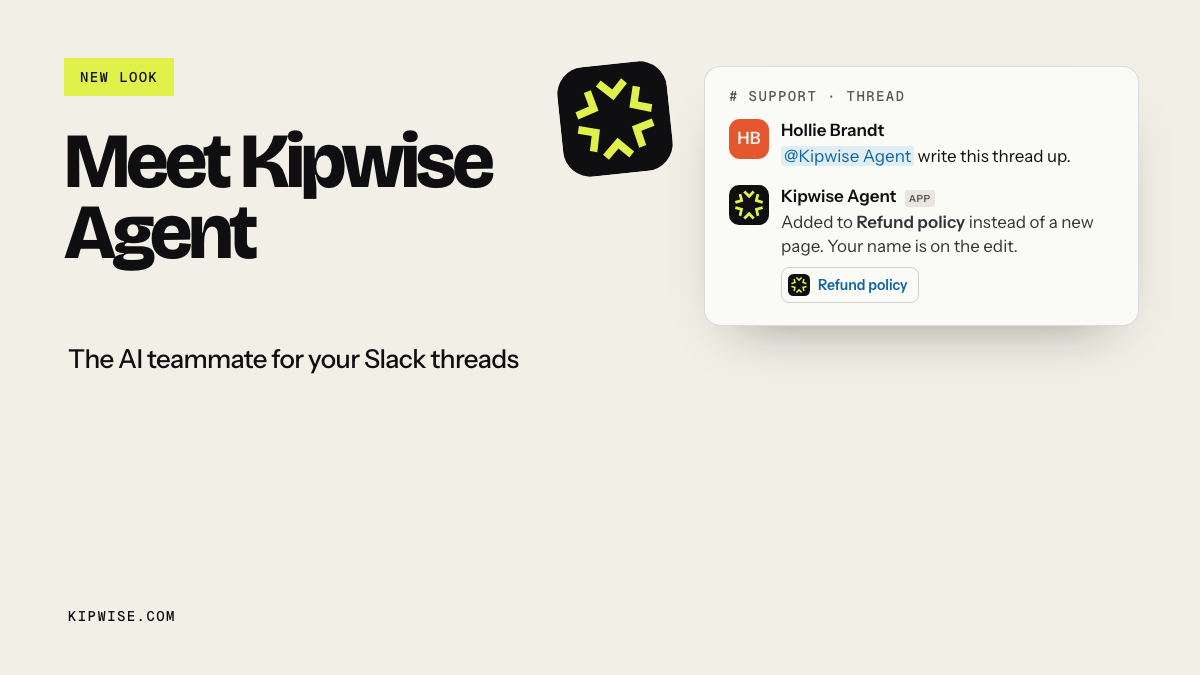
With Kipwise Agent, you mention it once in a sales-ops thread, then continue with plain replies in the same thread. With HubSpot or Pipedrive connected, it looks up people, companies, deals, leads, activities, notes, and who owns what, using your own CRM access. Ask it to run a request every weekday morning: list open deals with no next step and calls or meetings with no logged outcome, grouped by owner, with a link to each record. Creating that schedule needs your approval once, and later runs do not ask again.
When someone replies in the thread with the missing outcome, you can ask the agent to log the note, add a task, or move the deal. It can also run when a deal is created in HubSpot, and it reads the record back with your tools before acting on the notification. For the logging part of this job in more depth, see our guide to keeping your CRM clean from Slack without a data-entry VA. For first response on new leads, see keeping new leads from going cold in Slack.
Kipwise Agent works on the CRM records, inboxes, and tools you connect. If the job is finding and emailing new prospects, look at the first category instead.
Which lines of the job stay with a person
Kipwise read public Upwork posts that hire a person to work inside the client's own Slack and found nine with sales, CRM or lead work in the title or role. Our estimate of how much of each task list an agent in Slack could do ran from 0% to 35%, with a median of 25%. Those numbers come from post text, not from any team's results, but they show that most of the job stays with a person even when the admin moves.
The clearest of these posts was titled "CRM Checker / Sales Ops Assistant". It asked someone to check that every call is logged in the CRM with an outcome and next step, flag overdue touchpoints, message closers when something is missing, and send the sales manager a daily pass or fail report per closer. Its complaint was calls that are not logged, follow-ups that get forgotten and leads that go cold, and three other posts asked for the same result in their own words, that nothing falls through the cracks.
A founder on Hacker News describes the same load from the inside in a comment about where a founder's time goes: chasing people for meetings, writing proposals, negotiating contracts, and meeting prep and follow-up pull them away from talking to customers. That is one person's account, and it matches the posts.
Take the sales assistant job description you would post and sort every line into one of three columns.
| Column | Typical lines | Who runs it |
|---|---|---|
| Checks and admin | Calls with no logged outcome, deals with no next step, stale deals by owner, weekly pipeline summary, paid or failed invoices | An agent on a schedule, with your approval on writes |
| Writing that a prospect sees | Follow-up emails, recap notes, proposal drafts | An agent drafts, a person approves and sends |
| Selling and relationships | Prospecting lists, cold outreach, calls, pricing, negotiation, closing | A person |
Treat the middle column separately. A wrong CRM field annoys your team. A wrong email reaches a prospect under your name.
Two lines that look like admin belong in the third column: judging a rep's performance, which Kipwise's notes on the CRM checker post put outside what an agent can do, and any work inside a CRM the agent does not connect to. The "cannot" lists in the nine posts also named WhatsApp, LinkedIn outreach and phone calls, and CRMs outside the agent's connections such as Close, ActiveCampaign and GoHighLevel. If your team sells through those, an agent can only cover the edges.
If checks and admin fill most of the list, you may not need to hire yet. If selling fills most of it, you need a salesperson or an appointment setter, and no assistant, human or AI, will fix that. Catalyst's guide says the same from the staffing side: when what you need is someone to sell, a sales assistant is the wrong hire, because closing needs a salesperson.
Keep anything a prospect sees behind your approval
Slack's agent design guidance for developers asks that an agent acting with someone's identity stay visible and reviewable, and that it never read or use information the invoking user could not access on their own. For a sales assistant, follow-ups go out with your name on them, and pipeline data is often split by owner.
Vendors in the third category say they handle approvals: Hubby says every write action waits for your approval in Slack, and Ultragent says nothing reaches a customer unless you approve it. Ask any vendor you trial to show you the approval step instead of describing it.
In Kipwise Agent, a live request that changes a CRM record or posts a message first shows an Approve or Deny card. Only the person who asked can use it, and it expires after 30 minutes. Follow-up emails are written as drafts in your Gmail, and sending shows the recipient, subject, and a preview on a card first. On the Kipwise HubSpot agent page, each teammate connects their own HubSpot login, so nobody shares a token and the agent works within each rep's own HubSpot permissions.
Keep follow-ups as drafts for at least the first month. Count how many you approve without edits. If almost all go out unchanged, the CRM notes behind them are good enough to trust more.
What each option costs
The numbers in this category describe very different things, so label each one.
- A human sales admin assistant: Catalyst lists its virtual sales assistants from around $8.80 an hour. In Kipwise's broader review of Slack-based hire posts, the median Upwork hourly rate was $10, about $800 a month for 20 hours a week.
- An outbound AI SDR: AIAgentForSales compares 13 vendors, with public prices from $1 per qualified lead to $3,750 a month for an autonomous AI BDR, set against $98K to $173K for a fully loaded human SDR. That is a different budget for a different job.
- A deal copilot: Sybill's 10 or more hours a week is a vendor claim for reps, not for a founder's admin.
- Kipwise Agent: $10 per user per month, with a minimum of 3 users, on the product page.
Compare an agent with the admin hours it removes. It does not sell, so a salesperson's salary is the wrong comparison. One Hacker News commenter puts the limit plainly: LLMs can make sales faster by automating CRM updates, prospecting, finding contacts and drafting emails, but closing major enterprise deals still takes human salespeople. That is one practitioner's view, and it fits the job posts.
Pilot it for four weeks
- Week one: test your CRM's own Slack assistant on the questions you ask most, and count the open deals that have no dated next step. That number is your baseline.
- Week two: schedule the daily checker list in a sales-ops thread and count the items per owner each day.
- Week three: log notes and next steps from the thread with approval cards, and watch whether the list shrinks.
- Week four: let the agent draft follow-ups for approval and count how many go out unedited.
Judge the pilot by how many deals still have no dated next step on the last day compared with the first. The number of notes or emails the agent produced says little: volume is what outbound tools sell, and it can climb while the pipeline stays stale. A shrinking list is the sign that the admin has moved off you.
Then rewrite the job post with only the lines that are left. If they are mostly selling, hire a salesperson or an appointment setter. If they are calls and a few outreach channels the agent cannot reach, a part-time assistant may be enough. If almost nothing is left, you may not need to hire at all.
Start today by pasting your draft sales assistant job description into a Slack thread and marking each line as a check, a draft, or a sale.