What a Virtual Assistant Costs, and What to Put in Slack First
If you are asking how much does a virtual assistant cost, the pages that answer first are mostly written by agencies that sell VA hours. Their numbers are real, and they price one hour of the assistant's time. A founder who hires from a rate table usually finds three surprises in the first two months: a plan minimum that bills for hours nobody used, fees and paperwork that were not in the headline rate, and their own evenings spent briefing and checking the work. This guide gives you the full monthly bill for each hiring route, a worksheet that adds your own time to it, and a way to take the repetitive checks out of the task list before you choose a plan. You end with a number you can defend and a smaller, better scoped hire.
The short answer
Typical prices in late 2026, from the sources below:
- Freelancer on a marketplace: about $10 to $20 an hour, plus the marketplace's client fee. Virtustant's October 2026 guide reports Upwork's own benchmark at $13 an hour and a client marketplace fee of up to 7.99 percent on Upwork's Basic plan.
- What small businesses actually offer: in 93 recent Upwork job posts that name an hourly rate, the median was $10 an hour, so 20 hours a week is about $800 a month (Kipwise's read of the posts).
- Offshore agency or staffing service: about $4 to $20 an hour for assistants in India or the Philippines, according to Wishup's 2026 cost guide, a VA agency.
- US managed or subscription service: Virtustant puts US subscription plans at $36 to $65 an hour; Wishup lists Time Etc at $380 to $2,100 a month for 10 to 60 hours and Boldly from $2,520 for 40 hours.
- An in-house employee: the Bureau of Labor Statistics puts the 2025 median pay for secretaries and administrative assistants at $48,310 a year, or $23.23 an hour, and $76,590 for executive assistants, before payroll taxes and benefits.
Treat the agency figures as vendor claims: every one of those guides is published by a company selling the hours it is pricing. The rest of this article turns those rates into a monthly bill you can compare.
Why the rate table is not the price
An hourly rate tells you what one hour of the assistant's time costs. It does not tell you how many hours you will pay for, what sits on top of the rate, or how much of your own time the arrangement consumes. Three mechanisms drive the gap.
Plan minimums and unused hours. Many services sell blocks of hours, not hours. Wishup reports that Time Etc's 10 hour plan "does not allow unused hours to roll over", that Prialto requires "a minimum 90-day commitment", and that with MyOutDesk "part-time needs still incur the full monthly fee". If the work arrives in bursts, you pay for the quiet weeks too.
Fees and paperwork that move between routes. On a marketplace you pay the client fee and do the recruiting yourself. With a managed service the recruiting, payroll and replacement are inside a higher rate. With your own employee you take on the tax side: the IRS says you generally do not withhold or pay taxes on payments to independent contractors, but for employees you withhold income tax, Social Security and Medicare, pay the employer's share, and pay unemployment tax.
Your own time. A new assistant asks where things are, needs logins, and sends work back for checking. Nobody bills you for that, so no rate table includes it.
The worksheet below gives it its own line.
The full monthly bill, route by route
The table compares four routes for a part-time assistant. Ranges come from the cited sources; the "you also carry" column is what the headline rate leaves out.
| Route | Headline price | What is included | You also carry |
|---|---|---|---|
| Marketplace freelancer | About $10 to $20 an hour (Upwork benchmark $13) | The person's time | Client fee up to 7.99 percent, recruiting, trials, replacement if they leave |
| Offshore agency | About $4 to $20 an hour, often in monthly plans | Recruiting, payroll, some management | Plan minimums, notice periods, time zone gaps |
| US managed or subscription service | About $36 to $65 an hour, or $380 to $2,520 a month for 10 to 40 hours | Recruiting, payroll, cover, replacement | Unused hours that do not roll over, extra rates for specialist tasks (Boldly lists $79 an hour) |
| Your own employee | BLS median $23.23 an hour for administrative assistants | Full attention, full time | Payroll taxes, benefits, equipment, hiring time |
Two community reports give a sense of the low end and of the business model. A Hacker News commenter wrote in April 2026 that a full time assistant from the Philippines with fluent English "costs upwards of $700/month nowadays". Another, writing about VA services in 2015, described the model plainly: they sell the labor of someone who solves problems for you and charge slightly more than it costs them. Both are individual author reports, not market data, but the second explains why managed services cost more per hour: you are paying for the recruiting, cover and replacement you would otherwise do yourself.
Do not forget the Slack seat
If the assistant works inside your Slack, decide their access before you price the role. Slack's guest roles settle this: a Single-Channel Guest is free but can only access one channel, while a Multi-Channel Guest is billed as a regular member. An assistant who needs to read five channels costs a seat on a paid plan. One handoff channel keeps that line at zero. How to hire a virtual assistant for a Slack-based team walks through setting that up.
Add your own time to the worksheet
Count your own management time as a line item, because every hour a virtual assistant works needs some of your time to brief, answer and check, and the rate tables leave that cost out.
This is a recommendation, not a published benchmark, so put your own numbers in. Estimate three things for the first two months:
- Briefing: how long you spend each week writing up what you want done.
- Answering: how long you spend replying to "where is this" and "can I send this" questions.
- Checking: how long you spend reviewing work before it goes to a client or into a system.
Then price those hours at what your time is worth to the business. A made-up example to show the arithmetic: a founder hires a $10 an hour assistant for 20 hours a week, about $800 a month. They spend three hours a week briefing, answering and checking in the first two months. At a founder's value of $75 an hour, that is about $975 a month of their own time, more than the assistant's invoice. The figure falls as the assistant learns the work. For work that touches clients, expect some checking to stay.
The worksheet does two jobs. It shows the true first months' cost, and it shows which tasks eat the most of your time. Those tasks are usually the repetitive ones that need context every week: "who still owes us a reply", "which deals have not moved", "what is overdue". They are the first candidates to take out of the hire.
Take the repetitive hours out before you choose a plan
Size the plan only after you take the recurring checks out of the task list, because a monthly minimum bought for status chasing and follow-ups keeps billing for hours a scheduled check could cover.
Open the task list you were going to give the assistant and sort every line into three groups.
Recurring checks. The same question asked on a schedule, answered from systems you already use: open follow-ups in a thread, deals with no activity this week, invoices past due, status from each project channel on Friday. These need access and consistency, not judgment.
Drafts for approval. Work where someone prepares and you decide: a reply to a client, a weekly update, a reminder to a customer who owes you money.
Judgment work. Calls, negotiations, relationships, anything where the right answer depends on reading a person. This is what a good assistant is worth paying for.
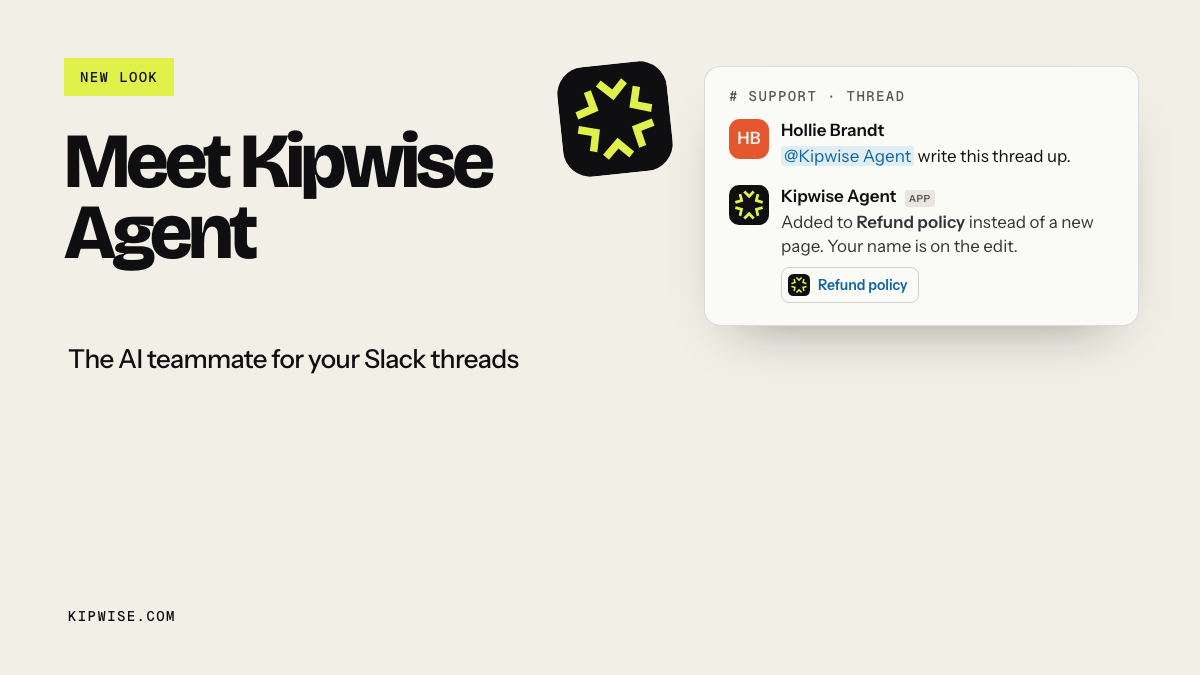
The first group is where an AI agent in Slack fits, and it is the group that most often fills a plan with low value hours. With the Kipwise agent, you mention it once in a thread and keep working with plain replies in the same thread. You can ask it to run a request on a schedule in plain language ("every Friday at 4pm, list the client threads in this channel with no reply in three days"), and it posts the result in the channel using your own connected accounts and permissions. Creating a scheduled task needs your approval once. Before a live request changes something in a connected service or posts a message, it shows an Approve or Deny card that only the person who asked can use. It cites the sources it opened and says so when it cannot find something rather than guessing.
The second group can go either way. The agent can draft; a person still decides what goes out. The third group stays with a person.
Triage your Slack inbox without hiring a virtual assistant shows one of these recurring jobs worked through end to end.
How much does an AI agent cost next to a VA
The Kipwise agent costs $10 per user a month with a three user minimum, so $30 a month for three people, with $5 of AI credit per person and $2 per person of shared team credit each month (Kipwise pricing). The job-post median works out to about $800 a month. The agent does not cover the third group: it will not take a client call, and it cannot read a system you have not connected or one your own account cannot open. Compare it with a smaller assistant plan, sized for judgment work, once the repetitive checks run in Slack.
Compare the routes on the total, not the rate
Compare routes on the total monthly bill, not the hourly rate, because the cheapest hourly route usually moves recruiting, fees and payroll paperwork back onto you.
Put each route into the same five lines:
| Line | What to write down |
|---|---|
| Hours you will actually pay for | The plan minimum, or your estimate for hourly work |
| Rate times hours | The invoice |
| Fees and seats | Marketplace fee, setup fee, Slack seat if the assistant needs more than one channel |
| Employer costs | Only for an employee: payroll taxes, benefits, equipment |
| Your time | Briefing, answering and checking hours from the worksheet, at your hourly value |
A freelancer at $10 an hour can come out above a managed service at $36 an hour once you add the recruiting, the trial that did not work and three hours of your week. The reverse also happens: a managed plan with 40 hours a month is expensive if the real work is eight hours of judgment and thirty two of recurring checks. Fill in the table with your numbers before you trust either conclusion.
Decision rules
- Under about 10 hours a week of judgment work left after the sort: a marketplace freelancer or a small hourly plan, with one Slack channel for handoffs.
- Work in bursts, or you cannot afford to recruit twice: a managed service, but pick a plan whose minimum matches your quiet weeks, not your busy ones.
- Steady full time work that needs to be in the room, or access you cannot give a contractor: an employee, priced with the employer costs.
- Most of the list was recurring checks: run them in Slack for a month first, then hire for what is left.
What goes wrong, and how to spot it early
The plan bills for hours nobody used. Check the first two invoices against what was done. If you paid for unused hours twice, drop a plan tier or move the recurring checks out.
The assistant spends Monday catching up. If the first hours of each week go to reading threads to find out what changed, that is the recurring status check. Run it on a schedule and give the assistant the summary.
Work comes back for checking every time. That is the briefing line in your worksheet. Write one short brief per recurring task, with what done looks like, and reuse it.
Costs creep through seats. A guest who was added to a second channel is no longer free. Keep handoffs in one channel or budget the seat.
How to tell the money is well spent
After the first month, compare three numbers against your worksheet: the invoice, the hours you spent managing, and the number of recurring checks that ran without anyone asking. A good hire shows the second number falling each week. A good split shows the third number steady, with the assistant's hours going to calls, client work and decisions instead of status chasing. If your management time is not falling by the end of month two, fix the brief or the scope before you renegotiate the rate.
Your next step
Before you request a quote, open the task list you would hand a virtual assistant and mark each line as a recurring check, a draft for approval or judgment work. Set up the first recurring check in Slack this week, for example a Friday list of client threads waiting on a reply. Then price the assistant for what is left with the five line table; that number is your answer to how much does a virtual assistant cost for your team.
References
- U.S. Bureau of Labor Statistics: Secretaries and Administrative Assistants: 2025 median pay for administrative and executive assistants.
- IRS: Independent contractor (self-employed) or employee?: tax obligations for contractors versus employees.
- Slack: Understand guest roles in Slack: Single-Channel Guests are free; Multi-Channel Guests are billed as members.
- Wishup: Virtual assistant cost in 2026: regional rates and agency plan terms (vendor guide).
- Virtustant: How much does a virtual assistant cost?: Upwork benchmark and client fee, US subscription service rates (vendor guide).
- Hacker News comment 47832525: author report on full time VA cost from the Philippines.
- Hacker News comment 9107940: author report on how VA services price labor.
- Kipwise: Before you hire a virtual assistant: the $10 an hour median from 93 Upwork job posts.
- Kipwise: How to hire a virtual assistant for a Slack-based team: hiring steps and Slack access.
- Kipwise: Triage your Slack inbox without hiring a virtual assistant: one recurring job moved into Slack.
- Kipwise pricing: agent price, minimum and credit.