How to Hire a Virtual Assistant for a Slack-Based Team
You want a virtual assistant because things keep slipping: the status update nobody posted, the follow-up nobody sent, the client request that sat in a channel for three days. So you write a job post, hire someone at an hourly rate, and a month later you are still asking "did this get done?", now about two people instead of one. This guide covers how to hire a virtual assistant when your team already works in Slack: how to scope the role, where to hire, how to test, how to give Slack access without overpaying or oversharing, and which parts of the job to put in Slack before the person starts. The aim is a hire who spends their hours on calls and judgment.
The short version
- Write down every recurring task for one or two weeks, then turn the list into a job description with hours, tools and what "done" looks like.
- Sort that job description into three groups: checks that can run on a schedule, drafts that need your approval, and work that needs a person.
- Put the first two groups in Slack first. Hire for the third.
- Choose a hiring route (freelancer, agency or direct hire) and run a paid trial with real tasks.
- Give Slack access as a guest or a member on purpose, with only the channels the trial needs and an end date.
- Agree scope, hours, rate, confidentiality and exit terms in writing, then review weekly for the first month.
Why VA hires disappoint Slack-first teams
Most of the top hiring guides are written by agencies that sell assistants, and their steps are sound. Acelerar's guide says to track recurring work for a week or two and to "Begin onboarding with limited permissions, password-manager access, a written checklist, and a reporting template." MyTasker says "Always require a paid trial before any recurring plan or long-term contract." Those are good rules. They still leave three gaps for a team that runs on Slack.
The first gap is the job itself. Real job posts for these roles ask for things like "Nothing falls through the cracks" and "someone who keeps it moving without me chasing it" (lines quoted from Upwork job posts). Underneath those phrases sit recurring status updates, open-loop checks and follow-ups. Those are scheduled, repetitive jobs. A person can do them, but you will check on that person in the same way you checked on the work before.
The second gap is access. MyOutDesk advises you to "Provide system access methodically, starting with essential platforms and expanding permissions." None of the guides says how a Slack workspace should admit an outside assistant, or what each option costs.
The third gap is your own habits. In a Hacker News thread from a CEO asking how to hire an assistant, one reply asked: "Are you really ready to stop doing the things you're hiring this person to do?" Another commenter said an earlier assistant service "required way too much micromanaging" (both are author reports, not studies). If the work you hand over still needs you to chase it, the hire does not remove the chasing.
Step 1: Turn your task list into a scoped role
Keep a plain list for one or two weeks: the task, how often it happens, which tool it lives in, what the output is and who does it now. Go Socialate notes that many US small businesses start with 10 to 20 hours a week and scale up, which is a sensible first scope.
Then write the role from that list, not from a generic "admin support" template. For each task, write what done looks like. "Post the Monday status" is vague. "By 10:00 on Monday, a post in #ops lists every open Linear issue past its due date, by owner, with a link" is testable, and it is the kind of line you can sort in the next step.
Step 2: Sort the job description before you post it
Sort the job description line by line into checks software can run in Slack, drafts that need your approval and work that needs a person, then hire for the third group, because the first two are the work you would otherwise keep chasing.
This is a recommendation, and the reasoning is about the shape of the work. A scheduled check or a draft follows the same steps every time, so software can run it and you only review the result. Phone calls, booking with people outside your company and judgment with clients do not follow fixed steps, and an agent in Slack works in text and makes no phone calls (the Kipwise FAQ says so). So a good part of a VA's job still needs a person. The part that does not is the part that causes the chasing.
A worked example (made up for illustration) of a 20-hour VA job description at a 15-person agency:
| Job description line | Group | Why |
|---|---|---|
| Post a Monday summary of overdue tasks by owner | Run in Slack on a schedule | Same check every week, same sources |
| List CRM deals with no next step every weekday | Run in Slack on a schedule | A rule, not a judgment |
| Draft follow-up emails for clients who have not replied in five days | Draft for your approval | The wording matters, the trigger does not |
| Log call notes to the CRM after client calls | Draft for your approval | Someone checks the note before it is saved |
| Call clients who are late on feedback | Keep for the person | Phone calls and relationships |
| Book travel and handle vendor back-and-forth | Keep for the person | Judgment with outsiders |
| Clean up the shared drive and rename files | Keep for the person | Messy, one-off, needs taste |
If most of your lines land in the first two groups, you may not need a VA yet. If most land in the third, you do, and the hire will be better used.
In 93 recent Upwork job posts that name an hourly rate, the median was $10 an hour, so 20 hours a week is about $800 a month (Kipwise's read of the posts). Commenters on Hacker News report anything from a "$5 dollar an hour assistant" to a full-time VA from the Philippines who "costs upwards of $700/month nowadays". Those are individual reports. Either way, every hour of scheduled checking you hand to a person is an hour you pay for and then verify.
Step 3: Put the repetitive part in Slack first
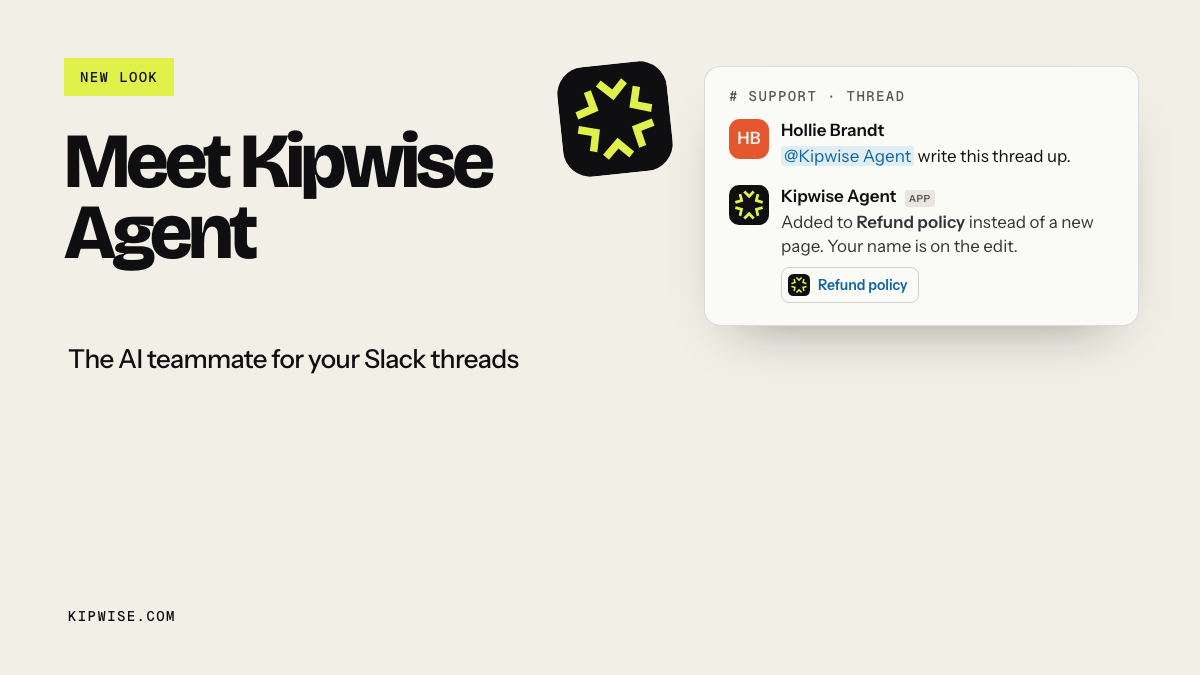
For the first two groups, you can set the work up in Slack before you hire. With the Kipwise Agent, you mention it once in a thread and ask in plain words, for example: "Every Monday at 9, list open Linear issues past their due date by owner and post it here." Scheduled requests are approved once, when you create them. The agent reads with the asking person's own connections and permissions, links what it opened, and posts the result in the channel. Anything that writes to a connected tool, such as a CRM note, shows an Approve or Deny card that only the person who asked can press, and it expires after 30 minutes. An email goes out only after you press Approve.
That covers the checks and the drafts. The calls, the vendor emails and the judgment stay with a person. Our posts on status updates, follow-ups, CRM hygiene and inbox triage walk through each of those jobs on its own.
Setting this up before the hire also means the Monday summary already exists on the new assistant's first day, and their job is to act on what it shows.
Step 4: Pick a hiring route and run a paid trial
You have three routes, and Acelerar's guide, linked above, sets out the trade-offs. With a freelancer you own screening, backup coverage and daily direction. An agency handles vetting, replacements and quality control, as Go Socialate describes it; one Hacker News commenter who used a UK service said it "did a nice job of matchmaking" after a cheaper service had not worked. With a direct remote hire you own employment and supervision, and the person builds the deepest company context.
Whichever route you take, run a paid trial with tasks from your own sorted list. Wise suggests a trial period of two to four weeks before a long-term commitment. Expect setup time. One commenter described it as "an hour or two explaining what you need" and then "a few days where you will need to answer questions, handle edge cases". Score the trial on the third-group work: did they handle the late client call well, did they ask before guessing, did they report what they did?
Step 5: Give Slack access on purpose
Decide how the virtual assistant joins your Slack before you post the job, because on a paid plan a Single-Channel Guest is free but sees one channel, while a Multi-Channel Guest is billed like a full member.
Slack's guest roles help page sets the rules. "Guests are only available on Slack's paid plans." Multi-Channel Guests are "billed as regular members and can be added to an unlimited number of channels." "Single-Channel Guests are free and can only access one channel," and you can add up to five for every paid active member. Slack describes guests as suited to someone who "needs limited access to Slack, such as contractors and interns" (Slack's guide to guests and shared channels).
That gives you a simple decision rule:
- One channel is enough for the trial (for example a #va-desk channel where you hand off and they report): use a Single-Channel Guest. It costs nothing extra.
- They need several channels, such as #ops, #clients and #sales: use a Multi-Channel Guest, and budget for a seat.
- They will work across the whole workspace for the long term: make them a member, and review which private channels they really need.
Set a deactivation date on the assistant's guest account for the end of the paid trial, so access ends unless someone extends it on purpose. Slack lets owners and admins "Automatically deactivate a guest after a certain amount of time" and sends a reminder five days before, according to the same help page. If the trial goes well, you extend it. If it does not, you do not have to remember to remove anyone.
Keep a short list of what the assistant should not get on day one: your password manager vault (share single items instead), billing settings, and private channels about pay or hiring. Acelerar's advice applies here too: start with limited permissions and increase them only after consistent work.
If you use the Kipwise Agent, note how it treats guests. A guest in a shared channel can use it with their own connected accounts, but cannot reach your internal Kipwise knowledge base, team settings or credits, and memory is not available to guests. Plan the handoff channel with that in mind.
Step 6: Put it in writing and review weekly
The agreement should cover the scope from step 1, the hours, the rate, confidentiality, who owns the work, and how either side ends it, including returning access. MyOutDesk says termination conditions matter as much as hiring terms, and those terms are where returning access gets written down.
For the first month, hold a 15-minute weekly review. Look at three things: which third-group tasks the assistant closed without being asked twice, which ones came back to you, and whether the scheduled posts in Slack were acted on.
When it goes wrong
- The assistant is busy but you still chase. Check whether they were handed scheduled checks after all. Move those back into Slack and refocus the role on calls and judgment.
- They cannot see what they need. A Single-Channel Guest cannot be added to a second channel. Convert them to a Multi-Channel Guest and accept the seat cost, or bring the work into their one channel.
- A draft goes out wrong. Keep customer-visible messages behind an approval step for the trial period, whether the draft came from a person or from the agent.
- You keep doing the task yourself. Go back to the Hacker News question about being ready to stop. If you are not ready to stop, do not hire for that task yet.
How to tell the hire is working
After four weeks, you should be able to answer yes to most of these:
- The weekly status and the overdue list post on time without anyone asking.
- You sent fewer "did this get done?" messages than in the month before.
- The assistant spends most of their hours on calls, client follow-through and one-off work, not on copying status.
- Their Slack access matches what the work needs, and the trial end date was either extended on purpose or allowed to lapse.
- Each line of the original job description has an owner: the schedule, the approval queue, or the person.
What to do next
Open your draft VA job description today and sort every line into the three groups before you post it. For the scheduled checks and drafts, try one weekly request in Slack first; the Kipwise pricing page has the current trial, and the Agent is $10 per user a month with a three-user minimum. Then post the job for the work that is left, which is the part a good assistant is worth paying for. If you are still deciding whether to hire at all, start with before you hire a virtual assistant and what an AI chief of staff in Slack can run.
References
- Slack help: Understand guest roles in Slack: guests only on paid plans, Multi-Channel Guests billed as members, Single-Channel Guests free and limited to one channel, automatic deactivation and the five-day reminder.
- Slack: An introduction to sharing channels and guest accounts: guests suit contractors who need limited access.
- Acelerar: How to hire a virtual assistant in 7 steps: tracking recurring work and onboarding with limited permissions (agency, vendor with an interest).
- MyTasker: Remote administrative assistant hiring checklist: a paid trial before any recurring plan (agency).
- MyOutDesk: How to hire a virtual assistant: granting system access step by step and termination terms (agency).
- Go Socialate: How to hire a virtual assistant for US small businesses: 10 to 20 hours a week as a common starting scope (agency).
- Wise: How to hire a virtual assistant: a trial period of a few weeks (payments vendor).
- Hacker News comment 29336313: author report, "Are you really ready to stop doing the things you're hiring this person to do?"
- Hacker News comment 29336622: author report on agency matchmaking after a service that needed micromanaging.
- Hacker News comment 30301699: author report on the setup time for a new VA.
- Hacker News comment 47832525: author report on full-time VA cost from the Philippines.
- Hacker News comment 47858564: author report on a $5 an hour assistant.
- Kipwise: Before you hire a virtual assistant: quoted job-post lines, the $10 an hour median from 93 Upwork posts, and the agent's text-only scope.
- Kipwise pricing: Agent price and trial.