Quarterly business review for a small firm: which clients get a meeting, who preps each section, and a Slack thread that builds the pre-read
A quarterly business review at a small firm is a 60 to 90 minute meeting, or a two-page written summary, where you show a retained client what the last quarter delivered against the goals you agreed, check last quarter's promises, and settle one recommendation for the next quarter. AgencyPro's agency QBR guide lays out a 90-minute version with an owner for every section and a pre-read sent five days ahead.
At a 5 to 50 person firm the prep fails long before the agenda does. Scopable estimates the review costs a managed service provider 3 to 8 hours of senior time per client per quarter, mostly spent assembling numbers from tools that do not talk to each other. With 15 clients that is 45 to 120 hours each quarter, so reviews slip, small clients never get one, and the account that quietly churns was the one nobody reviewed. The payoff of the plan below: you decide up front which clients get a meeting, every section has a named owner and a named source, and the numbers arrive in one Slack thread before anyone opens a slide.
Which clients should get a live quarterly business review?
Give a live meeting only to clients whose renewal or notice date falls in the next two quarters, whose scope changed this quarter, or whose results missed the goal. Send everyone else a written summary with an offer to talk.
Sort your clients before you schedule anything: a live review for accounts near renewal or with changing scope, and a written summary for small, steady ones. SherpaDesk's MSP QBR template says small, low-change clients may do better with an emailed summary and a meeting twice a year, and it relays an r/msp member who now sends written summaries to every customer under 20 users (a community report, not a measured result). Most guides assume every account gets the full meeting, and that assumption is how a small firm ends up skipping reviews entirely when the quarter gets busy. A written summary sent on time does more for a small, steady client than a live review that keeps slipping, because the summary still records last quarter's commitments and the slipped meeting records nothing.
A sort you can copy:
| Client situation this quarter | Format | Length | Who attends from your side |
|---|---|---|---|
| Renewal or notice date within 6 months | Live review | 60 to 90 minutes | Owner and account lead |
| Scope changed, or a new decision-maker joined | Live review | 60 minutes | Account lead and the person doing the work |
| Results missed the agreed goal | Live review | 60 minutes | Owner and account lead |
| Steady results, small retainer, no change | Written summary with an offer to talk | Two pages | Account lead writes it |
| New this quarter (first 90 days) | Skip; keep the onboarding check-ins | None | Account lead |
If you already keep a renewal tracker, the first row fills itself. Our guide to contract management for a small team shows a tracker sorted by notice date; read it alongside this table, because a review held after the notice window closes cannot change the renewal.
Try Kipwise Agent free in Slack: mention it once in a thread and it does the repetitive work, with your permissions.
What goes in a quarterly business review agenda?
Seven sections, in this order, each with one owner. The agenda below follows AgencyPro's 90-minute structure; the owners and sources columns are what a small firm needs to add, because the meeting is only as good as the numbers someone brought.
| Section | Time | Owner | Where the numbers come from |
|---|---|---|---|
| Results against the goals you agreed | 15 min | Account lead | The goal sheet from last quarter's review, plus the monthly reports |
| Performance metrics | 15 min | Strategist or the person doing the work | Google Analytics, Search Console, ad platforms, the CRM |
| Last quarter's commitments: done or not | 10 min | Account lead | Last review's action list |
| What worked and what did not | 15 min | Account lead | Your own delivery notes and the client thread |
| Client feedback | 15 min | Client | A short question sent with the pre-read |
| Goals and one recommendation for next quarter | 15 min | Owner, agreed with the client | Your recommendation, with the numbers under it |
| Scope, budget and action items | 5 to 10 min | Account lead | Invoices and payments from your billing tool |
Two notes on the table. First, the commitments row is easy to drop, and a review that reports new numbers without saying whether last quarter's promises happened reads as a sales pitch. Second, keep troubleshooting out. If a live problem is open, handle it in a separate call; the review is for the quarter, not for this week's ticket.
Who preps the quarterly business review, and when?
The account lead owns the pre-read, the owner owns the recommendation, and the work starts two weeks before quarter end. The calendar below is keyed to the quarter's last day and adapted from SherpaDesk's ten-business-day data pull and AgencyPro's five-day pre-read.
- Ten business days before quarter end. List the clients due a review this quarter, using the sort above. Book the live meetings now for the second or third week of the new quarter.
- Seven business days before. Send each live-review client one feedback question: what should we start, stop or keep doing next quarter?
- Quarter end plus two days. Pull the numbers. Not before.
- Quarter end plus three days. Draft the pre-read: results against goals, commitments, metrics, the feedback answer.
- Quarter end plus four days. The owner writes the recommendation and checks the draft.
- At least five days before the meeting. Send the pre-read. AgencyPro recommends a two-page document covering metrics, the agenda and the proposed recommendation.
- Within one business day after the meeting. Send the written summary with each action item, its owner on both sides and its date.
Pull the quarter's numbers no sooner than two days after the quarter closes, because Google Analytics can still change the figures for 24 to 48 hours. Google's data freshness page says processing can take that long and that report figures may change during it. A pre-read built on the morning after quarter end can show a last week that later moves, and the client who checks their own dashboard will see a different number than the one you sent. Wait two days, and state the date range next to every figure.
Why does the prep take so long by hand?
Because each section's numbers live in a different tool, and each client's numbers live in a different login. SherpaDesk says the data analysis is what takes the most time, and Scopable puts it more bluntly: the prep time is the price of metrics that sit in four places. For a small agency that usually means:
- traffic and search figures in Google Analytics and Search Console, one property per client;
- deals, contacts and activity notes in HubSpot or Pipedrive;
- invoices and payments in Stripe, QuickBooks or Xero;
- the goal sheet and last quarter's action list in a Google Sheet or Doc;
- the honest record of what happened in the client's Slack channel.
None of these is hard to read. The cost is opening five tools for every client, picking the same date range each time, copying the figures into a deck, and repeating it fifteen times in the same week the quarter closes. All of that is repetitive work. The recommendation is the part that needs you.
What a QBR means at a bigger company, and why the small version is shorter
The term means two things. Inside a company like GitLab, a QBR is an internal team review held in the last two weeks of the quarter, where customer success managers present their quarter to each other. The client-facing meeting there is called an executive business review, and GitLab's EBR guide starts preparing three to four months ahead, aligns executives on both sides, and sends a follow-up within one business day.
If you search for a template and land on enterprise material, that is why it feels oversized. A small firm keeps two parts of the enterprise version and drops the rest: the follow-up within one business day, and the habit of validating the agenda with the client before the meeting. The three-month lead time and the executive roster do not apply when the client is a founder and the meeting is with you.
How a Slack thread builds the pre-read
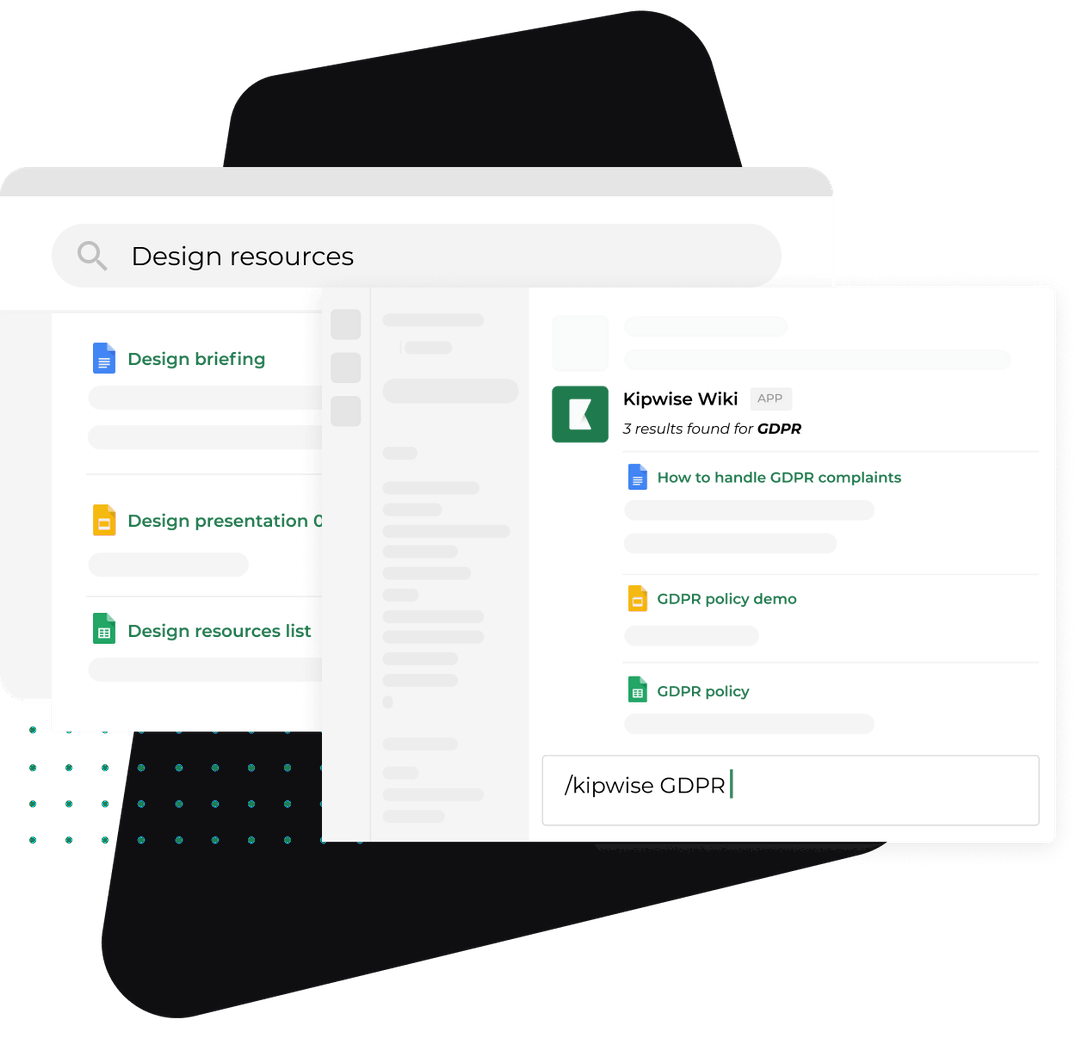
Here is one client's pre-read built in a Slack thread with the Kipwise agent. The example is made up; the capabilities are the agent's.
Ten business days before quarter end, a scheduled request posts in #accounts. Creating a scheduled task asks for approval once; later runs do not ask again. It lists the clients whose renewal dates fall in the next six months, read from your renewal sheet in Google Sheets, so the account lead can confirm the live-review list.
Two days after quarter end, the account lead mentions the agent in the thread for one client:
> @Kipwise for Acme Dental, pull Q3: sessions and conversions from Analytics, clicks and top queries from Search Console, the deal and last three activity notes in HubSpot, and Q3 invoices and payments in QuickBooks. Then read last quarter's action list in the "Acme QBR" Doc.
Plain replies in the same thread continue the work. The agent uses that person's own access in each connected tool, so it sees exactly what the account lead could open. It states the date range next to every Analytics and Search Console figure and reports only what it actually fetched; Analytics and Search Console access is read-only. If a figure is missing because the account lead's login cannot see that property, the reply says so instead of filling the gap.
The account lead then asks for the draft:
> Draft the two-page pre-read as a Google Doc: results against the three goals in the Acme goal sheet, last quarter's commitments marked done or not, the metrics table, and an empty section headed "Recommendation".
Creating the Google Doc waits for the account lead's Approve card, and only the person who asked can approve it. The agent does not send anything to the client. The owner opens the Doc, writes the recommendation, and the account lead sends it.
After the meeting, the account lead pastes the notes into the thread and asks for the action list with an owner on both sides and a date for each item. Adding those rows to the client's sheet is a change in a connected tool, so it also waits for Approve.
Write the one recommendation yourself and let the tooling build the evidence under it, because the recommendation is the only part of the review the client could not produce alone. A client can open their own Analytics. They cannot see what you see across fifteen similar accounts, and that judgement is what keeps a retainer. This is a recommendation, not a sourced rule: keep the agent on assembly and keep the advice human.
For the monthly report the pre-read reuses, see how to automate client reports. For the weekly notes that keep the quarter from surprising anyone, see weekly client updates in Slack.
What can go wrong, and how to check it worked
The usual failures, and the fix for each:
- The numbers changed after you sent them. You pulled too early. Pull on quarter end plus two days and print the date range on every figure.
- The review became a status meeting. The pre-read did not go out five days ahead, so the meeting read it aloud. Move the send date, not the meeting.
- Nobody knows if last quarter's promises happened. The action list was never written down. Send it within one business day and keep it in the same Doc as the goal sheet.
- Small clients never get reviewed. The sort was skipped. A written summary is still a review; send it.
- The recommendation is generic. It was written from the deck instead of from the numbers. Write it last, after reading the metrics table.
Three checks tell you the process works. After two quarters, every retained client has had either a live review or a written summary each quarter. Every live review opened with last quarter's commitments. And the time from quarter end to the last pre-read sent has fallen, which you can read from the dates in the thread.
The trade-off is honest: a written summary carries less weight than a meeting, and some steady clients will want the meeting anyway. Offer it in the summary's last line and let them choose.
How this differs from your internal monthly review
A quarterly business review is a client meeting about the client's goals. A monthly business review is your own team looking at your own numbers. They share a habit (a pre-read built before the meeting) but not an audience, so do not merge them. The monthly review tells you which clients are at risk; the quarterly business review is where you talk to them about it.
What to do next
Open your client list today and sort it with the table above. Mark every client with a renewal or notice date in the next six months, book those live reviews for the second week of next quarter, and pick one of them to build in a Slack thread on quarter end plus two days. The agent is $10 per user per month on Kipwise Agent pricing, minimum 3 users; if you have not set it up yet, meet the Kipwise agent first, and see how scheduled jobs run for the ten-day reminder.