Interview scheduling for a small firm: who owns each candidate and when to stop chasing

A small firm can run interview scheduling by hand and still be fast, if one named person owns each candidate, the first email offers two or three specific times within two business days of the decision to interview, and the chase stops after one follow-up. FirstHR's interview schedule templates set the two business day window for the first offer, and Truffle's guide to requesting interview availability sets the one-nudge rule.
A better email template will not fix slow interview scheduling, because the delay is in the gap before the email, when someone says "let's talk to her", nobody owns the next step, and the candidate hears nothing for three days. Cronofy's Candidate Expectations report, a vendor survey of about 6,500 candidates, found that 49 percent left a hiring process when scheduling took too long. For a firm that hires one or two people a quarter, losing the one candidate you wanted is the whole cost. The payoff of the rules below is that nobody falls into that gap, and a Slack thread can do the calendar lookup and the drafting so the owner only approves.
Who should own interview scheduling at a small firm?
One person per candidate, named in writing, from the decision to interview until the candidate has accepted a time. At a firm of 5 to 100 people that is usually the hiring manager or an office manager, and the point is that it is one person, not "the team".
FirstHR describes the small-business pattern: with no recruiter or coordinator, the hiring manager holds the calendar between everything else and does the whole job. That is workable. Shared ownership breaks it, because two people each assume the other sent the times. Our recommendation is to give each candidate one named owner from the day you decide to interview until the invite is accepted, and let that person alone decide when to stop chasing. The owner can be different for different candidates. The rule only requires that for any one candidate you can answer "whose move is it?" with a single name.
Write the owner next to the candidate in the place the hiring conversation already happens. In a Slack-first firm that is a #hiring channel with one thread per candidate. The thread title is the candidate and the role, the first line names the owner, and every later step happens inside it.
Try Kipwise Agent free in Slack: mention it once in a thread and it does the repetitive work, with your permissions.
Who does what between "yes" and "invite accepted"?
The hand-off has five steps. Each has one owner, one rule and one point where a person decides.
| Step | Owner | Rule | A person decides |
|---|---|---|---|
| Decide to interview | Hiring manager | Say so in the candidate's thread and name the scheduling owner | Whether the candidate gets an interview at all |
| Offer times | Scheduling owner | Within 2 business days of the decision; three specific times across two days; time zone beside each; format named | Which times are really free |
| Wait | Scheduling owner | One follow-up after two to three business days, then stop | Nudge once or move to the next candidate |
| Confirm | Scheduling owner | Same day the candidate picks; invite with address or link | Whether the candidate is invited to the event |
| Prepare | Scheduling owner | Agenda sent the day before | What the interview covers |
The sources disagree on the edges. FirstHR says to offer two or three slots within two business days of deciding, confirm the same day the candidate picks and send the agenda the day before. Truffle says three to five slots, spread over two or three days, with the time zone beside each one and the format stated. For a small firm, take three: enough that one is likely to fit, few enough that choosing is not a chore. Truffle itself warns that more than five turns generosity into a decision you handed to the candidate.
How many times should the first email offer?
Three, across two days, each with its time zone and the format. If the first slot is a phone call, say phone; if it is video, put the link or say it follows; if it is in person, give the address. Those three details are what stop the reply "which time zone?" and the second round trip it causes.
What should the interview invitation email say?
It needs the role, the length, the three times, the format and one line saying how to reply. Keep the length honest: FirstHR's guidance says most interview blocks run 15 to 60 minutes depending on what the block has to decide, with ten minutes between blocks. A short email with all of that beats a friendly one that leaves out the time zone.
Why does the clock start at the decision, not the email?
Candidates feel the delay from the moment you decide, so measure from there. Our recommendation is to start the reply clock at the decision to interview, not at the moment the first email goes out, because the wait a candidate feels begins before anyone writes to them.
FirstHR measures the two business days from the decision. Cronofy's report found that 40 percent of candidates expect an interview to be arranged within 6 days of applying, which leaves very little room for a decision that waits a day for someone to pick it up and a first email that waits another. A firm that only tracks "time since we emailed" will report that it is fast while candidates experience a slow process.
In practice, watch one number per candidate, the business days from "yes, interview" to "first offer sent". If it is above two, the delay is in ownership.
How does a Slack thread do the calendar work?
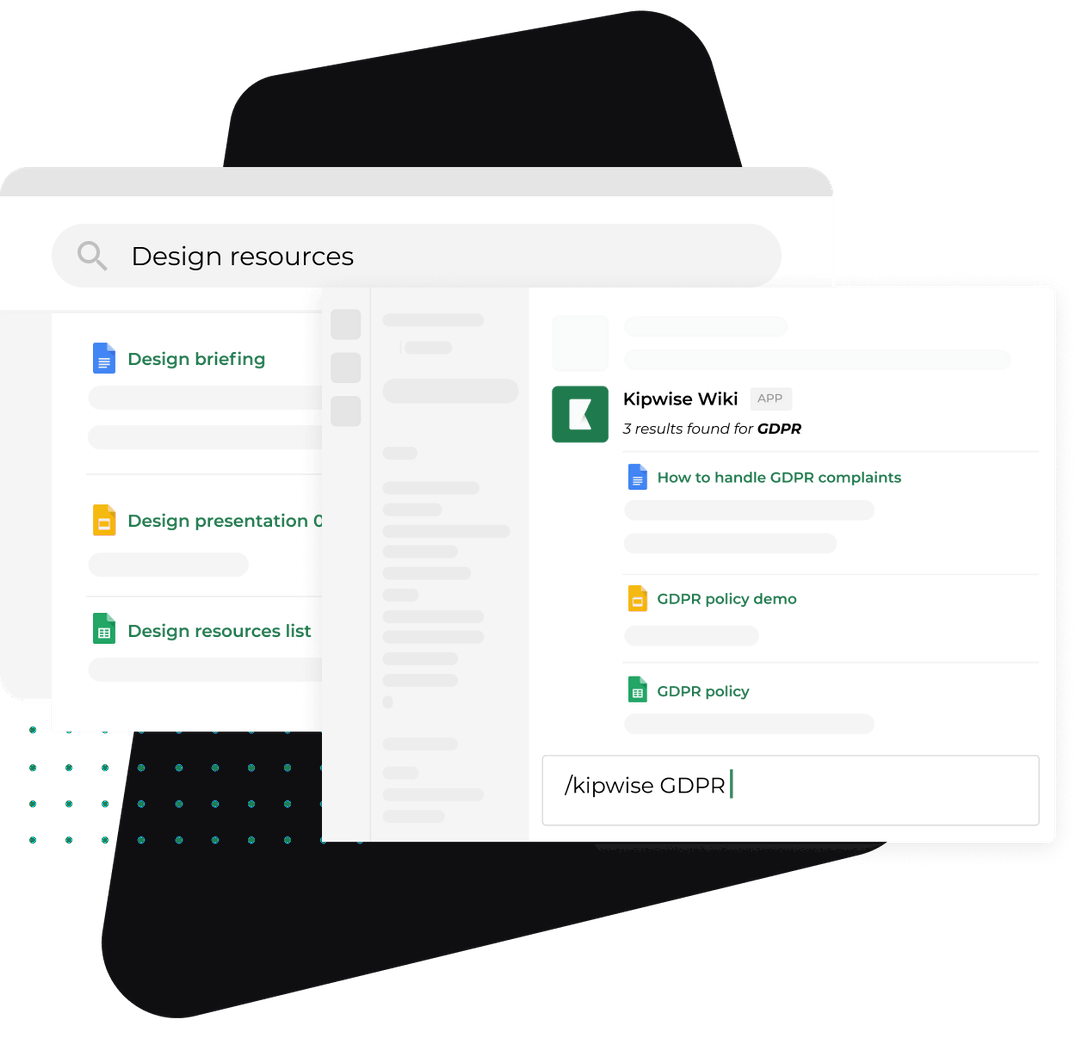
If the firm lives in Slack, the owner can do the calendar work without opening the inbox and the calendar side by side. This example is illustrative.
In the candidate's #hiring thread the owner writes: "Book a 45 minute first call with Dana next week." The Kipwise agent lists the owner's events on their own primary calendar, with times in the owner's time zone, and proposes three open times over two days. It then writes a draft in the owner's Gmail with the three times, the time zone beside each and the format. Before anything is sent, an Approve card shows the recipient, the subject and a preview. The owner reads it, fixes a time that is not really free, and approves. Nothing goes out unless the owner approves it.
Checking the calendar, writing the times out and getting the time zones right are the parts of scheduling that eat time, and the agent takes them over. The decisions stay with the person. The agent writes drafts in Gmail and the send waits for the Approve card, so a wrong time never reaches Dana without the owner seeing it.
Check the reply without chasing from memory
When the owner approves the draft, they can ask the agent to remind them in the thread after two business days. The agent can run a request later or on a schedule and posts the result in the channel, using the Slack time zone. A person still sends the nudge. When the reminder lands, the owner asks "has Dana replied?", and the agent searches the Gmail it is connected to and says what it finds. If there is no reply, the owner decides: send one short follow-up with the same times, or move to the next candidate. Truffle's rule is one follow-up after two to three business days and then move on. A second approved draft carries the follow-up, again through an Approve card.
Book the time and decide who is invited
When Dana picks a time, the owner asks for the event. The agent can create an event on the owner's own primary calendar. It adds no other attendees unless the owner explicitly asks it to invite someone, and only then does Google email an invitation. That is a useful default for interviews, because you create the hold first and then choose deliberately whether the candidate gets the invite from the event or from your confirmation email.
If the firm already uses Calendly, the agent can find free times for an event type and make a one-time booking link for the owner to send. Booking a meeting for someone needs a paid Calendly plan, and each booking or cancellation waits for an Approve card that says when Calendly will email someone. Google Calendar has its own option: appointment schedules give you a booking page, a default four hour minimum lead time and up to five reminders, created on a computer. Read the Calendly integration and Google Calendar integration pages for what the agent does with each.
Which calendar does the agent see?
Only the calendar of the person who asks. That limit decides who should run the thread. Our recommendation follows from it: the person whose calendar is offered has to be the person who asks the agent, because the agent sees only the asking person's own calendar.
Say the interview is with the owner and a second interviewer. If the owner asks the agent for open times, the agent sees the owner's calendar and nothing of the second interviewer's. Offering times that only one of two people has checked is how a double booking starts. So for a two-person interview, either the second interviewer confirms their own availability in the thread before the owner asks, or the owner offers times from a window the second person has already blocked. The agent does not schedule across several people's calendars, and it does not connect to an applicant tracking system such as Greenhouse or Lever. If the interview is a panel, that part stays with a person or with dedicated software.
When do you need software instead of a thread?
When volume or panels make the manual process the bottleneck. Candidate.fyi's guide to interview scheduling software is written by a vendor that sells scheduling software, so read its thresholds as a vendor view. It says Calendly or an applicant tracking system's own scheduler works for simple one-to-one interviews, and lists seven signs you have outgrown them, of which three or more should be true before you switch. The ones that matter to a small firm:
| Sign from the guide | Does a small firm hit it? | What to do |
|---|---|---|
| 50 or more interviews a month | Almost never at one or two hires a quarter | Stay manual or use a self-scheduling link |
| Panels with three or more interviewers per loop | Sometimes, for a senior hire | Run that loop by hand or with a booking tool for the panel only |
| Hiring across more than two time zones | Rare for a US-first firm | Name the time zone beside every slot |
| Candidates dropping off from slow communication | Yes, and it is the ownership problem | Apply the owner and two-day rules first |
The signs are mostly about volume and panel complexity, and a firm hiring a role or two a quarter rarely hits either. Truffle quotes Candidate.fyi's 243 minutes of manual back and forth per interview against 27 with a self-scheduling link, from enterprise data. That is a vendor figure from larger employers, so do not use it as your own number. Truffle's reading holds for a small firm: a link is not worth the setup for one hire, and is worth it for a role you post every month.
What goes wrong, and what stays with a person
Plan for four failures before the first interview is booked.
- The wrong time goes out. The Approve card is the defence: read the three times against your calendar before approving. If you find a clash, fix the draft rather than the apology.
- The candidate replies to the wrong thread. Put the owner's name and the thread's candidate name in the subject line of the draft, so a reply is easy to match.
- Nobody chases. The two-day reminder is the fix, and it works only because it is attached to a named owner.
- The candidate never replies, even to the follow-up. Truffle's advice is to decide in advance how many chances you will give before moving to the next person, so the decision is made calmly and not in the moment out of guilt or frustration. One follow-up is the default here.
What the agent does not decide: who gets an interview, who the second interviewer is, whether to extend a slot or whether to move on. It also does not read a candidate's reply by itself; the owner asks. Each Google service is a separate connection, and connecting Gmail does not grant Calendar, so connect both before you try the thread.
How to check that it works
Run it on the next real candidate and count three things:
- business days from the decision to the first offer sent (target: two or fewer);
- business days from the first offer to the candidate's pick;
- the number of follow-ups sent per candidate (target: one at most).
After two or three hires you will see whether the delay is before the first email, in the wait, or after the pick. If it is before the first email, the owner rule is what is missing. If it is the wait, offer slots across a wider window. If it is the pick, check whether the email named the time zone and the format.
What to do next
Pick the candidate you most want to interview this week, write the owner's name on that candidate's #hiring thread, and send the first offer today: three times across two days, the time zone beside each, the format named. If you want the calendar lookup and the drafting done in that thread, the Kipwise agent costs $10 per user per month with a minimum of 3 users and has a free trial; see Kipwise pricing. For the wider split of calendar work between an assistant, a booking tool and an agent, read the scheduling assistant guide.