Statement of work template for a small firm: a one-page SOW with numbered lines
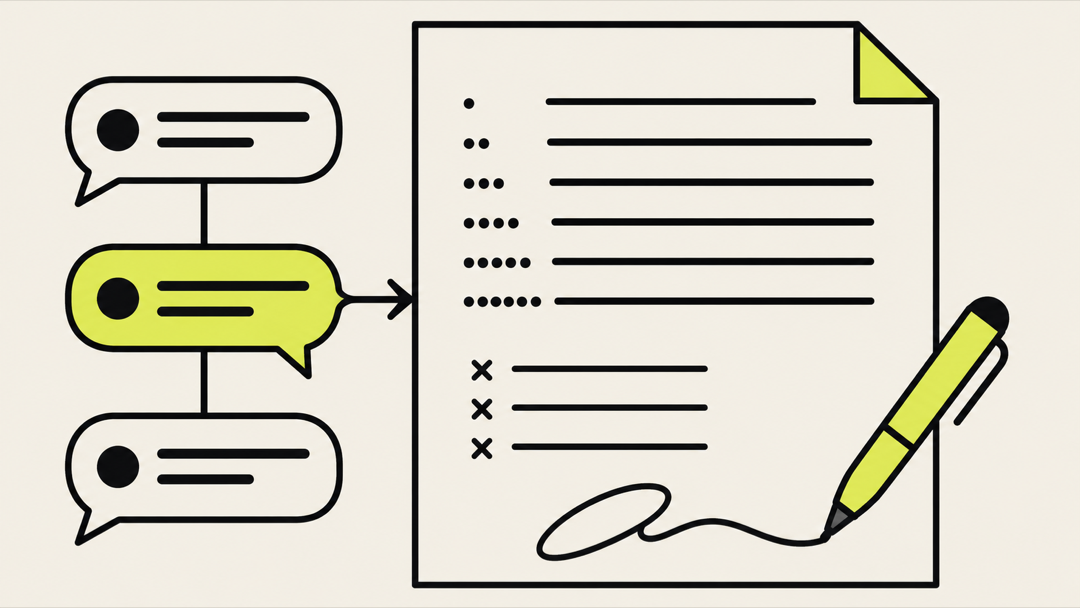
A statement of work template that a small firm can enforce fits on one page and gives every deliverable and every exclusion its own line number, so the next "can you also..." gets answered by pointing at a line. The federal minimum is shorter than most people expect: FAR 8.405-2 requires a description of work, location, period of performance, deliverable schedule, performance standards and any special requirements. Everything else in a long template is protection you add on top.
Most small firms skip that protection. They copy last job's document at signing, the deliverables read like themes ("design the brand"), nothing is listed as not included, and nobody is named to approve a change. When the client asks for more, there is no line to quote, so the answer is a friendly yes and the extra hours go unbilled. Below are the numbered one-page layout, a table of which lines an AI agent may copy from the proposal and which a person must write, and the Slack thread that produces a draft for a person to finish and sign off.
What goes on a one-page statement of work?
A one-page statement of work has eight numbered blocks: the project, the deliverables, what is not included, revisions and acceptance, dates and client duties, fees, change approval and signatures. Each line inside a block carries its own number, such as 2.3 or 3.1, so any later request can be matched to a line.
The layout below is a recommendation for fixed-scope projects, not a standard.
| Block | Lines it holds | What a good line looks like |
|---|---|---|
| 1. Project | 1.1 client and project name, 1.2 the goal in one sentence | "Replace the Acme marketing site so leads can book a call." |
| 2. Deliverables | 2.1, 2.2, 2.3 and on, one per deliverable | A noun with a count, a format and a test: "2.2 Five page templates, delivered as Figma files, accepted when each matches the signed homepage design." |
| 3. Not included | 3.1, 3.2 and on, one per exclusion | A usual request, named: "3.1 Copywriting. Client supplies all page text." |
| 4. Revisions and acceptance | 4.1 revision rounds, 4.2 review window, 4.3 who accepts | "4.1 Two rounds of revisions per deliverable. 4.2 Five business days to review, after which the deliverable counts as accepted." |
| 5. Dates and client duties | 5.1 start, 5.2 delivery dates, 5.3 what the client provides and by when | "5.3 Brand assets by the end of week two." |
| 6. Fees | 6.1 price, 6.2 payment schedule | "6.2 Half at signing, half on acceptance of line 2.5." |
| 7. Changes | 7.1 changes in writing, 7.2 the named approver on each side | "7.1 Work outside lines 2.1 to 2.5 needs a signed change order." |
| 8. Signatures | 8.1 name, role and date for each side | Two signature lines. |
Eight blocks is small on purpose. Projectworks sells a 16-page statement of work template for consulting firms that adds a deliverable acceptance certificate, payments tied to accepted deliverables and an order of precedence under a master services agreement, and it describes the 16 pages as right for a twelve-week engagement. A fixed-scope project of a few weeks needs the same decisions made in fewer words, and it needs them numbered.
Try Kipwise Agent free in Slack: mention it once in a thread and it does the repetitive work, with your permissions.
Why numbered lines beat a themed scope
Give every deliverable and every exclusion its own line number, because a client request can then be answered by naming a line instead of arguing about wording. The template pages list sections, but none shows how a sentence in the scope becomes something you can quote on a Thursday afternoon when a client writes "we assumed the blog setup was part of this."
Compare two versions of the same promise. The themed version says "Website redesign, including all key pages." The numbered version says "2.1 Homepage. 2.2 Five inner page templates. 2.3 Contact form wired to the client's email. 2.4 Mobile layouts for 2.1 and 2.2." Now the client asks for a pricing page. In the themed version you debate whether a pricing page is a key page. In the numbered version it is not on lines 2.1 to 2.4, so the reply is "that would be a new line 2.5, here is the price."
The not-included list needs numbers too. Rework's statement of work guide calls the out-of-scope list just as important as the in-scope one, because stakeholders will assume anything unlisted is included. Smartsheet's templates likewise carry out-of-scope responsibilities in the scope statement, and Docusign's template puts scope text "as well as any exclusions" in one section. A numbered not-included list does the same job with a handle on each item. When the client asks for the blog setup, you quote line 3.2.
What should the not-included list contain?
The not-included list should name the specific requests that clients on your past projects actually made, not generic categories. Write the not-included list from the requests that reached you on earlier projects, not from a generic list, because your own history shows which related work your clients assume is covered. A vague exclusion such as "additional services" gives you nothing to point at, while "3.2 Blog setup and migration of existing posts" matches the sentence the client will write.
To build the list, open the last five SOWs and the threads where the work ran. For each project, note every request that arrived after signing and was not on the original scope. Group them by kind: extra revision rounds, extra pages or reports, training, content writing, data cleanup, hosting or licences, and meetings beyond the agreed cadence. Keep the ones that appear in two or more projects. Those become your standing exclusions, and a new SOW starts with them listed, ready to delete if a line does not apply.
An invented example for a small web studio: the last five projects produced requests for a blog setup (three times), a second language (twice), staff training (twice) and a logo tweak after the brand sign-off (four times). The studio's standard not-included block therefore starts with those four lines, numbered 3.1 to 3.4, and each new SOW adds lines for anything unusual in that deal.
The same history tells you the revision cap. If four of five projects needed a third round of changes on the homepage, a cap of two rounds in line 4.1 is a pricing decision, not just a legal one: either price three rounds in or state the cap and the price of the third.
What can an AI agent draft, and what must a person write?
An AI agent can copy what the proposal already states and organise it into your layout, but a person must write every line that the proposal never states. Leave the not-included list, the revision cap, the acceptance window and the change approver blank in any automated draft, because a proposal never states them and a copied default quietly carries the last client's terms into this one.
The Kipwise agent works in Slack, searches Google Drive and reads Docs, Sheets, Slides, PDF, Word, Excel, PowerPoint and text files with the asker's own Drive access. It can also create a Google Doc from text, and each change waits for the asker's Approve card. It does not decide your terms. The table shows the division of labour for the layout above.
| Line | Agent may copy from the proposal | A person writes |
|---|---|---|
| 1.1, 1.2 | Client name, project name, goal sentence | Check that the goal still matches the final deal |
| 2.x | Each deliverable the proposal names, numbered, with counts and formats where the proposal states them | The acceptance test for each deliverable |
| 3.x | Nothing. Earlier SOWs' exclusions are shown as options | Choose, edit and add the exclusions |
| 4.1 to 4.3 | Nothing | Revision cap, review window, who accepts |
| 5.x | Dates and client duties the proposal names, flagged for confirmation | Confirm every date with the delivery lead |
| 6.x | Price and payment schedule, flagged for confirmation | Confirm the numbers against the accepted quote |
| 7.x | Nothing | The change approver on each side and any dollar limit |
| 8.x | Names and roles from the proposal | Send the document and collect signatures |
The pattern is simple. Copy what a person already decided and wrote down, flag it for confirmation, and leave blank whatever nobody has decided yet. A blank line is visible; a plausible default is not.
How does the Slack thread work?
The account lead mentions the agent once in the client's internal channel thread after the proposal is accepted, and plain replies in the same thread continue the work. Run it in your own team's thread, not in a shared client channel, because the agent posts what it reads from your Drive where everyone in that conversation can see it.
An example thread, invented for illustration:
- The account lead writes: "@Kipwise draft the SOW for Acme from the proposal in the Acme folder and from this thread. Use the one-page layout in our SOW template."
- The agent reads the proposal and the template document the asker names, using the asker's own Drive access, and replies with a draft. Every deliverable is numbered. Price and dates are copied and marked "confirm". Blocks 3, 4 and 7 are marked "blank for a person", and block 3 shows the exclusions earlier SOWs used as options.
- The account lead replies in the thread: "Add the second round of revisions as line 4.1 and put the review window at five business days." The agent updates the draft.
- A delivery lead replies with the exclusions to keep. The account lead fills in the approver names in line 7.2.
- The account lead says it is ready. The agent shows an Approve card to create the Google Doc from the text in the Acme client folder. Only the person who asked can approve it.
- A person reads the document, sends it to the client and collects the signature.
Two limits matter here. Editing Drive is a separate connection from reading it, so a teammate who only searches Drive is never asked for it. And your workspace can turn any lookup or change off, so confirm that Drive reads and Google Doc creation are on before you promise this workflow to the team.
How do you stop a SOW from going missing?
Ask the agent for a weekly check, approved once, that lists open client folders without a statement of work document, or says it could not tell. The agent runs a request on a schedule in plain language and posts the result in the channel, and a scheduled task needs approval once; its later runs do not ask again.
Phrase the request so the failure mode is explicit: "Every Monday, list the client folders in Drive that have a proposal but no document with 'SOW' in its name, and say which ones you could not read." The last clause matters. A folder the agent cannot open must show up as unknown, not as "no SOW needed". Treat every unknown as a task for a person on Monday morning.
What goes wrong, and how do you handle it?
The common failures are a draft that copies the wrong project's terms, a deliverable written as a theme again, and a change that is agreed in a thread but never reaches the document.
- Copied terms from the wrong client. The agent drafts from the proposal and the earlier SOWs you name. If you name last year's SOW for a different kind of project, its exclusions appear as options. Name only comparable past documents, and read blocks 3, 4 and 7 as if the agent had left them blank, because you are the one who decides them.
- A deliverable that is a theme. If a line says "marketing support", split it until each line has a count and a test. A line a client cannot dispute needs a noun, a number and an acceptance condition.
- A change agreed in chat. Docusign's guidance says changes should be documented in writing through a formal amendment or change order. A "yes, fine" in a Slack thread is not that. Our guide to scope creep for a small firm covers what to do the minute a request arrives, including how a free favor is logged.
- No written scope at all. One consultant in a Hacker News thread described a three week engagement with no concrete statement of work: when he billed, the client said they thought he had only done a week and a half of work. A reply told him to spell out exactly what he would do, and noted that a detailed statement of work would have settled whether data cleaning was in scope. It is one consultant's account, but it shows what the missing page costs when you have nothing to quote.
Keep the human steps human. A person confirms dates and price, writes the exclusions and the approver, sends the document and collects the signature. That is where the legal weight sits, and it is where a firm with a lawyer should have the lawyer read the first version of the template once.
How do you check that the SOW works?
Check the SOW by the number of client requests you could answer with a line number in the first project that uses it. After one project, count the requests that arrived after signing and sort them into three piles: answered by a line number, answered by a new priced line, and answered by a debate. The third pile is the measure of what the template still leaves vague.
Use this short checklist before sending any draft:
- Every deliverable has a number, a count or format, and an acceptance test.
- The not-included list has at least three lines and each one names a request a client has actually made.
- Lines 4.1 to 4.3 are filled in by a person, not left blank and not copied.
- Lines 7.1 and 7.2 name a person on each side who can approve a change.
- Price and dates match the accepted proposal, checked by a person.
- The client folder holds one document with the SOW in its name, so the Monday check finds it.
Then run the template against the proposal you already have. Our guides to client onboarding for a small team and contract management for a small team cover what comes after signing, and the project proposal template covers the document that comes before the SOW. For agencies, marketing agency automation in Slack shows which of the surrounding jobs are worth handing to an agent.
What to do next
Take your next accepted proposal and number its deliverables by hand in the layout above, then write block 3 from the requests clients made on your last three projects. If you want the agent to produce the first draft, add the Kipwise agent to your Slack workspace and ask it for the draft SOW from that proposal. Pricing is $10 per user per month with a minimum of 3 users, and the install trial is $2 for 7 days on the fast model only, or $10 for 14 days with all models if you save a card, have a paid Slack plan or are already a Kipwise customer. Either way, send the next SOW with line numbers on it.