New Hire IT Onboarding Automation for Day-One IT Access
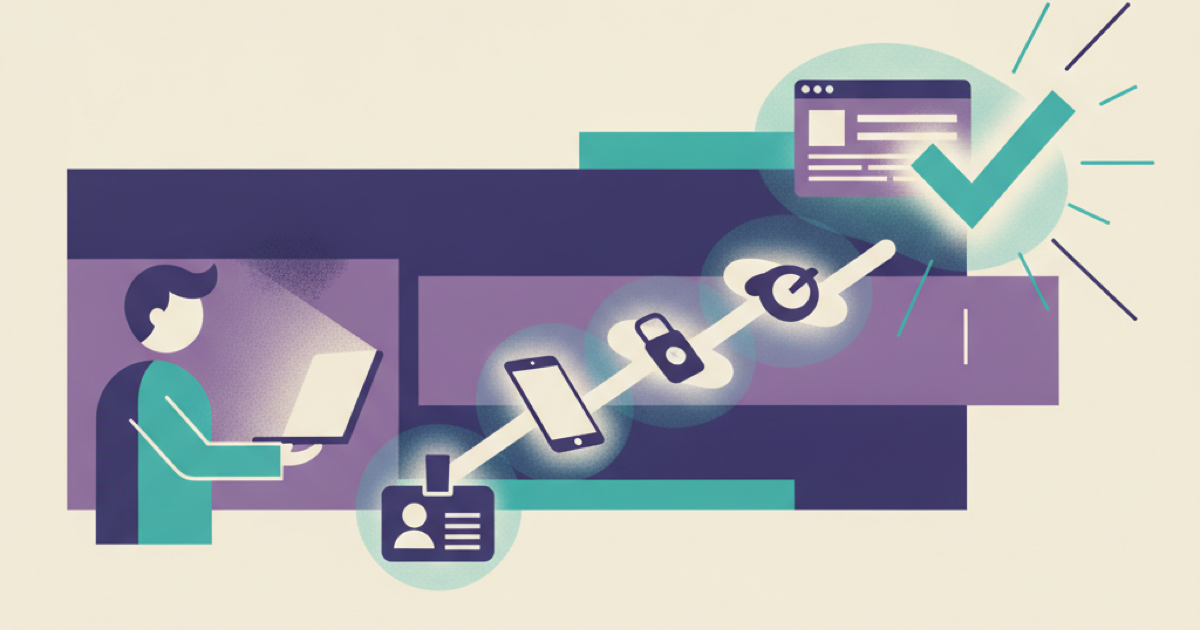
Call a new hire ready only when they have completed one real task on the managed device with their own account, and run every check that does not need the hire at the keyboard a working day before they start. A completed IT checklist records intent: the laptop can still be unenrolled, MFA unregistered or a required application without an account, and a company brain that reads static onboarding pages will tell the hire that everything is ready. The fix is a readiness workflow that collects status from the systems that do each setup step and names the owner of every block.
Why a finished checklist still leaves a new hire blocked
An HR checklist can show that someone requested a laptop, selected a role and submitted an access form. It does not prove that the device received the required policies, that the identity can authenticate, or that the employee can open the tools they need. Several systems own parts of the setup, and each has its own completion rule:
- the HR system establishes the employee, role, location, manager and start date;
- the identity platform creates the account and applies current attributes;
- the device platform enrolls the laptop and deploys required configuration;
- the authentication service registers MFA and recovery methods;
- entitlement workflows assign groups and application access;
- each application creates or activates its local account.
A green status in one system does not clear the next dependency. The identity can exist before the device is compliant, a group assignment can finish before an application processes it, and an approved request can remain unfulfilled. Microsoft describes lifecycle workflows as automated identity tasks that run on lifecycle events and dates, and its own example sends a manager an email seven days before the hire date. That gives the workflow a reliable starting point, but identity creation is only one part of readiness.
The examples here use Microsoft products because their documentation is public. The model needs the same evidence sources on any stack: the HR system, an identity platform such as Okta, Google Workspace or Entra, a device manager such as Intune, Jamf or Kandji, the authentication service, and each application's own account state.
Define readiness as evidence, not task completion
Write the readiness rule before connecting the assistant. For each role, identify the minimum capabilities the employee needs to begin useful work and express them as independently verified checks. A software engineer might need:
- an active company identity with the correct manager and department;
- a managed device with required security configuration;
- successful MFA registration;
- membership in baseline engineering groups;
- access to source control, issue tracking, chat and development documentation;
- the ability to complete one harmless verification task.
Do not use a single complete flag. Store the evidence and state for each dependency:
employee_id: worker-1842
start_date: 2026-08-24
role_profile: software-engineer
readiness:
 identity:
 state: verified
 evidence_source: identity-platform
 checked_at: 2026-08-24T08:03:00Z
 device:
 state: blocked
 evidence_source: device-management
 reason_code: required-app-pending
 owner_queue: endpoint-operations
 mfa:
 state: waiting-for-employee
 evidence_source: identity-platform
 entitlements:
 state: verified
 evidence_source: access-package
 work_test:
 state: not-started
overall_state: blocked
Use a small state vocabulary such as not-started, in-progress, waiting-for-employee, waiting-for-owner, blocked and verified. Avoid ambiguous values such as done or handled. Every nonverified state should carry a reason, an owner and a next check.
Verify what you can before the start date
Some checks cannot pass until the hire is at the keyboard. MFA registration is theirs to do, and in the user-driven flow of Windows Autopilot device preparation the device is added to its security group and receives its applications, scripts and policies when the user authenticates into it. Everything else can be verified earlier: the identity exists with the right attributes, group and access package assignments are in place, application accounts are provisioned, and the device has shipped and is registered to the right profile.
We recommend running that second set as a gate one working day before the start date, with an alert to the owner queue for anything unverified, and planning the first set as a first-hour sequence with a named person available. A readiness check that first runs on the start date finds its problems while the hire is already waiting.
Build the automation in dependency order
Follow the actual setup chain. Automating steps out of order only produces faster confusion.
Start from one authoritative employee event
Trigger the workflow from the approved employee record, not from an email or a copied spreadsheet. Record the immutable employee identifier, effective start time, employment status, manager, location and role profile. If the start date or role changes, create a new version of the readiness plan instead of editing history without a trace. The HR event creates work and does not grant every entitlement by itself; it is an input to current access policy.
Create identity before downstream assignments
Provision the identity and wait until the account is queryable before assigning groups or applications. Capture the identity platform's stable user identifier, because an email address is a weak join key when names and domains change. Apply the current-context principle of NIST Zero Trust Architecture: access is not implicitly trusted because of location or asset ownership, and a matching job title is not sufficient evidence that a person should receive every tool used by that team. Evaluate the current identity, resource and policy for each entitlement.
Treat device preparation as its own dependency
Device shipment, enrollment, configuration and application deployment are separate facts. Record them separately so the workflow can tell a delayed courier from a failed policy or a pending application. The Windows Autopilot device preparation overview describes a deployment that installs the applications and scripts selected in the profile during setup and syncs the policies assigned to the device group. It also says the deployment does not track whether those policies were applied during the deployment, so a finished deployment report is not proof of a compliant device. Read compliance state from the device manager afterwards, and do not mark the device ready because a purchase order closed or a tracking page says delivered.
Define a device-ready rule for each role. It might require enrollment, encryption, compliance, endpoint protection and a short list of required applications. Optional software should not block the whole first day.
Assign access packages instead of copying another user
Define access from role profiles and approved exceptions. Microsoft Entra entitlement management groups resources into access packages and supports requests, approvals, assignments, reviews and expiration. Copying a colleague's group memberships can also copy old exceptions or duties the new hire does not have, and access packages avoid that shortcut. For each required application, track four states: requested by the onboarding workflow, approved by the accountable owner when approval is required, provisioned by the identity or application connector, and verified through a real sign-in or safe capability check. Only the last proves usability. Keep the earlier states because they show where the delay occurred.
Separate employee actions from system failures
MFA registration and first sign-in require the employee, so label them waiting-for-employee and not failed, and give the new hire one precise action and a support route. If the device or identity service is unavailable, label the dependency blocked and route it to the service owner. The status tells the company brain what guidance to give: it should not tell the employee to repeat MFA enrollment when the authentication service is down, and it should not open an IT incident when the employee has not attempted the required step.
Add a real work test
Finish with a harmless task that crosses the critical dependencies. For an engineer, the test could be signing in on the managed device, opening the source control platform, reading a permitted onboarding repository and creating a test issue in a training project. For a support agent, it could be opening the training queue and locating the approved response guide. The test should verify required access and one negative boundary: the employee reaches the resources the role needs while a restricted test resource stays unavailable.
Make the company brain report status without inventing it
The assistant should explain the workflow, but it should not infer provisioning state from documentation. Give it a read-only readiness service that returns approved status fields, and keep action-capable administrative tools outside the answer path. Use a response rule like this:
if overall_state == "verified":
 show_verified_capabilities_and_first_task()
elif dependency.state == "waiting-for-employee":
 show_one_employee_action_and_support_route()
elif dependency.state in {"blocked", "waiting-for-owner"}:
 show_owner_queue_reason_and_next_check()
else:
 say_status_is_unverified_and_do_not_claim_readiness()
The assistant should name the evidence time. "Device verified at 08:03 UTC" is useful, and "Your laptop should be ready" is not. If the readiness service is unavailable, the company brain should say that current status cannot be verified and give the manual support path.
Kipwise's employee onboarding workflow provides product context for assigned reading, searchable company knowledge, and progress tracking. Use those capabilities to explain setup steps and surface the right guide. Keep live access state in the systems that actually manage identity, devices, and applications.
The GitLab onboarding handbook shows the human version of this status: an access request is generated on day 2 for roles that have a template, the IT team owns it, and questions go to the #it-help channel in Slack. Show the same three things in every status answer, what was requested, who owns it and where to ask, so that the company brain routes a block without hiding responsibility behind a generic message.
Common provisioning failures
- The start date moves after accounts are scheduled: recalculate time-based tasks from the current approved date and cancel obsolete work. Do not leave a dormant account active for an employee who has not started.
- An application connector reports success before the local account is usable: keep provisioning and verification separate, retry the safe check with a bounded policy, then route persistent failures to the application's owner.
- A device arrives late: provide a documented temporary-work decision instead of quietly weakening device controls. If no approved alternative exists, show the delay and the owner clearly.
- The employee is placed in the wrong role profile: pause unverified entitlements, correct the source employee record and rebuild the plan. Do not patch every downstream system by hand while leaving the wrong source attribute in place.
- An approval expires while another dependency is blocked: return it to the accountable owner with current context, and never reuse an old approval after the role, manager or start date changes materially.
- The readiness service itself fails: switch the assistant to an explicit unverified state. Cache documentation if useful, but do not cache a previous status as current truth.
Test with a small matrix
Run a matrix of role, location, device and exception cases: a normal hire, a moved start date, a changed role, a delayed device, a rejected entitlement, an MFA problem and an unavailable application connector. For every case, check that the employee event creates one readiness plan, that each dependency has one authoritative evidence source, that a request is never confused with provisioning, that the company brain reports only verified status, and that service outages produce an unverified response with a support route. Required access should succeed through the employee's real identity while restricted test resources stay unavailable, and stale approvals and changed attributes should invalidate the affected steps.
Track time spent in each state, not just total onboarding duration. A long waiting-for-owner interval points to an approval design problem. Repeated required-app-pending blocks point to device packaging. Repeated employee MFA trouble calls for clearer instructions or better first-day support.
Gate one role the day before its next start date
Choose one common role and define the smallest useful day-one capability. Map its identity, device, MFA, entitlement and application dependencies, connect read-only status from each authoritative system, and make the company brain refuse to claim readiness until the real work test passes. Run the workflow with a test identity before the next employee starts, and schedule the gate for the working day before their start date.