How to Onboard Contractors Without Employee-Level Company Brain Access
Onboard a contractor on two tracks that never share the employee template: paperwork that legal, procurement or finance closes, and access that a named project sponsor owns. Gate the second on the first, so that no account exists until the classification is approved and the agreement, with its confidentiality and IP terms, is signed. Copying the employee checklist hands over too much knowledge, assigns irrelevant HR tasks and leaves access open after the work ends. This guide gives the checklist first, then the access model, the tests and the closure proof.
The contractor onboarding checklist
- Classification approved: the accountable legal, procurement or People Operations process decides that this person is a contractor, and the company brain only reads the result.
- Agreement signed: scope and deliverables, start and end dates, fees and invoice schedule, confidentiality, and an assignment of the work product.
- Tax form collected: in the United States that is Form W-9, which gives the payer the contractor's taxpayer identification number for information returns.
- Payment set up through accounts payable on the invoice schedule in the agreement, not through payroll.
- Engagement record created, with the sponsor, project, start date and end or review date.
- Access issued from that record: a separate identity, project-scoped tools and knowledge, and an expiry.
- First task, reviews and closure: an acceptance test with the contractor, reviews on the dates in the record, and a closure check on the end date.
We recommend making the signed agreement a gate for issuing access, so item 2 comes before item 6. Contractors start creating work as soon as they can read your project, and the default ownership rule may not be the one you expect.
The U.S. Copyright Office explains in its circular on works made for hire that commissioned work counts as made for hire only if it falls into one of nine listed categories and the parties sign a written agreement that says so; work that fails any of those tests is not made for hire. Much contractor work, custom software among it, does not clearly fall within those categories, and a transfer of copyright ownership is not valid unless it is in writing and signed by the owner. Put an assignment of the work product in the agreement, get it signed before the account is created, and leave the clause wording to your lawyer.
Items 1 to 4 are the paperwork track. Items 5 to 7 are the access track, which is where the company brain comes in and what the rest of this guide covers.
Why the employee template is the wrong starting point
An employee plan assumes a continuing relationship and commonly includes payroll, benefits, leave, career development, broad internal directories and knowledge that becomes useful over time. A contractor needs a narrower set of deliverables, systems, contacts and operating rules for a defined engagement.
Worker status changes the control model. The IRS says worker classification depends on behavioral control, financial control, and the type of relationship, and the U.S. Department of Labor says misclassified workers can lose minimum wage, overtime and other protections, with the employer responsible for deciding who counts as an employee. A company brain should not classify a worker. It should consume an approved worker type from the accountable process and stop if that state is missing or disputed.
Once classification is approved, three failures remain common. First, an employee template may grant broad knowledge by default. A contractor on a website migration does not need compensation guidance, customer escalation records, acquisition plans or every engineering channel, and search makes overexposure hard to notice because one broad entitlement can surface material from many connected repositories.
Second, a generic checklist confuses completion. Signing a contract does not prove that a repository invitation worked, and an identity marked active does not prove that the contractor can open the current project brief. The company brain should report each state separately instead of compressing them into one green check.
Third, expiry gets treated as cleanup instead of part of onboarding. If no sponsor, end date or extension process exists at the start, nobody owns the access decision when the engagement changes.
The engagement record
The access track needs one small authoritative record. Do not copy the full contract, tax record, rate, bank information or identity document into the company brain. Store only the attributes needed to control onboarding and access.
engagement_id: ctr_2026_041
worker_type: independent_contractor
classification_state: approved
classification_owner: people_ops_17
sponsor: project_owner_42
project: website_migration
start_at: 2026-09-14
end_at: 2026-12-18
knowledge_scope:
 - project_website_migration
 - engineering_delivery_standards
systems:
 - issue_tracker
 - source_repository
 - project_chat_channel
employee_tasks_excluded:
 - benefits_enrollment
 - payroll_setup
 - employee_performance_review
access_review_at: 2026-10-30
closure_state: pending
classification_state must come from an accountable process. The onboarding automation may read it, but it must not infer it from a contract title or a manager request. sponsor is the person responsible for the business need, scope, extension and closure. A service desk can execute access changes, but it should not decide whether an engagement still requires access.
knowledge_scope is an allowlist. Map each scope to approved repositories, folders, spaces or document labels, and do not implement it as a list of topics that the model is merely told to avoid. end_at is required before access is issued. If the engagement has no known end date, require a short review date instead of granting indefinite non-employee access. employee_tasks_excluded stops a shared onboarding engine from quietly adding employee-only workflows, so a later template change does not reintroduce benefits, payroll, performance or private people records.
The access track, step by step
Accept only an approved engagement event
Start from the procurement, vendor management or People Operations system that owns the engagement, and require a stable engagement ID, approved worker type, sponsor, start date, end or review date and project code. Reject a chat message such as "Please onboard Alex as a contractor" as an authorization event. It can open a request, but it cannot activate access. If classification is pending, show the sponsor what is missing and route the record to the accountable owner.
Create a sponsored non-employee identity
Create an identity that is visibly distinct from an employee identity, and record the sponsor and expiry in the identity system. Microsoft's lifecycle workflow model includes tasks that assign and remove access packages for users, so the end date in the engagement record can drive removal. The exact implementation will vary, but the control principle is stable: access follows current lifecycle state, not an old ticket. Do not reuse a personal account, an employee's credentials or a shared project login. The identity must support individual authentication, revocation and an audit trail.
Translate project scope into enforceable access
Build access packages from resources, not job titles. A website migration package might include one project space, selected engineering standards, one source repository, one issue board and one chat channel, and it should not inherit an employee engineering group.
NIST's Zero Trust Architecture ties each access decision to current identity, resource and policy context, and for a contractor that context is the engagement record. Apply it before retrieval: filter the searchable document set by the contractor's effective entitlements, then retrieve sources, then generate an answer. A prompt that tells the model to keep confidential information to itself is not an access control. For each resource, record the business purpose, the access package or group that grants it, the approving owner, the start and expiry time, whether download, export or write access is necessary, and the negative test that proves unrelated material is hidden.
Assign contractor-specific knowledge
The first knowledge package should answer the contractor's actual delivery questions: project outcome, scope boundaries, decision owner, current plan, working cadence, approved tools, security requirements, escalation path and definition of done. The GitLab onboarding handbook generates an access request on day 2 for roles that have a template, and the IT team owns it. Borrow the split and not the content: IT executes the access, the sponsor decides what the contractor needs, and the template comes from the project scope and never from an employee role. The company brain can assign and surface approved material, while the sponsor remains responsible for project decisions.
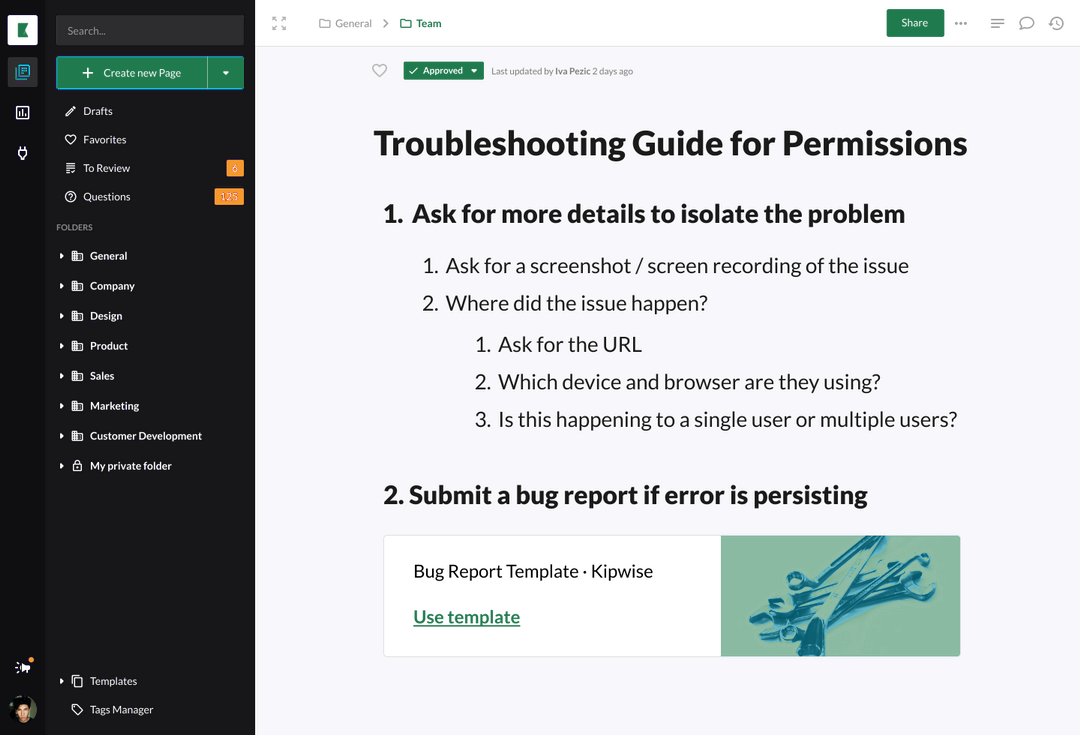
Kipwise's employee onboarding workflow shows the product pattern of assigned knowledge, searchable company information, and progress tracking. For contractors, search and assignments must operate only over approved project sources.
Require a source owner and review date for every assigned page. Contractors are especially exposed to stale project context because they may not know which informal channel corrected an old document.
Verify access with positive and negative tests
A successful invitation is not enough, so run a short acceptance test with the contractor. Positive tests prove that required work is possible: sign in with the contractor identity, open the current project brief, retrieve the delivery standard needed for the first task, create or update a permitted project item, and contact the sponsor or named support route. Negative tests prove that the boundary holds:
- search for an employee-only benefits topic and receive no restricted result;
- request an unrelated customer record and receive no result;
- attempt to open a broader team folder and receive a denial;
- confirm that the assistant does not summarize inaccessible source snippets;
- verify that no employee payroll, leave or performance task was assigned.
Record the result and timestamp, not private chat content. If a negative test fails, suspend the affected package, investigate the source entitlement and rerun the full boundary test before release.
Review changes during the engagement
Access drifts when scope, sponsor, repository or end date changes, so re-evaluate the package on each authoritative change event and at the scheduled review date. A new task within the approved project may use the existing package. A new repository, customer, environment or business unit needs a new owner approval, and a sponsor change needs the new sponsor to accept ownership. An end-date extension is confirmed before expiry, not after access breaks. A classification dispute freezes automation and goes to the accountable human process, and a dormant account does not prove the engagement ended but should trigger sponsor review. The company brain may explain status and collect a request. It should not grant broader access because the contractor says the work now requires it.
Close the engagement and prove removal
At the end time, stop new sessions first. Revoke project groups, application roles, repository access, tokens and shared secrets tied to the contractor identity, transfer owned project artifacts to the sponsor, keep records according to the applicable policy, and remove the contractor from active search and collaboration scopes. Closure should produce evidence for every resource:
engagement_id -> resource -> expected_state -> observed_state -> checked_at -> ownerDo not mark closure complete because one identity account is disabled. Connected applications may retain independent sessions, invitations, API tokens or repository deploy keys. Completion means every item in the original and amended access manifest reached its expected closed state, or an exception has a named owner and deadline.
Where the access track fails
- The classification record is missing: do not guess. Keep access pending and tell the sponsor which accountable team owns the decision.
- The identity exists but an application fails: preserve the successful states, assign the failed resource to its technical owner and show the contractor a safe status. Do not repeatedly recreate the identity or broaden access as a workaround.
- The company brain returns an inaccessible title or snippet: treat it as an access incident, suspend the affected retrieval source, preserve the query and entitlement evidence, correct the filter and test adjacent scopes.
- The sponsor leaves: pause extensions and route ownership to the sponsor's manager or the project governance owner. An orphaned engagement should never renew itself.
- The end-date event is delayed: the expiry recorded in the identity system should still stop access. Reconcile the source system afterward, because a downstream expiry is a safety control and not a replacement for fixing the lifecycle feed.
- The contractor needs emergency access: create a separate time-limited exception with a reason, approver, resources, expiry and post-use review. Do not modify the standard package until nobody remembers why it became broader.
Rehearse with a synthetic engagement
Run one synthetic engagement through the full lifecycle before onboarding a real contractor. Use a test identity with no employee memberships and a project document set that contains both permitted and deliberately restricted documents. Then repeat three failure tests: remove the sponsor, delay the lifecycle event, and break one downstream revocation. The workflow passes only if it exposes each problem, contains access, and assigns recovery without claiming completion.
Run one design contractor through it first
Do not launch with a universal contractor template. Choose one recurring engagement type, such as a design contractor working in one project space. List the minimum sources and tools needed for a real first task, map those resources to enforceable permissions, add the sponsor and expiry controls, and run both positive and negative tests. Once closure proves that every grant can be removed, reuse the pattern for the next contractor type.
For an engagement of a few days or a single deliverable, we recommend skipping the identity package and the company brain. A signed agreement, one brief page that the sponsor owns and access to one shared channel or folder leave far less to own, expire and prove closed. Move to the full package when the contractor needs to search across several sources.