Client intake for a small firm: one record, a fit score that lets you decline, and a Monday Slack check

Good client intake at a small firm is one record per inquiry, a named person who replies first and decides, a fit score with written bands, and a weekly check that lists every inquiry with no owner, no decision or no reply sent. In a secret-shopper study of 500 law firms that Growigami read at the source, 48 percent could not be reached by phone and only 33 percent answered an email at all.
A services firm of 5 to 100 people usually has the same gap without anyone noticing. Inquiries arrive by web form, email, referral and the odd DM, each lands somewhere different, and nobody wrote down who answers first or who may say no. Some inquiries are never answered and others are accepted because nobody decided otherwise. This article gives you the record layout to copy, a fit table with a decline rule, an owner by rule table, and a Monday thread that finds the stale ones.
What does a client intake record need to hold?
It needs one row per inquiry and enough columns to answer three questions on a Monday: who has it, what was decided, and did the contact hear back. A Google Sheet is enough. A form tool can feed it, but the sheet is the part the owner reads.
| Column | What goes in it | Why it is there |
|---|---|---|
| Date received | The day the inquiry arrived | The clock for every later rule |
| Source | Form, email, referral or DM | Shows which channel loses inquiries |
| Contact | Name, company and how to reach them | The person who gets the reply |
| Service wanted | In the contact's own words, then your category | Drives who owns it |
| Budget band | A range, not an exact number | Feeds the fit score |
| Timeline | When they need to start | Feeds the fit score |
| Fit score | The five rows below, each 0, 1 or 2, and the total | The recommendation |
| First responder | One named person | Nobody answers "whose is this" with a shrug |
| Decision | Accept, decline, refer or waiting for information | The state the Monday check reads |
| Decline reason | One short phrase, chosen from a fixed list | Shows repeated mismatches |
| Date contact was told | The day the answer went out | Closes the loop |
Two of these columns do most of the work. First responder and Date contact was told are the ones that let a stale inquiry show itself, because an empty cell in either is a fact you can find without reading a single email.
The intake form that feeds the sheet can be short. Slack documents a form as a way to collect input and pass it to the next step of a workflow, and a Workflow Builder form that posts its answers in a #new-clients channel is enough to start. Gravity Forms suggests a service dropdown, two or three screening questions, a budget range and a start timeline, and the same fields fit here. Put a starting price near the form if your budget answers are often far off.
Try Kipwise Agent free in Slack: mention it once in a thread and it does the repetitive work, with your permissions.
How should a fit score work, and who may overrule it?
A fit score should recommend, and one named person should decide. The score turns a gut feeling into a number you can compare across inquiries, and the decision stays with someone who can be asked why.
The smallbiztipster client fit filter scores five criteria after the discovery call: scope clarity, budget fit, timeline, decision access, and trust and working style. Each is Green (2), Yellow (1) or Red (0), and the total is out of 10. A total of 8 to 10 is Green, 5 to 7 is Yellow and 0 to 4 is Red. The guide is written for solo providers, and the bands below keep its numbers and add a firm's decision rule.
| Total | Band | Recommended decision | Who may overrule |
|---|---|---|---|
| 8 to 10 | Green | Accept and move to scoping | Owner only, and only to decline |
| 5 to 7 | Yellow | Ask for more information once, or offer a paid first call | Owner or the service lead |
| 0 to 4 | Red | Decline or refer, with a reason | Owner only, and only to accept |
Let the fit score recommend, and name the one person who may overrule it, with the reason written in the same row. Gravity Forms makes the same split in its own build, where screening recommends and someone still has to make the take-on decision. Without that rule a Red inquiry gets accepted because it came from a friend, and nothing in the record shows it happened.
The Yellow band needs a clock, and this is a recommendation, not a sourced figure. If you asked for more information and heard nothing in five business days, record the decision as decline with the reason "not enough information" and tell the contact. A Yellow inquiry with no end date is how a stale row stays open for months.
Why do inquiries go unanswered in the first place?
They go unanswered because every channel lands somewhere different and nothing counts them. Perspective's article on private practice intake describes directory profiles, a contact form, referral emails and voicemail all arriving in separate places, with no number anyone looks at on the first of the month. It is written for counseling practices, and its ranking of response time as the largest leak is the author's judgment, but the mechanism carries over to a firm with a form, a shared inbox and a founder's DMs.
The same article cites a study of 360 psychiatrist listings in which only 33 percent of practices were reached on the first round of calls, and only 36 percent of the unanswered calls were ever returned. Those are clinics, not agencies, so read them as evidence that unreturned first contacts are common and not as a rate for your firm. Growigami lists the same pattern for law firms: a form lands in a shared inbox instead of ringing a phone, and a first attempt that does not connect is never repeated.
These guides each describe the stages, the form and the screening, and each assumes someone opened the inquiry. None says what happens to the one nobody opened. So give every inquiry a recorded decision, because an inquiry nobody opened is accepted or declined by default, and the intake guides only cover the inquiries somebody read. The record above makes "no decision" a value you can search for, not an absence.
Who owns the first reply? An owner by rule table
One person should own intake, even when several people can answer. Growigami says exactly that for small law firms: one owner is accountable for response time and follow-up, and a partner makes the fit decision. Gravity Forms puts the same idea as an owner assigned by rule, not by hallway, routed on the service the contact asked for.
Here is a made up example of the rule for a 20 person firm that does bookkeeping, tax and advisory work. It is an illustration, not a template to copy as is.
| Service wanted | First responder | Fit decision | Backup when the owner is out |
|---|---|---|---|
| Bookkeeping | Operations lead | Bookkeeping lead | Owner |
| Tax preparation | Operations lead | Tax lead | Owner |
| Advisory | Owner | Owner | Operations lead |
| Referral from a partner | Owner | Owner | Operations lead |
| Anything else | Operations lead | Owner | Owner |
Three details in it do the work. The first responder is the same person for most rows, so the reply does not wait on a lead who is busy with client work. Every row has a backup, so a holiday does not create an unowned inquiry. The last row exists so that a service you did not list still gets an owner rather than falling through.
Growigami's table of stages also puts a target time on the close: telling someone you will not take them within one business day of the decision. It calls its times suggested starting points, not benchmarks, and so should you. Pick your own, write them next to the table, and measure against them.
How do you decline well, and why log the reason?
Decline in the format the inquiry came in, within a day or two, with a specific reason. Ignition's guide to turning down work says a vague refusal carries less credibility than a named reason, that a referred inquiry needs a separate note to the referrer, and that the reason belongs in a shared sheet so the same mismatch does not repeat. Ignition is a practice management vendor, so treat this as vendor guidance.
Log the decline reason in the intake record, because repeated declines point to a weak intake form and not to a shortage of good clients. Ignition makes the same point, that repeated declines often trace back to weak qualification at intake. A fixed list of reasons makes it countable. Five is enough: budget, scope, timeline, capacity, other. If "budget" is half your declines after a month, the fix is a starting price near the form, not a better decline script.
A decline from the owner should be a message a person sends. If you use Gmail with the Kipwise agent, it can write the reply as a draft and show an Approve or Deny card before anything goes out, which keeps the decision and the wording with a human.
How do you run the Monday check in Slack?
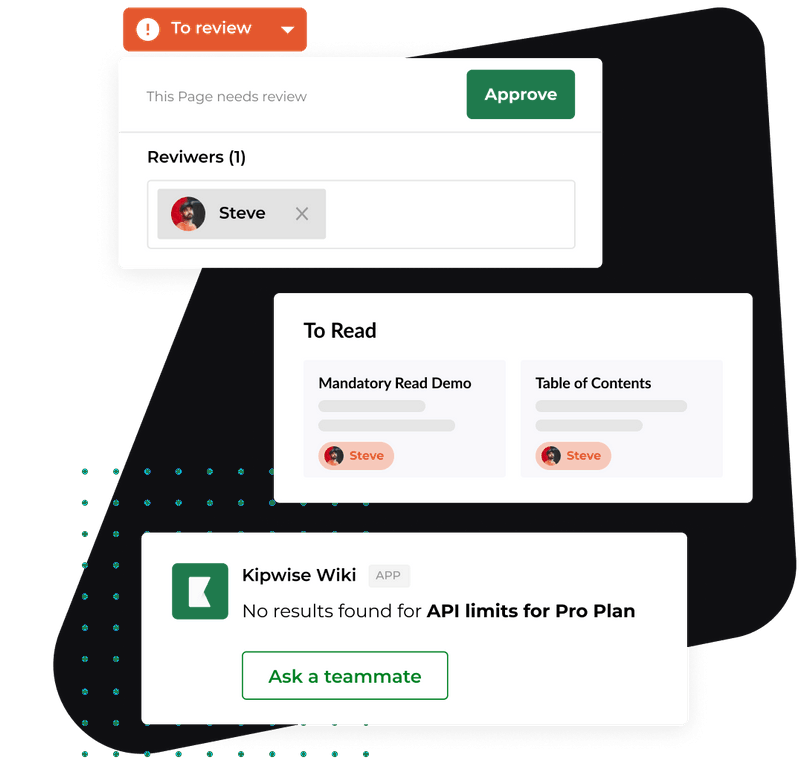
Ask the Kipwise agent once, in your #new-clients channel, to run every Monday morning in the Slack timezone and post the result. The agent searches Google Drive and reads Google Sheets with your own Drive access, and a scheduled request posts its result in the channel with the same tools and permissions as a live request from you. Creating the scheduled task needs your approval once, and later runs do not ask again.
A request you can paste, adjusted to your sheet:
- Read the Client intake sheet, the Inquiries tab.
- Add up the five fit rows for each inquiry and compare the total with the band.
- Post one thread in this channel, grouped by first responder, listing every inquiry that matches one of four rules, with the row number.
The four rules are the whole design:
- No first responder.
- A first responder but no decision after two business days. This is a recommendation that you can change; it is shorter than Growigami's stage targets on purpose, because the check runs weekly.
- A decision but no date the contact was told.
- A fit score that does not match the decision, for example an Accept on a Red total, with no written reason.
A made up Monday post might read: "Four inquiries need attention. Maya: row 31 has no decision after six days, row 34 was declined on 11 November and the contact has no date. Sam: row 29 is Red at 3 but marked Accept, with no reason. Nobody: row 36 came in by DM on Friday and has no first responder." Each line names a row, so the owner opens the sheet instead of hunting through email.
The agent reads the sheet and posts what it finds. A person edits the sheet, owns the first reply and sends every message to the contact. If you want inquiries logged automatically, the agent can add rows and update cells in a Google Sheet, but editing is a separate Drive connection from reading, and each change waits for the asker's Approve card.
If the form posts in a channel, the agent can also start when a new message is posted there, which is how a Workflow Builder form reaches a sheet: the form posts its answers and the agent takes it from there. The agent has to be in that channel, and so do you.
What can go wrong with the check?
The check is only as good as the sheet, so most failures are data failures.
- Empty or inconsistent cells. A first responder typed as "Maya", "maya" and "M." is three owners to a person and may be three to a script. Use a dropdown for responder, decision and decline reason.
- An inquiry that never reached the sheet. A DM or a forwarded email that nobody logged is invisible to the check. Make logging part of owning the inquiry: if you replied, you create the row.
- Permissions. The agent reads files with your own Drive access, so a sheet it cannot open produces no report. Check the first run for a post that says it could not read the sheet.
- Approvals expire. An Approve card for a sheet edit or an email draft expires after 30 minutes, and an expired card means the action did not run.
- A good score on a bad client. The score is a screen, not a verdict, and it is only as honest as the answers on the form. Treat a Yellow or Green that makes you uneasy as a reason to ask the owner, not as a reason to decline silently.
- Out of scope here. Law firms also run conflict checks and follow professional conduct rules at intake. This article is for services firms and does not cover those.
How do you know it is working?
Run it for four weeks and read four numbers from the sheet each Monday. None needs a benchmark; your own first month is the baseline.
- Days from date received to first reply, per inquiry, median and the longest.
- Inquiries open on Monday with no decision, and how many of them were on last Monday's list.
- Declines with a reason recorded and a date the contact was told. The target is every one.
- Rows where the decision disagrees with the fit band, and how many have a written reason.
If the same row appears on three Mondays running, the owner is the problem to solve, not the sheet. If most exceptions are rule four, your bands are not predicting what you decide, and one of the two needs changing. Look at the decline reasons too: the one that appears most often tells you which question the form should ask sooner.
Intake stops at the recorded decision. What happens when a contact says yes is a different job, covered in client onboarding for a small team and client document collection. If an inquiry has replied once and then gone quiet, see lead follow up for a small firm and keeping new leads from going cold. Once a client is signed, requests that disappear into Slack is the next problem.
What to do next
Create the Google Sheet today with the eleven columns above, paste in the inquiries from the last 30 days, and fill in First responder, Decision and Date contact was told for each. The blank cells are your first Monday report. Then install the Kipwise agent in Slack, connect Google Drive, and ask it to run the four rule check every Monday. The agent is $10 per user per month with a minimum of 3 users, and a workspace can start with a $2, 7 day trial on the fast model only, or the $10, 14 day trial with all models once a card is saved or the workspace is on a paid Slack plan.