Cancellation survey for a small subscription business: one question, one reader, one reply
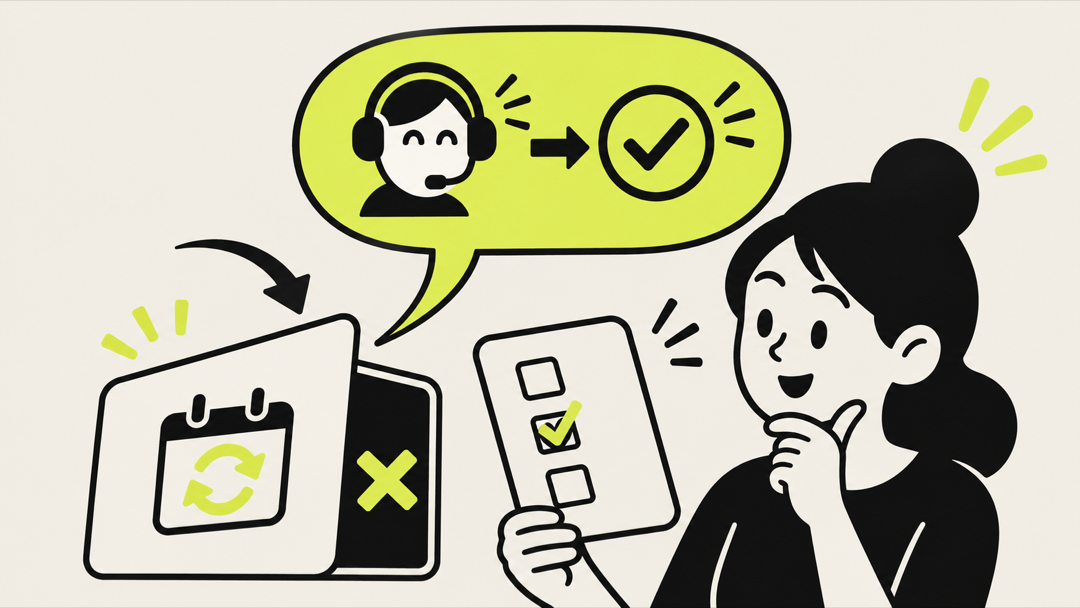
A good cancellation survey for a small subscription business is one required question, asked after the customer has cancelled, with a fixed list of reasons such as the eight that Stripe's customer portal can show after a cancellation. The part most teams skip is the second half: a named person reads each answer within a day and sends a reply that fits the reason.
Small teams switch the reason list on and then stop reading it. The founder of a one-person bank statement tool wrote in August 2026 that he did not do anything with the cancellation reasons Stripe collected and was looking at that data for the first time while his new subscribers fell. Every unread "I need more features" is a customer you could have answered, and a pattern you could have seen months earlier. This guide gives you the question, a table that assigns every reason to an owner and a reply, a simple churn log, and a Slack setup that puts each cancellation in front of a person the day it happens.
What should a cancellation survey ask?
Ask one required multiple-choice question: why are you cancelling? Then offer an optional free-text box. That is enough to sort every cancellation and to start a conversation with the customers worth talking to.
The guides that rank for this topic agree on short surveys. Baremetrics recommends getting the cancellation reason first and then sending a follow-up email for anything deeper, because long surveys lose people. Chargebee's guide lists five questions, from how often the customer used the product to whether they would come back. For a team of ten, five questions produce more text than anyone will read. One question with fixed answers can be counted in a spreadsheet; five questions with free text turn into a backlog.
If you bill through Stripe, you do not need a separate survey tool to start. In the customer portal settings you can switch on a reason list, and Stripe offers these options:
- It's too expensive
- I need more features
- I found an alternative
- I no longer need it
- Customer service was less than expected
- Ease of use was less than expected
- Quality was less than expected
- Other reason, with an optional free-text box
Stripe stores the answer on the subscription itself, so you can see it on the subscription details page, in Sigma, or in the subscription updated webhook. Keep all eight. Removing options to tidy the list only pushes real answers into "Other reason", where they are harder to count.
Try Kipwise Agent free in Slack: mention it once in a thread and it does the repetitive work, with your permissions.
Should the survey come before or after the cancel button?
After. Put the question after the cancellation is final rather than in front of the cancel button, so the survey never becomes the obstacle between a customer and leaving.
This is a recommendation, and Chargebee's guide advises the opposite: it argues for asking while the customer is still in the process of cancelling, so you can show an offer based on the answer. That works for teams with a retention specialist and a tested offer for each reason. Skip the in-flow save offer at a team without a retention owner, because an offer that nobody has tested per reason only adds a screen between the customer and the cancel button. A SaaS builder on Hacker News described how billing tools ship cancellation flows that are really retention funnels: a discount offer, a pause offer, a survey and a guilt screen before the button. That is an author's report, but it describes what customers remember and tell other people.
Stripe's own order is reasonable for a small business: the customer cancels, then sees the reason list. If you want one retention attempt, Stripe lets you attach a retention coupon to the cancellation page. Offer it once, then let the customer go.
Who should read each cancellation reason?
One named person reads them every business day. A cancellation reason is only worth collecting if a named person reads it within one business day and every answer that names a fixable cause gets a personal reply.
A customer who cancelled yesterday still remembers what went wrong and still reads your email. Two weeks later they have moved on, and the reason is just a number in a chart. The founder who found his reasons unread was told on Hacker News that the cancellation reason is one of the best signals a business can get, and the discussion around his post shows how common it is to collect the signal and never look at it (the full thread is here).
Pick the reader by who can act on the answer. At a five-person SaaS that is usually the founder. At a twenty-person subscription box it may be the operations lead, who then passes product reasons to whoever owns the roadmap. Name a backup for the weeks the reader is away.
A reason-to-reply table you can copy
Each reason needs an owner, a reply and a field in your log. The table below covers Stripe's eight portal reasons. The replies are suggestions to adapt, not scripts.
| Reason in Stripe | Who reads it | Reply within one business day | What to log |
|---|---|---|---|
| It's too expensive | Founder | Ask which plan they would have stayed on, and whether price or value was the problem | Plan, monthly amount, what they would pay |
| I need more features | Founder or product owner | Ask which feature, and what they will use instead | Feature named, competitor named if any |
| I found an alternative | Founder | Ask which one and what it does better; do not argue | Alternative named, the reason it won |
| I no longer need it | Operations lead | Thank them; ask if the need ended or moved to another team | Ended or moved, and to whom |
| Customer service was less than expected | Founder | Apologise for the specific case once you have read their tickets, and ask what happened | Ticket links, what failed |
| Ease of use was less than expected | Product owner | Ask where they got stuck; offer a short call if they want one | Screen or step named |
| Quality was less than expected | Product owner | Ask for the example; check it against open bugs | Bug link, or "not reproduced" |
| Other reason | Founder | Read the free text and reply to it directly | The text, sorted into one of the rows above if it fits |
Two rules keep the table honest. First, "Reply within one business day" means a person writes or approves the email, not an automated "sorry to see you go". An automated message is fine as an acknowledgement, but it does not replace the reply. Second, no reply argues with the customer or asks them to reconsider. You are asking for information. If they offer to come back, that is their idea.
How to run it: numbered steps
The setup takes an afternoon. Do it in this order so nothing is collected before someone is assigned to read it.
- Name the reader and a backup, and write both names at the top of the churn log.
- Create the churn log as a Google Sheet with these columns: date, customer, plan, monthly amount, reason, free text, owner, reply sent (yes or no), what they said back, follow-up action.
- In Stripe, open the customer portal settings, switch on the cancellation reason list, and keep all eight reasons.
- Decide whether to offer a retention coupon. If you are not sure, leave it off for the first month and read the reasons first.
- Set up the alert that tells the reader about each cancellation the day it happens (the Slack version is below).
- For each cancellation, the reader checks the reason on the subscription page, replies using the table, and fills in the row.
- Once a month, count the log by reason and bring the top two to the planning meeting with one proposed change each.
Ten "too expensive" answers from the same plan in one month is a pricing question. Ten "I need more features" naming the same feature is a roadmap question. Neither shows up if the reasons stay in Stripe.
Doing it from a Slack thread
If your team works in Slack, the alert and the reply can start there, so the cancellation is in front of the reader without anyone remembering to open the Stripe dashboard. Here is how it works with the Kipwise agent, using only what it does today.
With Stripe connected, the agent can watch your account and post in a channel when a subscription starts or is cancelled. You set this up once in plain words, for example in a channel called #churn: "when a subscription is cancelled, tell me here." Creating the automation needs your approval once. Each time it fires, the agent reads the record back in Stripe first and then posts who cancelled, the plan and the amount, with a link to the subscription in the dashboard.
A sample thread (made up for illustration):
> Agent: Acme Studio cancelled the Team plan ($240 a month). Subscription link in the Stripe dashboard. > > Priya (founder, the named reader): Reason on the subscription says "I need more features". Draft a reply to their billing contact asking which feature they needed and what they will use instead. Keep it to four sentences. > > Agent: Draft ready in Gmail. Approve card: to billing@acme.example, subject "Quick question about your cancellation", message preview below. > > Priya: Approve. > > Priya: Add a row to the churn log: today, Acme Studio, Team, 240, I need more features, owner Priya, reply sent yes.
Before you rely on that thread, check four limits.
The reason is read by a person. The agent looks up customers and subscriptions in Stripe and links the dashboard page, but its documented Stripe abilities do not include reading the cancellation reason field, so the reader opens the linked subscription page, or simply asks the customer in the reply. That is one click, and it keeps the person who reads the reason the same person who decides the reply.
Nothing is sent without a click. The agent writes the email as a Gmail draft and shows you the recipient, subject and preview on an Approve or Deny card. Nothing goes out unless you approve it.
The log row waits for approval too. When you ask the agent to add a row to a Google Sheet, that change waits for Approve first. Reading the sheet back at the end of the month and counting by reason is a plain request in the same channel: "count this month's rows in the churn log by reason."
Refunds and coupons stay with you. In Stripe the agent creates refunds, invoices, coupons or subscription changes only when you explicitly ask, and it does not cancel, void or delete anything in Slack; it gives you the dashboard link instead. So a save offer is always a decision the founder makes, never something an automation does on its own.
The agent costs $10 per user per month with a three-user minimum, and Stripe, Gmail and Google Drive editing are separate connections, each with your own access.
How this differs from dunning and complaints
A cancellation survey covers customers who chose to leave. Customers whose card failed are a different problem with different fixes: Stripe retries failed payments on its own, and dunning for a small subscription business covers which of those a person should chase. Customers who complain but stay are another job again, covered in how to handle customer complaints at a small firm.
Keep the three logs apart. If failed payments land in the churn log, "too expensive" will look smaller than it is, and the monthly count will point at the wrong problem.
What goes wrong, and how to check it is working
These five failures leave reasons unread or replies unsent.
- Reasons collected, nobody assigned. The reason list is on, the dashboard fills up, and nobody reads it. Fix: no reason list without a named reader and backup.
- Every answer is "Other reason". Check whether the list was trimmed or the free-text box made required, then restore the eight options and make the text optional.
- Replies that argue. Do not explain why the customer is wrong; ask one question and stop.
- Discounts by reflex. If every "too expensive" gets a coupon, you have trained the cancel button as a discount request. Offer it once, in the portal, or not at all.
- The log drifts. Rows without a reply marked "yes" are the backlog. Check that column every Friday.
To check the process works, look at three numbers each month: the share of cancellations with a reply sent within one business day (aim for all of them), the share of replies that got an answer, and whether the top reason changed after the change you made the month before. If the first number is low, the reader is overloaded or the alert is not reaching them. If the second is low, shorten the reply.
What to do next
Open your Stripe customer portal settings today and check whether the cancellation reason list is on. If it is, pull the last ninety days of cancelled subscriptions and their reasons from Sigma or the subscription pages into a churn log, count them by reason, and write the reader's name at the top of the sheet before you collect another one.