L10 meeting prep for a small firm: who brings each scorecard number, by when, and what Slack does

An L10 meeting works when the inputs are ready before anyone sits down: every scorecard number has one owner, one source tool and a deadline the afternoon before, and last week's to-dos are already marked done or not done. The Level 10 Meeting agenda from EOS Worldwide gives the Scorecard, the Rock Review and the To-Do List five minutes each, and that only holds if nobody is still looking numbers up.
The common failure is that one person, often the Integrator or an assistant, copies numbers in by hand an hour before the meeting. Ninety's own help center describes that weekly transcription as easy to forget, easy to get wrong and always done right before the L10. When it slips, the first twenty minutes go to finding data and the team runs short on IDS, the 60 minutes that are meant for solving. The payoff of a fixed prep routine is a meeting that starts on the numbers, not on the search for them.
Below are a prep timetable you can copy, three rules for it and a Slack thread that does the gathering, written for a team that already runs EOS and knows the seven sections. Level 10 Meeting, L10 and EOS are trademarks of EOS Worldwide; this is an independent guide.
What has to be ready before an L10 meeting starts?
Four things have to exist before the meeting, and each needs a named person. The agenda itself is fixed, so the prep is the part a small firm can actually improve.
| Input | Who owns it | Source | Ready by | If it is not ready |
|---|---|---|---|---|
| Each scorecard number | The person whose seat the number measures | HubSpot, QuickBooks or the scorecard sheet | 4pm the day before | Shown as missing, named in the thread |
| Rock status (on or off track) | Each Rock owner | The Rocks sheet | 4pm the day before | Shown as not reported |
| Last week's to-dos (done or not done) | Each to-do owner | The To-Do sheet | 4pm the day before | Treated as not done |
| New issues raised during the week | Anyone; the Integrator keeps the list | Slack threads, added to the Issues sheet | Start of the meeting | Raised in IDS as usual |
The "Ready by" column is the one most firms skip. The Success.co scorecard template page suggests updating the scorecard during the Level 10 meeting itself and puts consistency ahead of perfect data. Consistency matters, and so does the clock: the Scorecard section is five minutes for reporting on or off track, with no discussion.
Try Kipwise Agent free in Slack: mention it once in a thread and it does the repetitive work, with your permissions.
Why do scorecard numbers arrive late?
Numbers arrive late because the scorecard usually lives in one place and the data lives in three or four others, and no single person is responsible for moving each figure across. The sales number is in the CRM, revenue is in the accounting system, delivery numbers are in a project sheet, and the scorecard waits for someone to visit each one.
There are three usual causes.
- One person collects everything. The Integrator or an assistant gathers every figure, so a busy week or a day off means a blank scorecard. A consulting firm that builds automated L10 scorecards lists an average single dashboard at about 5,000 to 7,000 dollars, which shows how much firms will pay to stop doing this by hand. That is a vendor's price, not a market survey.
- The deadline is the meeting. If a number only has to exist when the meeting starts, it gets entered during the Segue or, worse, during the Scorecard section.
- Nobody says a number is missing. A blank cell looks like a typo, so someone fills in last week's figure to keep the row tidy.
All three go away when each number has its own owner and a deadline the day before, and when a missing number stays visible.
Three rules that keep the prep honest
These rules are recommendations built from the EOS agenda and the scorecard practices of the vendors linked here. None of them is an official EOS rule.
Rule 1: numbers are due the afternoon before
Have every scorecard owner post their number by a fixed hour the day before the meeting, because a number typed in during the five-minute Scorecard section turns that section into data entry and eats into the time IDS needs.
Pick one hour and keep it. 4pm the day before is a reasonable default for a Tuesday meeting: it leaves the evening for anyone who was out, and it leaves the Integrator the morning to see what is off track. The owner of a number is the person whose seat it measures, not the person who is best with spreadsheets. If the sales lead owns new qualified deals, the sales lead posts that number, even when the agent pulls it from HubSpot for them.
Rule 2: a missing number stays missing
Show a missing number as missing and never fill it with last week's figure, because a carried-forward number hides exactly the week nobody looked.
If revenue for the week is not in by the deadline, the scorecard row says "not reported" and the owner's name sits next to it. The team reads that in the Scorecard section the same way it reads an off-track number: the item drops to the issues list, and a short IDS decides whether the source is broken or the habit is.
A related check comes from EOS One's scorecard page: a number that is off track three weeks in a row should become an issue automatically. A missing number deserves the same treatment sooner, because you cannot tell whether it is on track at all.
Rule 3: a to-do that is still open after seven days becomes an issue
Move a to-do that is still open after seven days onto the issues list instead of quietly rolling it into next week, because a to-do that keeps rolling is an issue the team has not named yet.
EOS Worldwide describes a to-do as a task someone owns for the next seven days. If it is not done when the week is up, there is a reason: it was too big, it was blocked, or it was never the right task. Each of those is something to identify, discuss and solve, not something to copy forward. The prep thread should therefore list every open to-do with its owner and its age in weeks, so the To-Do section can spend its five minutes on done or not done and send the rest straight to IDS.
How to run L10 meeting prep in Slack
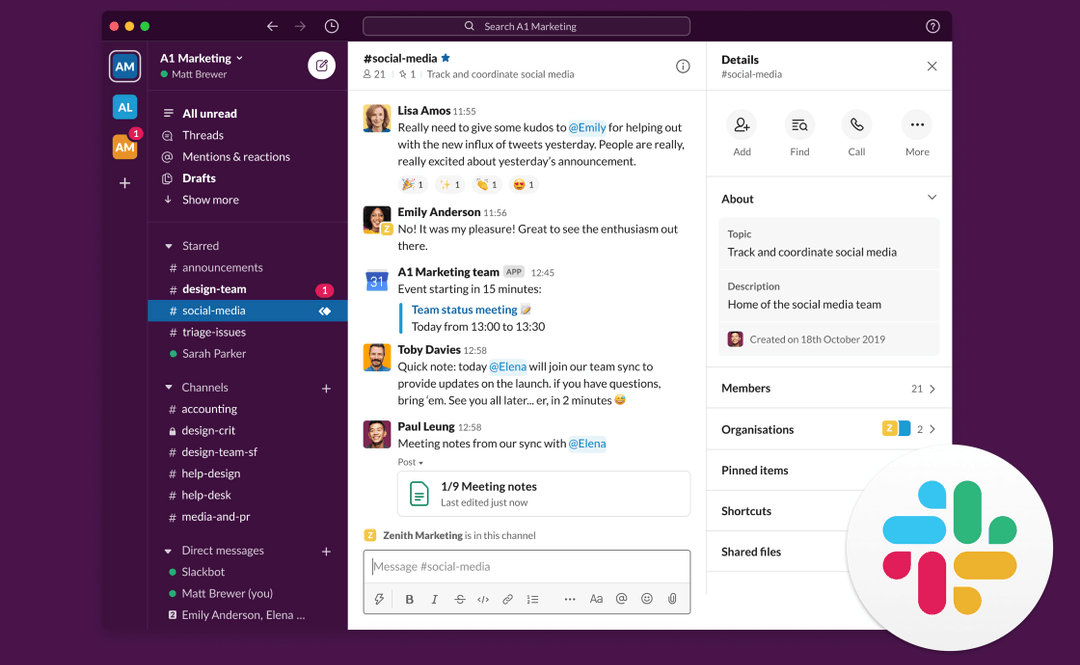
The Slack version of this routine needs three things: a channel for the leadership team, a scorecard kept in a Google Sheet (or numbers posted in the thread for whoever updates your EOS software), and an agent that can read the source tools. Here is how it works with the Kipwise agent.
Step 1: set up the Monday post once
The Integrator asks once in the leadership channel. A made-up example, for a Tuesday meeting:
> @Kipwise every Monday at 3pm, pull last week's new deals from HubSpot and last week's invoiced revenue from QuickBooks, read the rest of the numbers from our Scorecard sheet, and post each number with its owner and goal. Mark any cell that is still empty as not reported.
The agent can run a request on a schedule in plain language and post the result in the channel, using the asking person's own tools and permissions. Creating the scheduled task needs one approval on an Approve card; its later runs post without asking again. With HubSpot, QuickBooks and Google Sheets connected, each person's own access decides what the agent can read.
Step 2: owners correct their numbers in the thread
The Monday post lands one hour before the 4pm deadline. Each owner reads their line and replies in the same thread if it is wrong or empty:
> Delivery hours last week were 312, not 280. Two timesheets came in late. Add 312 to the Scorecard sheet.
The agent updates that cell in the sheet only after the person who asked approves the change on an Approve card, which shows exactly what will be written. Nothing changes in the sheet on the agent's own initiative.
Step 3: the to-do check
On Monday afternoon the Integrator, or the agent's scheduled task, asks in the same thread:
> Which to-dos from last Tuesday's L10 are not marked done in the To-Do sheet? List them with owner and how many weeks each has been open.
The agent reads the To-Do sheet and posts the list. Anything open for more than seven days gets a reply in the thread: "Add this to the Issues sheet." That adds a row after its own Approve card.
Step 4: issues raised during the week
An issue often surfaces midweek in an ordinary Slack thread. Anyone on the leadership team can reply in that thread with "add this to the L10 issues list", and the agent adds a row with a link back to the thread, again after an Approve card. On Tuesday the issues list is already there, and IDS starts with ranking instead of remembering.
What stays with people
The agent gathers and posts. The leadership team still decides whether a number counts as on track, which issues to solve first, what each solution is, and who owns each new to-do. The agent does not change your goals, rate the meeting or write to EOS software, and it does not connect to Ninety, Bloom Growth or EOS One. If your scorecard lives in one of those, keep the Monday post as the place where numbers are collected, and have one person copy them across before the meeting, or use the vendor's own import.
What do you do when the routine breaks?
- A source tool is wrong. HubSpot shows 14 new deals but two were duplicates. The owner replies with the right number and a note, the corrected figure goes in the sheet, and the duplicate problem goes on the issues list if it keeps happening.
- An owner is away. Name a backup for every number when you set up the scorecard. The backup posts the number by the same deadline, or it is shown as not reported. Nobody else guesses it.
- A connection fails. If the QuickBooks connection has expired, the Monday post cannot include that figure. Treat it like a missing number: the owner pulls it by hand this week, and someone reconnects the tool.
- The scorecard changes. When the team adds or removes a measurable, update the sheet, stop the old scheduled task in the same channel and set up a new one with the new list. Do not let the post and the sheet drift apart.
- The meeting moves. A holiday Tuesday means the deadline moves with it. Pause the scheduled task for that week, or ask for a one-off run on the new day.
How do you know the prep is working?
You know it is working when the first three sections finish inside their fifteen minutes and IDS gets close to its full 60. Track four things for a month, in the same sheet:
- Numbers in by the deadline. Count how many scorecard numbers were posted by 4pm the day before. Aim for all of them by the fourth week.
- Numbers not reported. Count the rows marked not reported. Each one should have produced an issue, not a filled-in guess.
- To-dos older than seven days. Count open to-dos past their week. If the count keeps growing, the issues list is not receiving them.
- Minutes spent on IDS. Note the actual time. If it keeps landing well under 60, the earlier sections are still running long.
If few numbers arrive on time after four weeks, check ownership first and confirm that every number in the table has exactly one person next to it.
What to do next
Open your scorecard and write one name and one source tool next to every number, then set the deadline to 4pm the day before your next L10 meeting. If your numbers live in HubSpot, QuickBooks or a Google Sheet, connect those to the Kipwise agent and ask once in your leadership channel for the Monday post described above. For the general version of this routine for any weekly meeting, see how to build a weekly meeting agenda from open items, and for a numbers-only report outside EOS, see automated KPI reporting in Slack.