AI Customer Service Software - Best 10 Picks for Customer Support

Pick AI customer service software by the job you need done: answering customers directly, or helping your agents reply faster. Then check how the vendor bills for it, because customer-facing AI agents are mostly billed per resolution, session or conversation rather than per seat. We recommend testing against your last 100 tickets before you buy. This post covers ten AI software options for support teams, with what each one does and how its AI is billed.
Decide which job the AI does
A customer-facing agent reads your help center and answers customers itself. An agent-assist tool suggests replies, summarizes threads or searches internal knowledge for your people. The two jobs need different tools: a knowledge base like Kipwise helps when agents cannot find the right internal answer fast enough, while a customer-facing chatbot like Zendesk or Intercom helps when the bottleneck is repetitive customer questions. More options are in our guide to AI tools for businesses, and for a rollout plan see our post on implementing AI in customer service.
We recommend a pilot on your last 100 tickets before you buy anything. Sort each into three piles: the answer is already written in your help center, the answer needs the customer’s account data, or a person has to decide. The first pile is what a customer-facing agent can handle on day one, because it can only repeat what you have published. The second needs a connection to your order or billing system, which is extra setup, and the third stays with people. If fewer than half your tickets are in the first pile, write the missing articles first and buy the bot afterward.
Ask what counts as a resolution
Customer-facing AI agents are billed by usage, so ask each vendor what counts as one unit. Intercom charges $0.99 per outcome from its AI agent, Fin, and counts a conversation as an outcome when the customer confirms the answer, when the customer does not ask for more help after Fin replies, or when Fin finishes a workflow, so a customer who leaves without replying can count as resolved. Zendesk charges $1.50 to $2.00 per automated resolution, and its help center says conversations where the AI answered but an LLM check did not confirm the request was resolved are “contained” and do not draw on your allowance. Salesforce lists $2 per conversation. If an AI agent handles 1,000 conversations a month, that is $990 at Intercom’s price, $1,500 to $2,000 at Zendesk’s and $2,000 at Salesforce’s, before seats.
| Tool | AI product | What you pay for |
|---|---|---|
| Zendesk | AI agents, Copilot for human agents | Automated resolutions at $1.50 (committed) or $2.00 (pay as you go); 5 or 10 included per agent per month, depending on plan |
| Freshdesk | Freddy AI Agent | Sessions: the first 500 are included once per account, then $49 per 100 |
| Intercom | Fin | $0.99 per outcome; Intercom’s helpdesk seats are priced separately |
| Salesforce Service Cloud | Agentforce for Service | $2 per conversation, or Flex Credits, or a per-user add-on |
| Help Scout | AI Answers | $0.75 per resolution, as an add-on with a monthly spending cap you set |
| Tidio | Lyro | A set number of Lyro conversations per plan; the first 50 are free on the free plan |
| Zoho Desk | Zia | Zia is listed on the Professional and Enterprise plans |
These are list prices from each vendor’s pricing page and they change. Ada and LivePerson do not show prices on their homepages.
What else to check before you buy
- Where the answers come from: your own help center and documents, with the source page shown, so a wrong answer can be fixed at its source.
- What the human agent receives at handoff: the full conversation and customer details, not a blank ticket.
- Which channels it covers: email, chat and voice are often built and priced differently, so match the one that carries most of your volume.
- Whether it works with your current helpdesk. Some AI agents run on top of other helpdesks, so you may not need to switch.
List of the best AI software for customer service
Ten options follow. Each note says what its AI does and how that AI is billed.
1. Kipwise
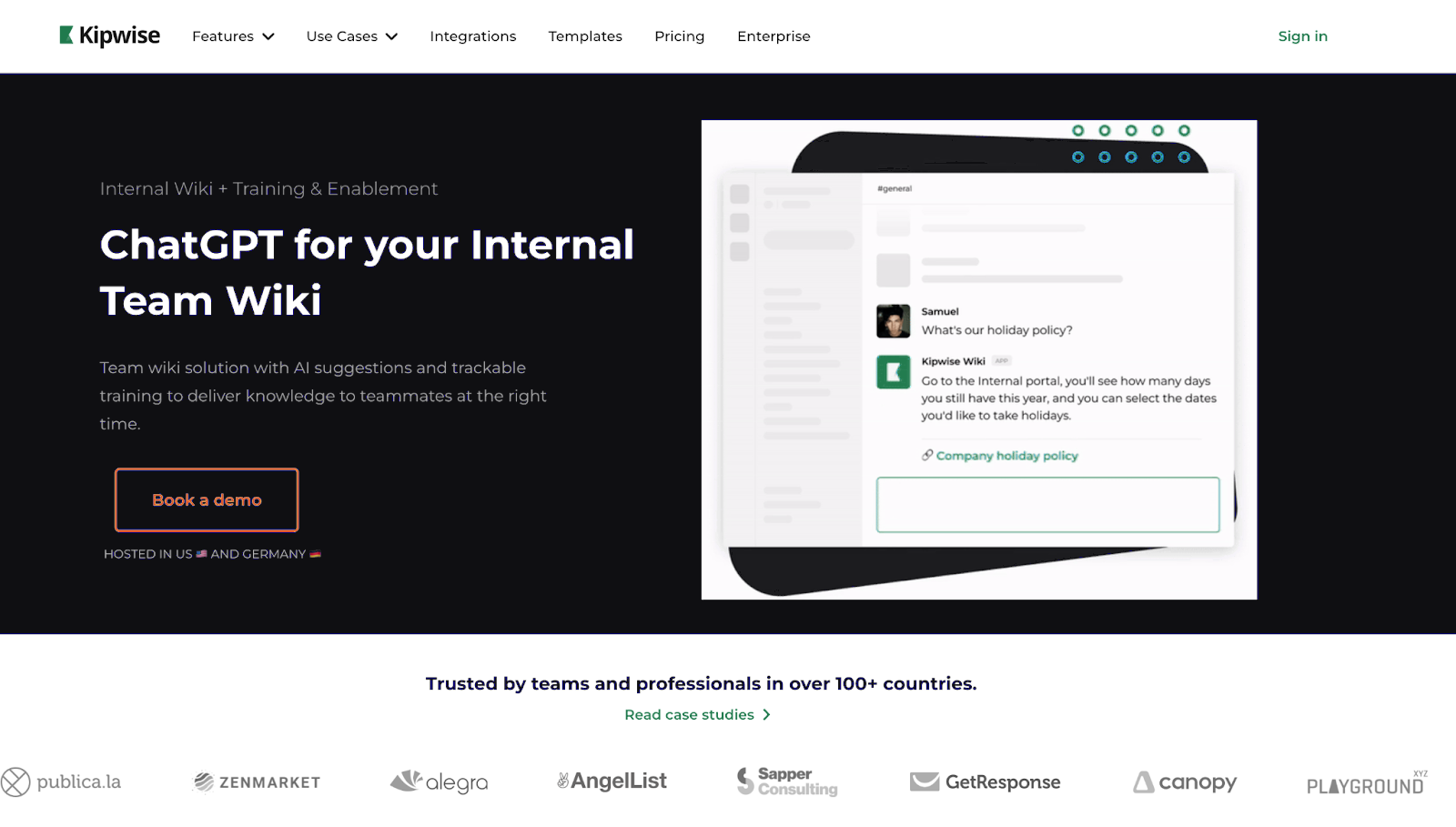
Kipwise is a knowledge management platform designed to help customer support teams work more efficiently by centralizing information and making resources easy to reach. It also keeps the whole team working from the same up-to-date documentation.
Top AI-Powered Features of Kipwise:
- Smart Search: Uses AI to improve search results, helping agents find relevant articles and documents faster.
- Content Suggestions: Recommends relevant knowledge base articles based on the context of support tickets or inquiries.
- Automated Updates: Automatically suggests updates to documentation based on usage patterns and feedback, ensuring information remains accurate.
- Integration with Tools: Connects with various customer support platforms, so agents can pull up knowledge resources without leaving their existing tools.
- Analytics and Insights: Provides data on knowledge usage and effectiveness, helping teams identify knowledge gaps and improve content quality.
2. Zendesk

Zendesk is a customer service platform for tickets and conversations across email, chat, social media and voice. Its AI agents resolve requests across messaging, email and voice, ground their answers in your help center and other sources such as Google Drive, and take actions in connected systems. A Copilot assists your human agents. AI agents are included in every Suite and Support plan and billed per automated resolution.
3. Freshdesk

Freshdesk, from Freshworks, is a cloud helpdesk for tickets across channels. Its Freddy AI Agent answers from your knowledge base and connected sources over email, web chat, WhatsApp and social channels, and hands the conversation to a person with the full context. It is billed per AI session: 500 are included once per account, then additional sessions cost $49 per 100.
4. Intercom

Intercom is a messaging platform with a live chat messenger, a help center and a shared inbox. Its AI agent, Fin, resolves customer questions and takes actions over voice, chat, email, Slack and social channels, and it also works on top of other helpdesks such as Zendesk, Salesforce, HubSpot and Freshdesk, so you can try it without replacing your current one. Fin is billed per outcome, with helpdesk seats priced separately.
5. Salesforce Service Cloud

Salesforce Service Cloud is a customer service platform for managing cases across channels. Its AI is Agentforce for Service: a customer-facing agent that resolves inquiries and triggers actions such as scheduling and order management, and a Service Rep Assistant that guides reps step by step. Both use customer data, conversation history and Knowledge. Salesforce sells Agentforce by conversation, by Flex Credits or as a per-user add-on, and quotes Service Cloud editions through sales.
6. Ada

Ada sells AI customer service agents for messaging, voice and email, built to resolve requests and take action rather than only answer. It does not list a price on its homepage, so ask how it counts a resolution before you compare it with the others.
7. LivePerson

LivePerson built its Conversational Cloud for AI-driven messaging and voice. SoundHound AI has acquired LivePerson and says the platform will be integrated into its OASYS agent system, so ask for the product roadmap before you commit.
8. Help Scout

Help Scout is a helpdesk built around a shared inbox, with a help center for self-service. Its AI Assist and AI Summarize are listed as unlimited in the plan comparison, while its autonomous chatbot, AI Answers, is an add-on billed per resolution.
9. Tidio

Tidio combines live chat with Lyro, an AI agent that answers only from the content and guidance you give it. It scrapes your support content as its knowledge base and hands off to a human when a question falls outside that content. Lyro is sold by the number of AI conversations, and the free plan includes the first 50.
10. Zoho Desk

Zoho Desk is a cloud helpdesk for tickets across email, chat and social media. Its AI assistant, Zia, is listed on the Professional plan and above, and the free edition covers three users.