5 tips on how to encourage knowledge sharing in the workplace

Knowledge sharing stalls because it costs the person who knows something time today, while the payoff goes to someone else later, and it is rarely part of anyone’s KPI. We recommend three moves: reward the pages people reuse, not the pages people write; make every sharing session leave a written page behind; and answer questions with a page, then ask whoever asked to fix it. Below are five tips, including the Slack habits we use at Kipwise, a 100% remote team.
The cost of skipping it is large. McKinsey’s 2012 report on social technologies estimated that knowledge workers spend 19 percent of their working hours tracking down information needed to complete tasks, roughly one working day in five. That figure is old and built on survey data, so treat it as a rough size, not a measurement. The median US worker has also been with their current employer for only 4.1 years, so whatever lives only in someone’s head leaves with them.
1. Make sharing a priority and reward the pages people reuse
Sharing is rarely tied to anyone’s KPI, so a reminder that it matters loses to whatever is due today. Say it where work gets judged: when a manager recaps a quarter or a one-on-one, the pages a teammate wrote or fixed count as work. Small rewards help too, such as a shout-out in Slack when someone shares something useful or a dining coupon each quarter.
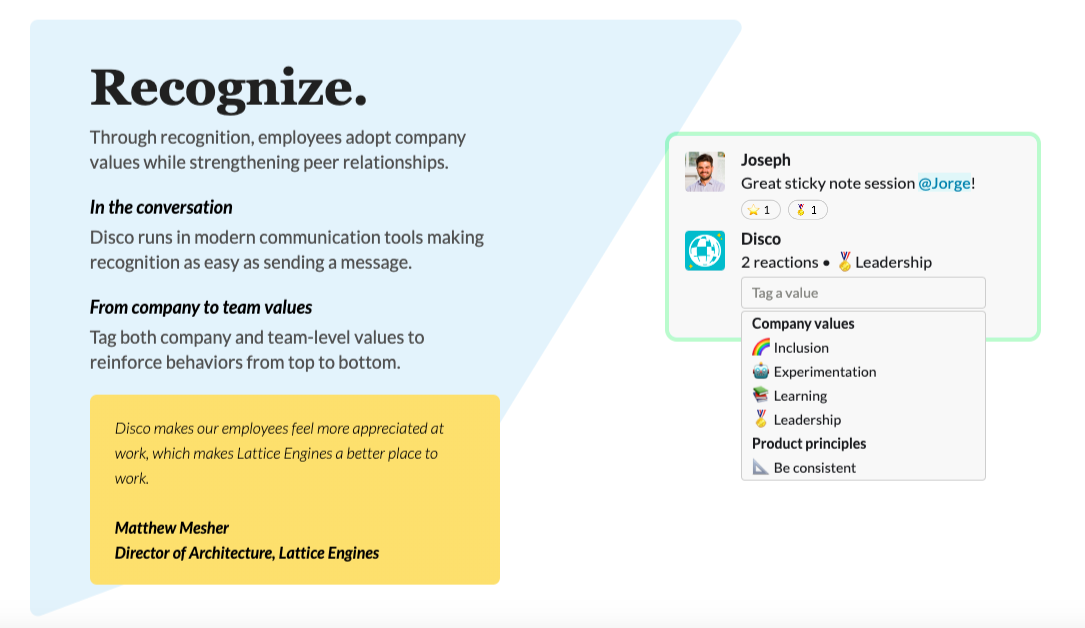
We recommend rewarding reuse, not volume. A prize for the most pages written buys thin and duplicate pages, which are what make a knowledge base untrustworthy. Reward the pages that end questions instead: when a page answers someone, they thank its author in the thread, and the quarterly prize goes to the authors thanked most. A recognition bot such as HeyTaco! makes the thank-you one line (mention the author with a taco emoji), and its leaderboard tallies who gets thanked most.
2. Create channels and encourage different forms of knowledge sharing
Sharing takes different forms: a planned session where someone on the team teaches what they know, or an article posted with a line on why it is worth reading. Give each form a place, and include remote teammates from the start so the sessions and channels work for them too.
We recommend that every session leaves a written page, drafted within a day by someone other than the presenter. A recording is slow to skim and cannot be corrected when the process changes. A page reaches teammates who missed the session and people who join next year, and the drafter’s questions show the presenter what did not land.
How we are doing it at Kipwise
We are a 100% remote team, so all of our knowledge sharing happens online.
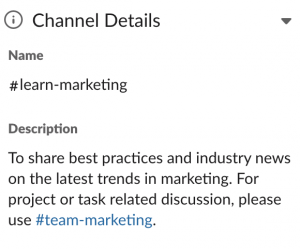
Create knowledge sharing channels like #learn-marketing on Slack
Next to the channels for focused work, we run good-reads channels where teammates post industry best practices and anything inspiring they come across: #learn-sales, #learn-marketing and #learn-product. Splitting them by topic lets each person join only the ones they want to learn from. A company-wide #company-competitors channel collects market intelligence when someone spots a competitor’s move.
Read more tips on how to organize your Slack channels.
Regular functional team meeting to share best practices and learnings
Besides daily standups, we hold longer team meetings bi-weekly to look back at how we did and share what we learned. For a remote team these live sessions matter, because complex issues are hard to explain in text alone.
3. Start building a culture of knowledge sharing from day 1
Culture starts the day someone joins, so make onboarding a two-way exchange: new hires learn from the team, and the team learns from what confuses them.
- Assign a buddy to each new hire. Describing your culture code out loud does little. A buddy lets the new hire see it in practice and settle in faster.
- Ask new hires how to improve the sharing process. They are new to the company, so they notice what the rest of the team no longer sees: are the onboarding materials clear, is a page missing, does anything look outdated? Ask early, because after a few months those gaps stop standing out to them too. Asking also shows that the knowledge base is a priority.
4. Lead by example
Managers set the signal. When they write to the knowledge base and use it themselves, everyone sees it is valued.
- Answer repeated questions with a page. When a teammate asks about a process that has no page yet, write the page and answer with it instead of replying directly. It takes longer this time and saves the hours you would spend answering the same question again and again.
- Remind teammates to use the knowledge base. When someone explains something worth saving and does not save it, give them a friendly nudge. Habits take time to form, so expect to repeat it.
After you answer with the page, ask the person who asked to fix whatever confused them in it. They are the only reader who knows exactly where the gap was, and the edit turns a question into a contribution without a separate push for contributions. The page also gets tested on a real reader on its first day.
5. Invest in tools to simplify the knowledge sharing process
Choose the tool by where questions already get asked. If your team asks in Slack, a knowledge base that lives in another tab loses to asking a teammate. Beyond that, look for strong search, shared editing, integrations with the tools your team already uses, and review reminders that flag pages nobody has reviewed or updated for a set period. Without those reminders, people stop trusting the knowledge base and stop using it.
The simpler the process, the less contributing feels like a burden.
Read more tips on how to choose the best knowledge base software for your team.