AI Usage Policy Template for a Small Team: What to Write, Who Owns Each Rule, and How Slack Keeps It Current
Your team already uses AI. Someone pastes a client brief into ChatGPT on a personal account, someone else connects an assistant to the shared inbox, and nobody is sure what is allowed. A written AI usage policy fixes the first problem in an afternoon. It does not fix the second one: three months later, the policy sits in a folder, two new tools are in use, and the person who wrote it is the only one who remembers what it says.
This guide gives you a one-page template you can copy. Every rule in it gets an owner and a check, and the daily "can I use this here?" question gets answered from the policy itself, in the Slack thread where it was asked.
The short answer
If you only have ten minutes, do this:
- Copy the template below and fill the brackets. One page is enough for a team under 100 people.
- Next to each clause, write who owns it and how you will know it is still true.
- Put the policy where people ask questions, so a teammate gets the exact clause instead of guessing.
- Set one review date and a reminder that does not depend on anyone's memory.
The rest of this article explains why each step matters and what usually goes wrong.
Why a signed policy stops working
The problem is rarely that a team has no rules. It is that the rules have no one attached to them. In a Hacker News thread on how teams handle AI compliance, the original poster asks whether companies have a real policy or just "use common sense", and one reply argues that common sense is no policy at all, because it fails exactly when you need documentation: during an audit or after a mistake. The same reply points to a quieter gap: nobody can reconstruct which data went to which model and when. Both are reports from individual posters in one thread.
Three things break a policy after it is signed:
- Nobody owns a clause. "Do not enter client personal data" sounds clear until someone asks whether a client's job title counts. If no person decides, everyone decides differently.
- The question comes up in the wrong place. People do not open a PDF before they paste. They ask a colleague in Slack, and the colleague guesses.
- The tool list changes faster than the review date. New assistants, browser extensions and agent features appear every month. A policy reviewed once a year describes a team that no longer exists.
A rule with no owner and no check is a wish, so every clause in a small team's AI usage policy needs a named person and a way to see whether it is still true. Treat that as a recommendation; no law requires it, and the templates below mostly stop at the clauses.
What the current templates already cover
You do not need to invent the clauses. The good free templates agree on most of them. The SumoLab AI usage policy template covers purpose, approved tools, restricted data, disclosure and training in plain English, and its strongest line is that AI output is a draft and the person who sends it owns the result. The ValueStreamAI small business template, written for teams of 20 to 100, adds a section on AI that takes actions: any agent that can send messages, change records or move money needs approval, narrow permissions and a log, and the policy is reviewed every six months. Security firms publish longer corporate versions too, such as FRSecure's AI acceptable use policy template, which sends every new AI tool to an internal security committee for review and approval, a body most small teams do not have.
If you want a frame behind the clauses, the NIST AI Risk Management Framework is the usual reference. It is voluntary, and one of its four functions is Govern. This guide borrows one idea from it: a named person is accountable for how the team uses AI. You do not need to adopt the whole framework to do that.
None of these templates says who answers the question on a Tuesday afternoon, or how you would notice that a rule has quietly stopped being followed.
The one-page AI usage policy template
Copy this, replace the brackets and delete what does not apply. It is a starting point, not legal advice; if you handle health, financial or children's data, have a lawyer read the final version.
1. Purpose. We use AI tools to save time on drafting, research and routine admin. This policy says which tools we use, what we never put into them, and who decides when something is unclear.
2. Approved tools and accounts. Use only the tools listed here, on company accounts: [tool, plan, who has access]. Personal accounts are not for company work. To request a new tool, ask [owner].
3. Data we never enter. Client personal data, passwords and keys, payment details, [contract terms, health information, anything under NDA]. When in doubt, leave it out and ask [owner].
4. Human review. AI output is a draft. Anything that leaves the company, such as an email to a client, a published post or a proposal, is read by a person first. Whoever sends it owns it.
5. AI that takes actions. An agent or automation that can send messages, change records or move money must be approved by [owner] before it is connected. It uses the narrowest access available. These actions always need a person to approve them first: [payments, refunds, deleting records, messages to clients].
6. Disclosure. We tell clients when AI produced a substantial part of the work, when [our contract or their policy] requires it.
7. Questions and mistakes. Ask questions in [channel]. If you think data went somewhere it should not, tell [owner] the same day. Reporting a mistake is never a disciplinary matter.
8. Owner and review. [Owner] owns this policy, approves tools and answers questions. We review it every [six] months and whenever we add an AI tool that can act on our behalf. Last reviewed: [date].
Give every clause an owner and a check
This step keeps the AI usage policy true after the meeting where everyone agreed to it. For each clause, write down the person who decides and the evidence that the rule still holds. In a team of 5 to 100, the owner is usually the founder or the operations lead, and that is fine; what matters is that the name is written down.
| Clause | Owner | How you know it still holds |
|---|---|---|
| Approved tools and accounts | Ops lead | A tool list reviewed on the review date; new requests go through one person |
| Data we never enter | Ops lead, with client leads | Questions get answered from the policy page; near misses are reported, not hidden |
| Human review | Each sender | Client-facing drafts are read before they go; spot-check a few each month |
| AI that takes actions | Founder | Agent actions wait for approval; tools the policy forbids are switched off |
| Questions and mistakes | Ops lead | One channel for questions; every unclear case gets an answer within a day |
| Owner and review | Founder | A scheduled reminder before the review date, not someone's memory |
Software can check two rows of this table. A person checks the rest, and writing that down tells everyone who to ask.
Answer the daily question where it is asked
Most policy questions arrive as a quick message from a busy teammate, so the policy has to answer in the place people ask, with the exact clause, or they will guess. A typical question is "can I paste this client contract into ChatGPT to summarise it?" If the answer takes ten minutes to find, the person pastes it and moves on.
Here is how that looks with an agent in Slack. This example is made up, and it uses only behavior the Kipwise agent has today.
> Priya: @Kipwise can I paste the Harbor & Co contract into ChatGPT to get a summary? > > Kipwise: Your AI usage policy says contract terms and anything under NDA are on the "never enter" list (section 3), and that unclear cases go to Sam. Link: AI usage policy, section 3. > > Priya: What if I remove the client name first? > > Kipwise: The policy does not cover redacted contracts, so I can't confirm that. Sam owns this policy; you may want to ask him in this thread.
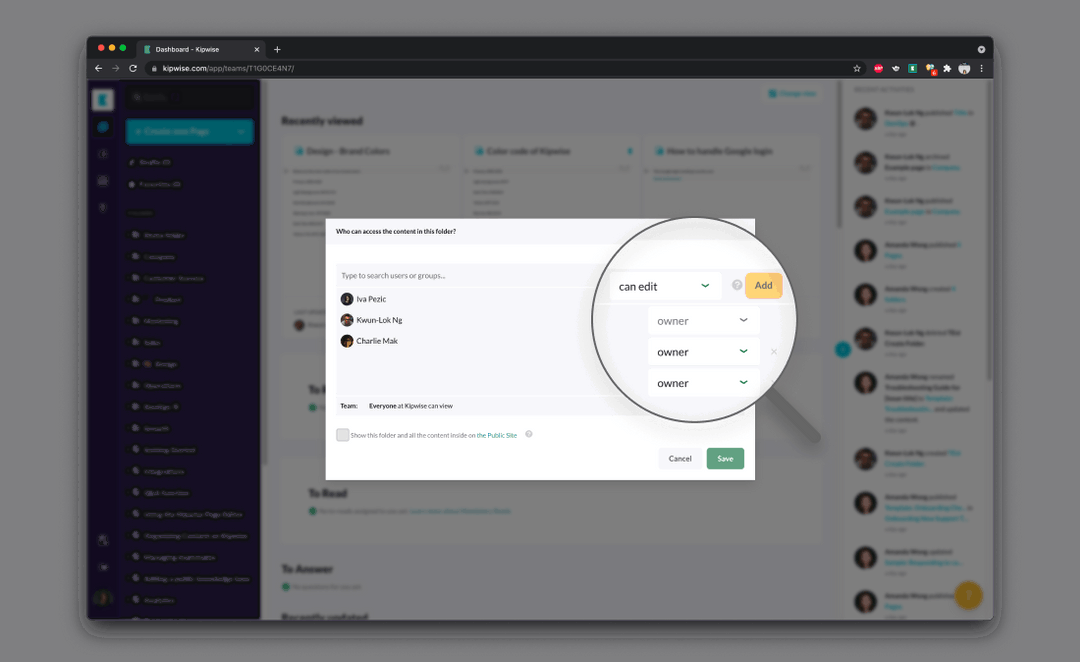
In this example, the owner saved the policy as a page in the team's Kipwise knowledge base. When someone asks in a thread, the agent searches that knowledge base, answers with the relevant part and links the source page, and it only sees pages the person asking is allowed to see. Follow-up replies in the same thread continue the conversation without a new mention. When the policy is silent, the honest answer is to say so and point to the owner, which is what the policy's section 7 asks people to do anyway.
A cited answer is only as good as the page behind it. If the policy is vague, the answer will be vague, and the fix is to edit the page, not to ask the agent to be cleverer.
Write the action clause to match your real controls
The clause about AI that takes actions is the only one a tool can enforce for you, so write it to match the approval and on or off controls you actually have. A clause that says "agents need approval for risky actions" is useless if your tools cannot ask for approval.
With the Kipwise agent, these controls exist and you can name them in section 5:
- Before a live request changes something in a connected service, posts a message, or saves or forgets a memory, the agent shows an Approve or Deny card. Only the person who asked can press it. The card expires after 30 minutes, and a denied or expired card means nothing runs.
- Each connected tool, such as Gmail, HubSpot, Stripe or QuickBooks, uses that person's own access and permissions, connected separately, so the agent cannot reach what the person cannot.
- Your workspace can turn any of the agent's lookups or changes off. If the policy says no AI writes to the accounting system, switch those changes off instead of trusting everyone to remember.
- Creating a scheduled task or automation needs approval once, and its later runs do not ask again. Your policy should say who may approve a recurring task, because that one approval covers every future run.
A one-time approval for a weekly job is efficient, but it means the review in section 8 must include a look at what is scheduled. For more on designing approval steps, see our guide to human approval in AI agent workflows in Slack.
Handle failures and edge cases
Someone used a personal account for client work. Treat it as a report under section 7, not a disciplinary case. Ask what was entered, decide with the client lead whether the client must be told, and add the tool to the approved list on a company account if it was genuinely useful. People who get punished for reporting stop reporting.
A tool is not on the list but everyone already uses it. Do not pretend otherwise. Either approve it on a company plan this week or switch it off and say why. A list that does not match reality teaches people to ignore the whole document.
The agent gives an answer the owner disagrees with. The agent quotes the page, so the page is wrong or unclear. Edit the policy page, note the change in the review log, and reply in the original thread so the person who asked sees the correction.
An approval was given for something that should not have run. Go back to the thread where the action was approved and see who asked for it. Tighten section 5's list of actions that always need a person, and switch off the change in the workspace if it should never happen again.
Shadow tools. Browser extensions and "AI features" inside tools you already pay for appear without anyone asking. You will not catch all of them. The tool list review on the review date, plus a standing question in the next team meeting, catches most.
Verify that the policy works
A month after you roll it out, check four things:
- Questions are being asked. If the questions channel is silent, people are not reading the policy, they are guessing. A few questions a week is a healthy sign.
- Unclear cases get answered. Count the questions the policy could not answer and how long the owner took. Each one is an edit to make.
- Approvals match the list. Skim recent approval cards. If people are approving actions section 5 says should never happen, the clause or the workspace switches need tightening.
- Usage is where you expect it. With the Kipwise agent, team admins can ask for a usage report by person or by day, with each model call's tokens and estimated cost attributed to the person whose request it served. Use it to see whether the agent is being used for the work the policy expects, not to watch individuals.
Then set the review reminder. The policy owner can ask the agent to post a reminder in the operations channel a week before the review date, as a scheduled task approved once, so the review does not depend on anyone remembering.
What to do next
Copy the template above into a page today, fill section 8 with a real name and date, and add the owner column from the table before you share it. If your team works in Slack and you want the policy to answer questions in the thread where they are asked, save it in the Kipwise knowledge base and try the cited answer and the review reminder during the 7-day trial; after that the agent costs $10 per user per month, with a minimum of three users.