AI agent memory for a small team: what a Slack agent should keep and how to turn it off
You are about to let an AI agent read your Slack channels, and someone has said it will "remember" your decisions. Before you agree, you need answers to four plain questions. What does it keep from channels? Can a fact from a private channel later reach someone who was never in that channel? How long does it last? Who can switch it off? Most guides on ai agent memory are written for people building the memory layer, or for one person adjusting a chatbot. This guide is for the owner deciding whether to turn memory on for a team of 5 to 100, and it ends with a sheet you can copy: for each kind of fact, whether to let the agent keep it, who may read it later, how long it should live and who approves the save.
The short answer
Turn memory on for facts that save you from repeating yourselves, and keep it away from facts that hurt if they travel. Use this order:
- Decide which channels the agent may read. That choice sets what it can keep.
- Allow decisions, preferences and dates. Keep pay, HR, health and customer secrets out of every channel the agent reads.
- Require an approval before anything is saved or forgotten.
- Check that every fact points back to a source message, and set a review date for the facts that go stale.
- Write down the off-switch and the delete order before you need them.
Try Kipwise Agent free in Slack: mention it once in a thread and it does the repetitive work, with your permissions.
Why a Slack agent's memory is different from a chatbot's
A personal chatbot remembers one person. A Slack agent serves a room. That changes the question from "what does it know about me" to "who else can be shown what it learned from this room."
Builder documentation treats this as a governance problem. Mem0 describes memory governance as four pieces that have to be designed in rather than added later: scoping of who can read a memory, a record of why it was written, a trail of changes, and retention with real deletion. It also says plainly that most memory layers have scoping, not a spreadsheet-style sharing model, so role rules live in the application on top. For a small team that means the product you pick has to make those choices for you. Read how yours does.
The failure has happened. A pull request merged into the open-source instar agent describes an agent that kept one memory pool for several people, so a plain file search handed one person's private fact to another. The fix gave each conversation an audience set by the place: a private chat serves one person, a channel serves everyone who can read it. That is an author's report about one project, not a universal finding, but the mechanism is the one to look for in any product: memory has to be tied to where a fact came from.
Security testers looking at a Slack-native agent found the same shape. Pluto Security's test of Claude Tag reports that public-channel memory is a workspace-wide store that later sessions read, so a fact saved in one public channel came back for a different user in a different channel, while a fact saved from a private channel did not surface in a public one. Treat that as one vendor's test of one product. It still tells you what to ask of yours: can a fact leave the channel it came from, and in which direction.
What the Kipwise agent keeps, as one worked example
The rules differ per product, so the Kipwise agent serves here as a concrete reference to compare others against.
Memory is on by default in every workspace that installs the agent. It keeps short facts drawn from Slack messages, such as decisions, preferences and dates, each with the source channel and a link to the original message. It keeps the facts, not a copy of the conversation: the message text is held encrypted only until the facts are extracted, then cleared, and nothing is stored as embeddings.
The scope rules matter more than the storage rules:
- It starts with messages posted after the app is installed and never reads back through old history.
- Messages in channels the app can read may be included even when they were not addressed to the agent. Guests' messages are not included, and memory is not available to guests.
- Facts from private channels and direct messages are shown only to people who can still read the source.
- Facts are deleted after 365 days, or 90 days on Free and Lite Slack workspaces and in Microsoft Teams.
- Saving or forgetting a fact needs an Approve card, and forgetting erases the fact along with the older versions it replaced.
Anyone can ask "what do you remember?" and see the facts they can access, which is also the quickest way to test all of the above on your own workspace.
The memory sheet
Copy this into your team handbook and adjust the right-hand column to your own rules. The recommendations are mine, built from the product behavior above and the governance points in the sources; they are not a standard.
| Kind of fact | Let the agent keep it? | Who may read it later | How long | Who approves the save |
|---|---|---|---|---|
| Decision ("we chose vendor B for Q4") | Yes | Anyone who can read the source channel | Until the decision is replaced, then forget the old one | The person who made it, or the channel owner |
| Team preference ("send invoices in PDF") | Yes | Whole team | Review once a year | Any member, one click |
| Date or deadline ("renewal is March 3") | Yes | Whole team | Until the date passes | The person who owns the date |
| Customer detail (name, plan, contact) | Only the working fact, not the personal data | People on that account | Life of the account | Account owner |
| Pay, HR, health, legal | No. Do not discuss these in any channel the agent reads | Not applicable | Not applicable | Not applicable |
| Anything from a private channel | Only if the channel's members are the right audience for the fact | Members who can still read the channel | Shortest allowed | Channel member |
| Passwords, codes, keys | Never | Not applicable | Not applicable | Not applicable |
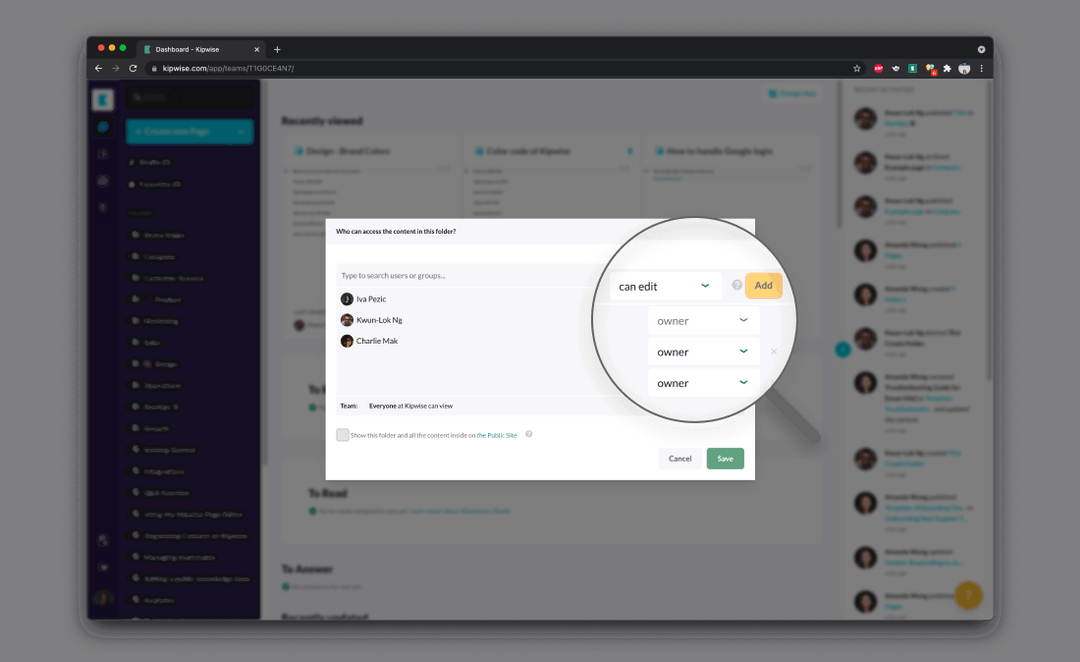
The right-hand column is the control you have, because in the Kipwise agent a save needs an Approve card. The "who may read it later" column is only as good as the product's rule that private-channel facts follow the source's readers.
Decide the channels first
What a Slack agent keeps is set by the channels it can read, not by the things people tell it to remember, so the memory policy starts with channel choice. In the Kipwise agent, messages in channels it can read may be included even when nobody addressed the agent, so a throwaway remark in a channel counts as input. Pluto's write-up of Claude Tag shows the same idea from another angle: the agent decides whether to reply by reading channel messages, which means it is reading channels where nobody tagged it.
Small teams usually write a rule about what to ask the agent to remember and never look at which channels it sits in.
A practical way to do it:
- List your channels and tag each one: routine work, client-facing, finance, people, leadership.
- Add the agent to routine work channels first. Leave finance and people channels out until you have seen what it keeps.
- For any channel where someone might post a salary, a medical note or a customer's personal data, either keep the agent out or agree that those subjects move to a direct conversation that is not shared.
- Revisit the list when a channel changes audience. Pluto reports that a private channel's memory store does not move if the channel is later made public. Read that as a prompt to check what was stored before you change who can see a channel.
A worked example, made up for illustration
Imagine a 22-person design studio. Dana runs operations. The studio has channels for projects, clients, finance and people.
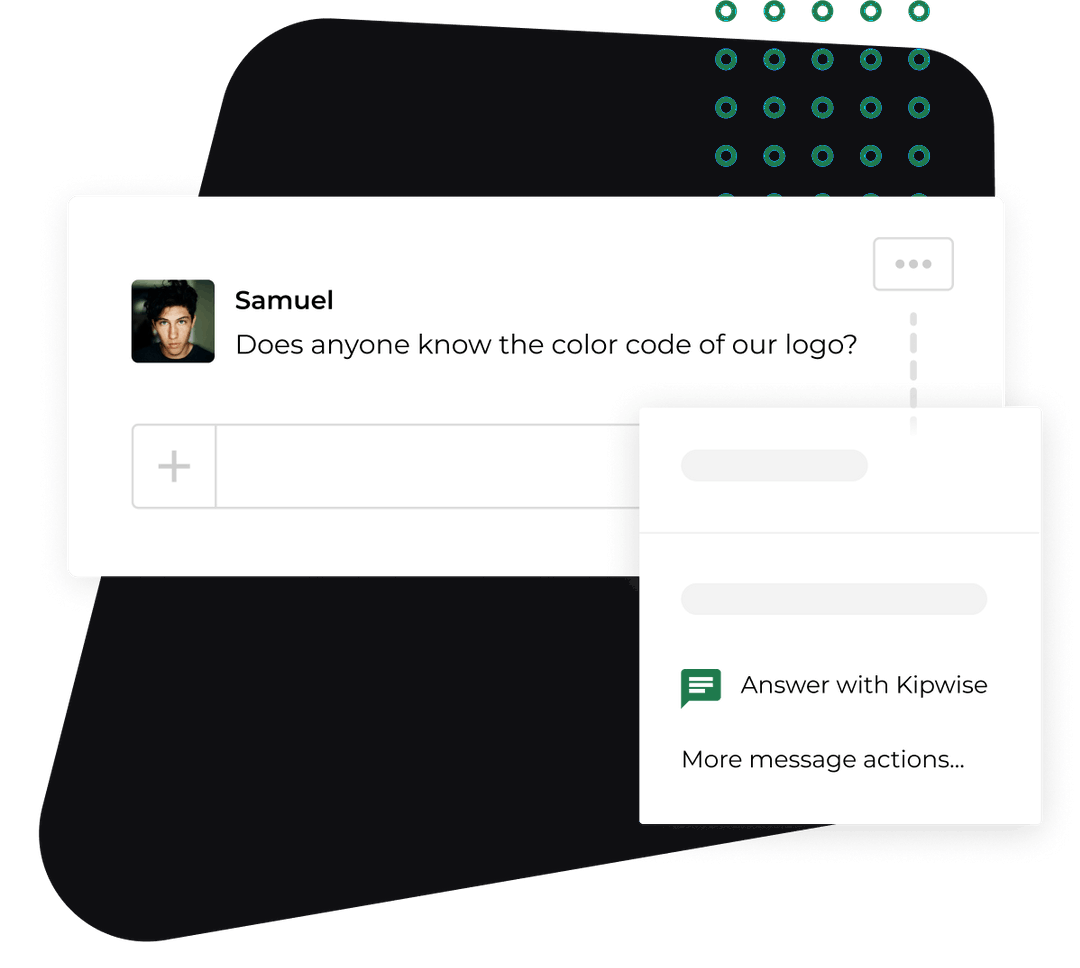
Dana adds the agent to the project and client channels. In a project thread someone writes, "Decision: we go with the cheaper print vendor for Q4." Later a designer asks the agent in a new thread, "what did we decide on the Q4 vendor?" The agent answers with the decision, the channel it came from and a link to the original message. Nobody scrolls back through two weeks of messages.
Then a teammate says, "remember that invoices over $5,000 go to Dana." The agent posts an Approve card before saving. Dana approves it, and it becomes a standing fact.
Dana leaves the finance and people channels without the agent. A week later she asks the agent "what do you remember?" and reads the list, because the list is how she finds out whether the sheet matches reality.
The mistake that costs more than a leak
In a small team a wrong remembered fact does more damage than a leaked one, because the agent repeats it with a source link and everyone trusts it.
Pluto's test shows the mechanism. A planted fact came back on its own in answer to a later open-ended question that never named it, and a plausible but false "operational fact" would be repeated to later users as if authoritative. Pluto also reports the agent refused to store a value framed as an access code until it was re-framed as non-sensitive, so a refusal is not a safeguard you can rely on either.
What to do differently:
- Keep the approval step on saves. A person reading the card is the cheapest check you have.
- Prefer facts that carry a source link. A fact you can click back to is a fact you can check.
- Let facts expire. The 365-day limit in the Kipwise agent (90 days on Free and Lite Slack workspaces) also works as a safety net for stale facts. Shorten it in your own practice by asking the agent to forget a fact when a decision is replaced; forgetting erases the older versions that the new fact replaced.
- When someone catches a wrong answer, find the fact with "what do you remember?" and forget it, rather than correcting the answer in the thread and leaving the source fact in place.
Turning memory off, and deleting, are two decisions
In the Kipwise agent, a team admin turns memory off by asking the agent, for example "turn memory off for this workspace", and approving the card. New saves and recall stop at once. Facts already stored are kept until deleted. The agent then asks whether you also want them all deleted, which is a separate request an admin approves ("delete all saved memories"). Anyone can ask "is memory on?" to confirm the state. Removing the app from Slack purges memory too.
Consumer products draw the same line. Anthropic's memory help page separates pausing memory, which keeps what exists but stops using and adding to it, from resetting it, which permanently deletes everything. Stopping and erasing are different actions with different consequences.
Switching memory off and deleting what is stored are two separate decisions, so a team that only switches it off still holds every fact it saved. Decide which one you mean before the incident. Here is the order I would write down:
- Switch memory off with the admin request and approve the card. This stops new saves and recall.
- Confirm the state by asking "is memory on?".
- Decide whether to delete. If a private fact may have been captured, or a wrong fact is spreading, delete. If you are only pausing to rethink the channel list, you can leave the facts in place.
- Delete with the separate admin-approved request, then ask "what do you remember?" to see that the list is empty.
When memory is off, the agent does not go blind. It searches Slack live for past discussions using the asking person's own Slack connection, so people only get back what their own access allows. You lose the saved short facts and keep the ability to find old threads.
Checks before you turn memory on
Run this admin check once, with a test channel:
- Ask the agent "is memory on?" and confirm the default for your workspace.
- Post a harmless decision in a public test channel, ask the agent a question that depends on it from another channel and see what comes back.
- Post a harmless fact in a private channel, then ask for it from a person who is not a member. It should not appear.
- Ask "what do you remember?" as an ordinary member and as an admin, and compare.
- Save a fact, then forget it, and confirm it is gone from the list.
- Write down who in your team is a Kipwise admin, because that person is the only one who can switch memory off or delete everything.
If any of those behave differently from what you expected, you have learned something before real data is involved. The same questions apply to any agent. For the wider access picture, see how Slack AI agents handle per-user permissions, which covers why an agent should only act with what the asking person could open.
What stays with a person
Even with memory working well, a few things stay human:
- Approving a save or a forget.
- The admin decision to switch memory off or delete everything.
- Deciding which subjects must never be said in a channel the agent reads.
- Correcting a fact when the real world changes.
What to do next
Add the agent to one routine project channel, leave finance and people channels out, and ask it "what do you remember?" after a week of normal work. Compare that list with the sheet above, forget anything that does not belong, and write the off-switch order into your handbook. On the Kipwise agent, the trial and price are on the pricing page, and the same question shows you what the agent has kept from the first day.