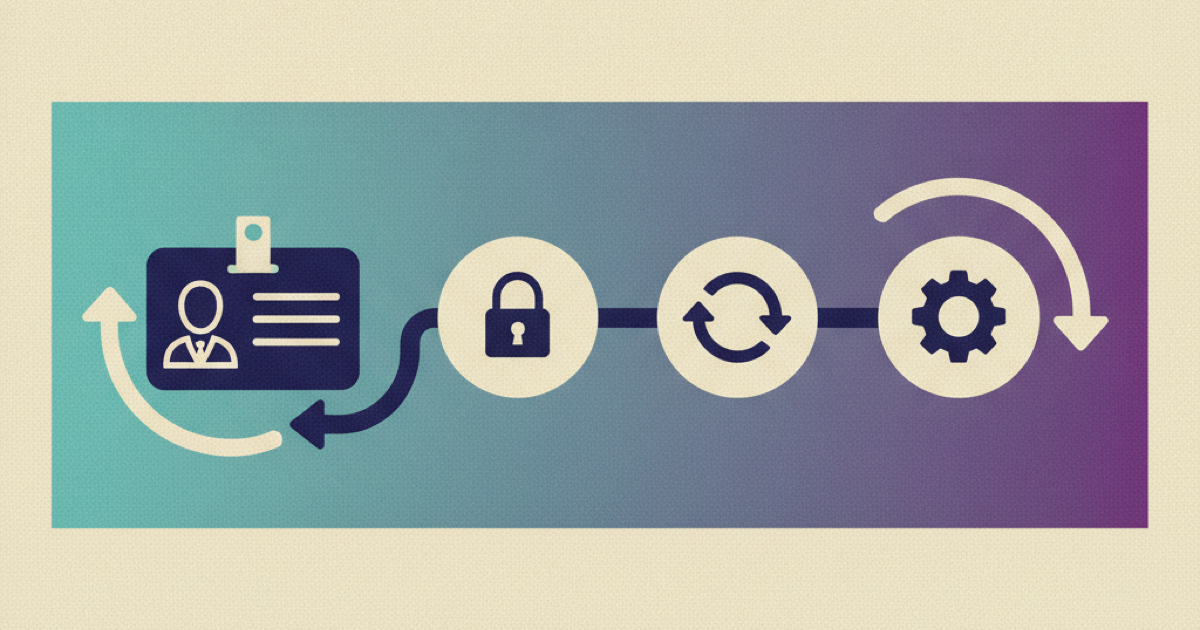
How to Coordinate Physical Workplace Access with an AI Company Brain

New hire workplace access often fails after every visible onboarding task looks complete. The employee has an account, a laptop, and a welcome schedule, but the badge is not ready or the required work area is not active. A company brain can make this worse by repeating a stale checklist status as if it were proof of entry. The fix is to treat physical access as its own verified workflow. Connect the joiner event to facility authorization, badge issuance, safe arrival guidance, a staffed fallback, and an entry check. Then let the company brain explain status without exposing door rules or sensitive security details.
Why digital readiness is not workplace readiness
Digital access and physical access share an employee identity, but they do not prove the same thing. An active company account shows that a digital joiner process ran. It does not prove that a badge was printed, that the badge has the right facility profile, or that the employee knows where to report on arrival.
That distinction matters because physical access protects people, facilities, and operations. The CISA physical security resources frame physical security as a separate operational discipline, not a minor extension of account setup. The NIST SP 800-53 control catalog likewise includes physical and environmental protection controls alongside technical controls.
The common failure is a status translation error:
- HR marks the employee as hired.
- An identity workflow creates the account.
- An onboarding checklist marks "access requested" as complete.
- The company brain answers, "Your workplace access is ready."
- The employee reaches the building and cannot enter.
The checklist proved that someone requested access. It did not prove authorization, badge issuance, activation, delivery, or successful entry. A useful company brain must preserve those distinctions.
Define a separate physical access contract
Build a small contract between the HR system, workplace or physical access system, and company brain. The contract should expose operational state without copying the underlying facility configuration into the knowledge layer.
A practical record can use these fields:
{
 "employee_id": "worker-1842",
 "start_date": "2026-09-08",
 "workplace_id": "office-north",
 "required_access_profile": "standard-office-hours",
 "authorization_state": "approved",
 "credential_state": "issued",
 "activation_state": "active",
 "delivery_state": "pickup-at-reception",
 "arrival_guide_version": "2026-08-18",
 "fallback_owner": "workplace-service-desk",
 "verified_entry_at": null
}
This is an implementation example, not a standard schema. Keep the employee identifier opaque, use a workplace code rather than a sensitive location description, and expose a named service route rather than personal contact details.
Use explicit states instead of one ready flag. Recommended values include not_requested, pending, approved, issued, active, blocked, and verified. The company brain should never collapse approved into active, or active into verified.
Keep the employee view safe
The employee needs enough information to arrive and get help. They do not need door schedules, alarm procedures, privileged zones, access-control group names, or a list of other employees with the same access.
Separate data into three views:
- The employee view contains the arrival time, public entrance, pickup instructions, current safe status, required identification, and support route.
- The operator view contains the request history, approver, credential state, activation result, delivery state, and incident notes.
- The security view contains access profile details, restricted areas, control configuration, and investigation evidence.
The company brain should retrieve the employee view by default. Operator and security details stay in their systems of record. This boundary follows the broader principle in the NIST control catalog: controls must protect operations, assets, and people while providing evidence that the control works.
Build the workflow in seven steps
1. Start from an authoritative joiner event
Trigger physical access work from the current employee record, not an email copied from the recruiting process. The joiner event should include the employee identifier, start date, work location, employment status, manager, and only the attributes needed to choose an access profile.
Microsoft Entra lifecycle workflows provides an authoritative example of automating joiner tasks from employee lifecycle information. Your facility workflow may use another platform, but the design rule is the same: one current employment event starts the process, and later changes must update it.
Reject the event when the work location is missing or contradictory. Do not guess a building from the manager's office or the employee's time zone.
2. Map the role to a reviewed access profile
Create a small catalog of approved workplace profiles. Each profile should name its owner, intended population, allowed locations, effective hours, prerequisites, and review date. Keep individual door assignments out of the onboarding article and out of general company-brain content.
Use the least access needed for the first work period. A standard office hire may need the main workplace and their assigned floor. A laboratory or operations hire may need a separate training or safety approval before a restricted area becomes active.
Decision rule: if the required profile depends on training, licensing, manager approval, or local safety confirmation, report that dependency as pending. Do not substitute a broader default profile to make the checklist look complete.
3. Track authorization and credential issuance separately
Approval answers, "May this employee enter?" Credential issuance answers, "Does the employee have a usable badge or other credential?" Treat these as separate tasks with separate owners.
A physical security owner may approve the access profile while reception still needs to print the badge. Conversely, a badge can exist before its facility permissions are active. The employee-facing answer should state the safe operational result:
- Authorization pending: "Your workplace access is still being reviewed."
- Authorized but not issued: "Your access is approved, but your badge is not ready."
- Issued but not active: "Your badge exists, but entry is not yet active."
- Active and delivery arranged: "Your badge is active and available at the stated pickup point."
Avoid showing the reason for a security hold unless the employee is entitled to see it. Route the question to the responsible team instead.
4. Attach current arrival knowledge
Access is not useful if the new hire cannot find the correct entrance, pickup point, or staffed support desk. Store arrival guidance as maintained company knowledge with an owner and review date. Include only what a new employee needs: arrival window, public entrance, reception procedure, required identification, accessibility route, and fallback contact.
The GitLab onboarding handbook shows the value of explicit onboarding tasks, owners, notifications, and support paths. A workplace workflow should apply the same discipline to arrival information, even when the company is not remote.
Link the event and task to one current arrival page. If the office, reception hours, or pickup process changes, update that source rather than pasting replacement instructions into individual chats.
5. Publish only verified state to the company brain
The company brain should read a projection of the facility workflow, not the raw access-control database. Publish a state only after the source system confirms it. Include a timestamp and source owner so the assistant can distinguish current evidence from a stale answer.
A simple response policy is:
if activation_state != "active":
 explain the current safe status
 show the staffed fallback route
 do not claim workplace readiness
elif delivery_state is missing:
 explain that access is active but credential delivery is unresolved
 route to the workplace owner
elif arrival_guide is stale:
 withhold detailed arrival instructions
 route to the source owner
else:
 provide pickup and arrival guidance
 ask the employee to confirm successful entry
This policy is an implementation recommendation. Adjust it to your access technology and local workplace procedures.
6. Provide a staffed fallback
A new employee at a locked entrance cannot wait for a content owner to answer later. Define a staffed route for the arrival window, such as reception or a workplace service desk. Give that team a way to verify identity and resolve the issue without asking the employee to share sensitive identity documents in chat.
The company brain should provide the support route and a case reference. It should not suggest tailgating, borrowing another employee's credential, trying alternate restricted entrances, or posting a badge image.
Decision rule: when the system cannot confirm active access, prefer a safe human handoff over a confident guess.
7. Verify successful entry
The final state is not badge_sent. It is a bounded confirmation that the new hire entered the required work area or that a named owner resolved the exception.
Ask for a simple employee confirmation after the expected arrival time. If access fails, record the failed dependency, owner, resolution, and whether the arrival guide needs correction. Do not copy raw door events into a general onboarding record.
This closes the gap between facility operations and onboarding knowledge. The company brain can now answer what is ready, what is blocked, who owns the block, and what the employee should do next.
Example: a location change before day one
Consider a new operations analyst whose workplace changes three days before the start date.
The HR system sends an updated workplace code. The lifecycle workflow cancels the old office request and creates a request for the new office. The original badge has been printed but is not active for the new site. The company brain sees authorization_state: pending and suppresses the old arrival page. It tells the employee that workplace access is being updated and provides the staffed service route.
The workplace owner approves the new profile, activates the badge, and assigns the correct reception pickup. The projection updates with the new arrival guide version. The company brain then provides the current entrance and pickup instructions. After the employee confirms entry, the workflow records verification and closes the old request.
Without the state model, the assistant would probably repeat whichever office instruction was indexed last. With the model, a location change becomes a controlled transition instead of a day-one surprise.
Handle failures without exposing security details
Plan for these failure modes:
- If the workplace is missing, stop the request and ask People Operations to correct the employee record.
- When the start date moves, recalculate activation and delivery timing, then invalidate old guidance.
- If approval is delayed, show pending status and the staffed fallback, not an estimated approval.
- A printed but inactive badge must keep readiness false until activation is confirmed.
- If a badge is lost before arrival, disable the credential through the security process and issue a replacement path.
- Withhold a stale arrival page and route the employee to its owner.
- When the integration is unavailable, switch to a degraded status that says verification is unavailable. Do not reuse the last successful state as current proof.
- If the entry test fails, open an incident with the access profile, credential state, and owner. Keep restricted facility details out of the onboarding chat.
CISA's physical security resources are useful context for why these controls need operational ownership. The company brain is the explanation and routing layer. It is not the physical access authority.
Verify access before calling day one ready
Run a test for each supported workplace and access profile before launch. Use a test identity or approved test credential, never a real new hire's badge.
Check the complete path:
- A valid joiner event creates the correct workplace request.
- A missing location stops the workflow.
- A location change removes the old request and creates the new one.
- Approval, issuance, activation, delivery, and entry remain separate states.
- The employee view never exposes restricted zones or control configuration.
- A stale arrival guide blocks detailed instructions.
- The fallback route is staffed during the stated arrival window.
- The company brain refuses to claim readiness when verification is unavailable.
- A successful entry closes the task without copying raw access logs.
Kipwise positions employee onboarding around assigned knowledge, searchable company information, and progress tracking on its employee onboarding solution page. Use those capabilities for current guidance and ownership. Keep authorization and credential state in the workplace system that controls them.
Mistakes to avoid
Do not make these shortcuts:
- Treating
request submittedasaccess active. - Using the digital account state as proof of building entry.
- Copying door groups or restricted-area details into searchable onboarding content.
- Sending a badge without confirming activation and delivery.
- Leaving arrival instructions ownerless.
- Letting the assistant invent a workaround when access is blocked.
- Closing the task before the employee or workplace owner verifies entry.
Each shortcut removes a state or owner from the workflow. The result is a confident answer with no operational proof.
Your next action
Choose one office and one common new-hire profile. Write down the current owner and evidence for authorization, credential issuance, activation, delivery, arrival guidance, fallback support, and entry verification. If any step is represented only by a checklist tick, replace it with a source-system state. Then connect only the safe employee view to the company brain and run the failure tests above before the next hire arrives.
References
- Microsoft Entra lifecycle workflows supports the joiner-event and lifecycle automation model.
- CISA physical security supports treating physical security as an owned operational discipline.
- NIST SP 800-53 Rev. 5 supports the physical access authorization, control, and assurance context.
- GitLab onboarding handbook supports explicit onboarding tasks, owners, notifications, and support paths.
- Kipwise employee onboarding supports assigned onboarding knowledge, searchable company information, and progress tracking.


-p-1080.jpg)