How to Recover When AI Onboarding Knowledge Sync Fails
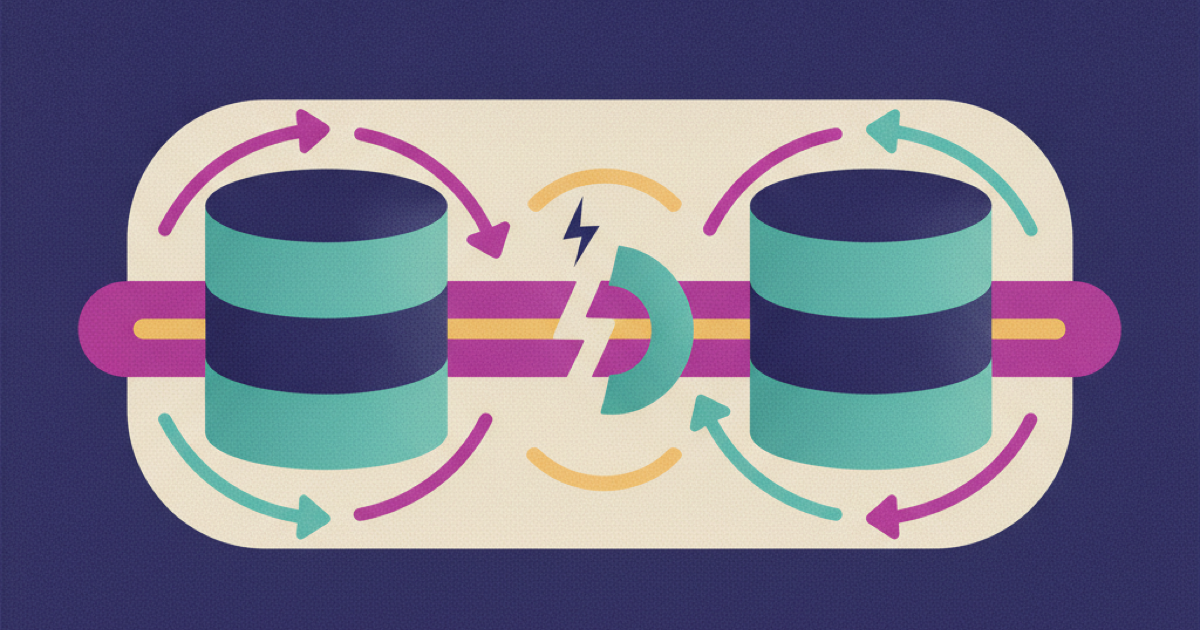
AI onboarding knowledge sync can fail without taking the company brain offline. That is the dangerous version of the incident. A new hire asks for an expense process, security setup, or first week task and receives a polished answer based on an old index. The connector looks healthy from the chat interface, but recent policies are missing. This guide gives IT and People Operations a concrete runbook to detect the gap, limit bad answers, repair the pipeline, replay missed changes, and prove the onboarding knowledge is current again.
Why a healthy chat interface can hide a broken pipeline
A company brain usually has several stages between a source document and an answer. The source system records a change. A connector discovers it. An ingestion worker fetches the content and permissions. An indexer transforms and stores it. Retrieval selects indexed passages for the model. The final chat interface can remain responsive when any earlier stage is stalled.
That separation creates a misleading signal. Application uptime proves that the user can submit a question. It does not prove that the latest approved handbook, equipment guide, or access procedure reached the index. Retrieval augmented generation depends on external knowledge that can be updated, as the AWS explanation of retrieval augmented generation makes clear. If the update path breaks, the answer can still be fluent while its evidence is old or incomplete.
Common causes include an expired connector credential, a revoked source permission, a damaged change cursor, an indexer quota, a parser error, or a document format the pipeline cannot process. A full source crawl may also be running so slowly that it misses the onboarding team's freshness target. Treat each stage as a separate service with its own checkpoint rather than calling the entire system simply up or down.
Define what fresh means before an incident
A useful freshness objective describes the maximum acceptable delay for each knowledge class. A payroll deadline or mandatory security instruction may need to appear within minutes. A culture guide may tolerate a daily refresh. Do not set one broad target for every source, because that hides the operational importance of the documents new hires use.
Create a source registry with these fields:
| Field | Purpose |
|---|---|
| Source and owner | Identifies who can confirm the authoritative document |
| Knowledge class | Separates policy, procedure, reference, and optional learning |
| Freshness target | Defines the allowed source to index delay |
| Last observed change | Records the newest source event seen by the connector |
| Last indexed version | Records what retrieval can actually use |
| Access policy version | Confirms that permissions were synchronized with content |
| Recovery method | Names the supported replay or full rescan procedure |
| Onboarding probe | Gives a known question that should retrieve the document |
The onboarding program itself should point to explicit tasks and owners. The GitLab onboarding handbook is a practitioner example of onboarding organized around concrete tasks, access requests, buddies, and support paths. That structure makes it possible to identify which first week actions are affected when a knowledge source falls behind.
Monitor the source to answer path
Do not rely on one connector success metric. Record checkpoints across the complete path and compare them continuously.
Track incremental change state
Many source APIs expose an incremental change mechanism. Microsoft Graph delta queries, for example, return state links that clients can use to request later changes without reading the whole collection again. The Microsoft Graph delta query overview also explains that clients must preserve and reuse the returned state URL. Your connector should store the cursor, its update time, and the number of changes processed in each run.
Alert when the cursor age exceeds the freshness target, when several runs process no changes despite known source edits, or when a cursor resets unexpectedly. A successful HTTP response is not enough. The checkpoint must advance.
Watch indexer execution and document outcomes
A connector may fetch a changed file while the indexing stage rejects it. Capture the last start and finish time, processed document count, warning count, failure count, and a sample of failed document identifiers. The Azure AI Search indexer monitoring guide describes status, execution history, errors, warnings, and document counts as separate signals. The same monitoring model applies even when the implementation uses another search service.
Set an alert for any critical onboarding document that fails indexing. Aggregate success rates can hide one policy failure among thousands of ordinary pages.
Use synthetic onboarding probes
Run a small set of questions that represent real first week work. Each probe should expect a source identifier, a minimum version or update timestamp, and the correct access decision. Avoid checking only whether the answer contains selected words. Retrieval must cite the intended source and reject a restricted document when the probe uses a lower permission role.
A probe can be represented like this:
probe_id: security_setup_new_engineer
identity_profile: engineer_new_hire
question: Where do I enroll my laptop in device management?
expected_source: security/device-enrollment
minimum_source_version: 2026-07-29T14:00:00Z
expected_access: allowed
maximum_index_age_minutes: 15
Keep probes small enough to run after every synchronization cycle. Add a probe when an incident reveals a gap, but remove redundant probes that no longer distinguish a real failure.
Triage a suspected knowledge sync incident
Start by confirming whether the problem is content, transport, indexing, retrieval, or permissions. Ask the reporter for the question, answer, cited source, time, and user role. Preserve those details before anyone triggers a full crawl that could overwrite useful evidence.
Use this sequence:
- Open the cited source and confirm its current approved version with the owner.
- Compare the source version with the connector's last observed change.
- Compare the connector checkpoint with the indexer's last successful document version.
- Run retrieval directly against the expected document identifier.
- Repeat the query under the affected identity profile to test access filtering.
- Run two unaffected onboarding probes to determine whether the incident is isolated or systemic.
Classify the incident as narrowly as possible. One unparseable PDF needs a document repair. An expired source credential needs connector recovery. A stale change cursor needs replay. Incorrect access metadata needs containment and a permission rebuild. A broad index outage needs service restoration before content diagnosis.
Contain stale or incomplete answers
Containment should reduce the chance that new hires act on unsupported advice without disabling every useful onboarding function.
Mark affected knowledge classes unavailable and show a specific fallback. If payroll documents are stale, the assistant should say that payroll guidance is temporarily unavailable, link to the approved source when safe, and route the question to the named owner. Do not let the model improvise from neighboring documents.
Pause task completion for steps that require affected evidence. A new hire should not be marked complete on security training or policy acknowledgment when the source version cannot be verified. Low risk orientation material can remain available if its probes pass.
The Kipwise employee onboarding page describes assigned reading and searchable company knowledge as parts of onboarding. During an incident, treat those functions separately. Search may remain safe for unaffected sources while assigned reading tied to a failed policy index must pause.
Record the containment start time, affected sources, user groups, blocked tasks, fallback owner, and the decision maker. This information supports recovery and prevents People Operations from guessing whether a hire needs remediation later.
Repair the failed synchronization path
Repair the smallest failed layer first. Broad rescans take longer, create load, and may hide the original cause.
For a credential failure, restore the connector identity with the minimum source permissions and verify it can read both content and access metadata. For a cursor failure, resume from the last known valid state when the source API supports it. If continuity cannot be proved, start a bounded rescan for the affected collection rather than assuming no changes were missed.
For parser or transformation errors, quarantine the failing document, preserve its source identifier and version, and test the corrected transformation against a copy. Do not silently omit the page. The document should remain in a failed state until it is indexed or deliberately excluded by its owner.
For indexer errors, clear the service constraint, retry only the failed set, and inspect the resulting execution history. A green job after a retry does not prove that earlier missed changes were recovered.
A reliable replay loop is idempotent:
for each change after last_verified_checkpoint:
 fetch content and source permissions
 transform content with a versioned parser
 write document using source_id and source_version
 verify indexed version and access metadata
advance checkpoint only after every required write succeeds
Using a stable source identifier prevents replay from creating duplicate records. Advancing the checkpoint only after required writes succeed prevents the connector from acknowledging changes that retrieval cannot use.
Verify recovery before reopening answers
Recovery requires more than a successful sync job. Prove consistency from the source through the answer.
First, compare the source registry with the index. Every affected source should have the expected version, content hash or equivalent change marker, and access policy version. Then rerun the synthetic onboarding probes under each relevant role. Confirm the answer cites the intended page and that a restricted identity cannot retrieve it.
Next, replay the original reported question. Compare the repaired answer with the authoritative source and ask the source owner to confirm any policy interpretation. Do not use the model to grade itself on a high impact procedure.
Finally, inspect tasks completed during the incident window. Identify hires who saw stale guidance, missed required material, or completed a step without verifiable evidence. Send a targeted correction and reopen only the affected tasks. Avoid sending a vague company wide warning when the impact set can be identified precisely.
Use this recovery gate:
- The change checkpoint is current and advancing.
- The indexer has no unresolved failures for affected documents.
- Indexed source and permission versions match the source registry.
- All critical onboarding probes pass under allowed and denied identities.
- The original incident question retrieves the approved source.
- The source owner approves the corrected answer or procedure.
- Affected hires and tasks have a documented remediation plan.
- Monitoring remains stable through at least one normal synchronization cycle.
Prevent the same failure from returning
Write the root cause in terms of the failed control, not the person who handled the incident. Examples include a connector credential with no expiry alert, a cursor stored only in memory, an indexer warning excluded from alerts, or a probe set that covered general search but not mandatory onboarding policies.
Add one durable detection or recovery improvement for each root cause. Rotate credentials through a managed process. Persist cursors transactionally. Route critical document failures to an owner. Keep a tested full rescan procedure for the collections that cannot replay history. Review the source registry when People Operations adds a new onboarding task.
Do not confuse this work with fixing stale source writing. A perfectly current policy can still be absent from the company brain because transport failed. Source review and synchronization monitoring are separate controls, and both need accountable owners.
Run the first recovery drill
Choose one critical onboarding source and record its source version, connector checkpoint, indexed version, permission version, and synthetic probe. Make a harmless test edit, then verify that every checkpoint advances within the freshness target. Next, simulate a connector pause in a controlled environment and confirm that the system alerts, contains the affected answers, replays the missed change, and passes the recovery gate. That drill turns AI onboarding knowledge sync from an invisible dependency into an operation your team can diagnose and restore.
References
- Microsoft Graph delta query overview: Supports incremental change tracking and durable state links.
- Microsoft Azure AI Search indexer monitoring: Supports monitoring execution history, document outcomes, warnings, and errors.
- AWS explanation of retrieval augmented generation: Supports the relationship between generated answers and updateable external knowledge.
- GitLab onboarding handbook: Provides a practitioner example of task based onboarding, access requests, owners, and support paths.
- Kipwise employee onboarding: Provides product context for assigned reading and searchable onboarding knowledge.
-p-1080.jpg)

-p-1080.jpg)