How to Handle New-Hire Emergency Contacts with an AI Company Brain
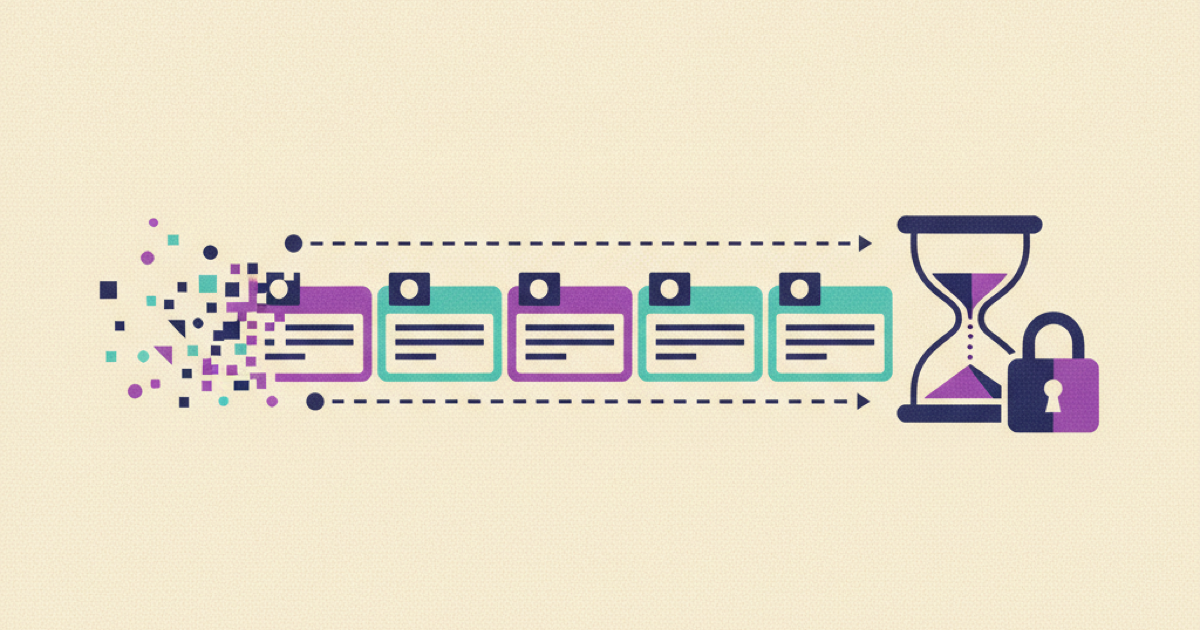
A new hire emergency contact form creates a simple-looking onboarding task with a serious data boundary. If the company brain asks the employee to type a contact's name, phone number, relationship, or address into chat, that information can enter transcripts, search indexes, analytics, and support logs. A checklist can also say the task is complete even when the HR system rejected the form. The safer design keeps personal details in the authorized HR system. The company brain explains the task, opens a private handoff, reads only a limited status, and refuses to claim completion until the system of record confirms acceptance.
Why the new-hire emergency-contact form belongs outside the company brain
Emergency-contact forms are common enough that current search results include both an Indeed guide to employee emergency contact forms and a Jotform template for new employees. Those pages show the visible part of the process: collect details from an employee. They do not solve the full operational problem of where the data goes, who may use it, how an employee corrects it, and how onboarding verifies that the authoritative record accepted it.
The record describes someone who may not work for the company. That third party did not open the onboarding assistant or choose its chat history settings. The employee also needs a clear way to replace an outdated contact without editing several copies.
Treat the company brain as a guidance and routing layer, not the emergency-contact database. The NIST Privacy Framework gives organizations a structure for identifying, governing, controlling, communicating, and protecting privacy risk. Applied here, that means defining a specific purpose for each field, limiting where it travels, controlling who can retrieve it, and making correction and deletion behavior explicit.
This boundary also improves reliability. The HR system can validate required fields and save one authoritative version. The company brain can answer questions such as where to submit the form, why a field is requested, whether the submission was accepted, and who can help. It does not need the contact's phone number to answer any of those questions.
Define the data contract before automating the task
Start with the smallest contract that supports the workflow. Separate private form data from safe orchestration data.
Private form data may include the contact's name, relationship, phone number, alternate number, or other fields approved by the organization's HR and privacy owners. Store those fields only in the authorized destination. Do not copy them into an onboarding task description, model prompt, vector index, analytics event, or ticket title.
Safe orchestration data should be deliberately boring:
- a stable employee identifier;
- the required form type and version;
- the destination system identifier;
- a state such as
not-started,submitted,accepted,correction-needed, orunavailable; - a reason code that contains no contact details;
- the accountable owner or support queue;
- the time of the last authoritative check.
A status object can look like this:
employee_id: emp-2047
workflow: emergency-contact
form_version: 2026-08-us
system_of_record: hris-primary
state: correction-needed
reason_code: missing-primary-phone
owner_queue: people-operations
checked_at: 2026-08-27T09:15:00Z
private_fields_present: false
The private_fields_present check is useful during testing. It should always be false in the company-brain status service. If a connector starts returning names or phone numbers after an API change, fail closed and alert the owner instead of passing the expanded response to the assistant.
Field selection is an HR and privacy decision, not an AI-generated one. Different employers and locations may have different operational requirements. Keep the form definition versioned, reviewed, and owned. The assistant can explain the approved definition but should not invent an optional field because it seems useful.
Build a private submission and verification flow
The implementation should follow the actual record lifecycle. A task is not complete merely because a link was clicked.
Trigger from the approved joiner event
Create the onboarding task from an authoritative employee event with a stable identifier, effective start date, and current employment state. Microsoft describes Entra lifecycle workflows around joiner, mover, and leaver phases. That lifecycle model is a useful trigger pattern even when the emergency-contact record itself lives in another HR platform.
Do not trigger from a forwarded email or a name typed into a spreadsheet. Duplicate identities can create duplicate forms and conflicting status. If the start is delayed or withdrawn, suspend reminders and apply the organization's approved record-handling rule rather than leaving an active preboarding request in circulation.
Explain the task without collecting the answer
The company brain should provide a short source-linked explanation that covers:
- what the employee needs to do;
- which system will receive the information;
- which fields the approved form requests;
- who can access the operational record under company policy;
- how to ask a private question;
- how to update the contact later.
The response should include a direct link or single-use handoff to the authorized form. Never invite the employee to paste the details into chat as a fallback. If the form is unavailable, show the support route and mark status unavailable. Moving the same data into a support conversation is not a recovery plan.
Keep the handoff bound to the employee identity
The form should receive the employee's authenticated identity or a short-lived, purpose-bound handoff token. It should not trust employee identifiers supplied in query strings or free text. After submission, the HR system validates and stores the record under its own access and audit controls.
Return only a transaction reference and safe status to the orchestration service. The company brain needs to know that the submission was accepted or needs correction. It does not need a copy of the fields.
Verify acceptance rather than button clicks
Model at least three distinct events: form opened, form submitted, and record accepted. Only the final event should satisfy onboarding completion.
A submission can fail validation, time out, or create a pending review. If the assistant receives submitted, it should say that processing is pending. If it receives correction-needed, it should show a neutral reason and a secure link back to the form. It should never display the rejected field value.
Use an idempotency key based on employee, form version, and workflow instance so retries do not create several records. Keep retry limits bounded. A persistent error belongs with the HR systems owner, not in an endless employee reminder loop.
Limit retrieval and operational access
Do not index emergency-contact values in the company brain. Excluding the page from navigation is not enough if the search connector still ingests it.
Microsoft documents document-level access control for Azure AI Search, including patterns that filter retrieval against current user or group access. Apply retrieval-time controls to onboarding guidance, but use an even stricter rule for the contact record: do not make the values retrievable through the general knowledge interface at all.
Separate access into two planes:
- Guidance plane: approved employees can read instructions, field definitions, update steps, and support routes.
- Operational plane: only designated roles and approved systems can access the actual emergency-contact record for an authorized purpose.
The company brain can expose safe status to the employee and a limited workflow state to People Operations. A manager usually needs to know that the onboarding task is accepted, not who the contact is. Status endpoints should enforce that distinction rather than relying on the prompt to hide fields.
Log access to the operational record in the system that controls it. AI conversation logs are a poor substitute because they mix instructions, questions, and generated text. Keep the company-brain audit trail limited to guidance version, status request, response state, and support routing.
Handle corrections, stale records, and outages
An employee may change phone numbers, relationships, or preferred contacts. Put an update route in the same place as the original instructions. An update should modify the authoritative record and invalidate any cached status. Do not ask the employee to edit a wiki page or send the replacement details to a manager.
Set a review rule appropriate to company policy. The company brain can remind the employee to review the record without displaying its contents. A safe reminder says, "Review your emergency-contact record in the HR system." It should not repeat the stored name or number in chat.
When an employee leaves, trigger the approved retention or deletion workflow from the authoritative employment state. Do not guess a retention period in the assistant. The HR and privacy owners should define the rule for the applicable organization and location.
If the HR API is down, return unavailable with a last-check time and support route. Do not reuse yesterday's accepted status as proof that the record is current. If the company brain is down, the onboarding plan needs a direct route to the HR form and People Operations. GitLab's public onboarding handbook demonstrates the practical value of explicit tasks, owners, notifications, and support paths. Preserve those elements outside the assistant so one service outage does not block the task.
If private data appears in chat despite the boundary, treat it as a privacy incident under the organization's process. Restrict the conversation, stop downstream indexing where possible, record which systems received the data, and route cleanup to the accountable owners. Do not quote the exposed values into a new ticket.
Test the boundary before assigning it to a new hire
Use synthetic contacts only. Build a test matrix that covers a normal submission, missing required field, duplicate retry, withdrawn start, changed form version, unavailable HR API, unauthorized status request, and accidental private-field response.
For each case, verify all of the following:
- the task starts from one approved employee identity;
- the assistant gives the current approved instructions;
- contact values never enter chat, search, analytics, or ticket titles;
- the handoff reaches the intended HR form;
submitteddoes not become onboarding completion;- only
acceptedcloses the task; - correction messages contain a reason code but no rejected value;
- an employee can update the authoritative record;
- managers receive only the minimum completion state;
- unauthorized operational access is denied and logged;
- API failure produces
unavailable, not a guessed answer; - duplicate delivery does not create duplicate records;
- the direct manual route works when the company brain is unavailable.
Kipwise's employee onboarding solution provides product context for assigned reading, searchable company information, and onboarding progress. Use those capabilities for guidance and task visibility. Keep the emergency-contact values and their authoritative acceptance state behind the HR-owned boundary.
A trustworthy onboarding result needs more than a form template. The workflow must control the destination, prevent searchable copies, verify acceptance, limit operational use, support corrections, and fail safely.
Start with one form and a negative data test
Choose the emergency-contact form for one employee population. Write the private and safe field lists, connect a read-only status endpoint, and make the company brain reject any response that contains contact values. Then run a synthetic submission through acceptance, correction, update, and outage cases.
Do not release the workflow because the form opens successfully. Release it when the employee can complete and correct the record, the onboarding task closes only on authoritative acceptance, and a negative test proves that the company brain cannot retrieve the contact details.
References
- Indeed's employee emergency contact form guide supports the common form use case and typical categories of requested contact information.
- Jotform's new employee emergency contact template provides direct evidence of template-focused coverage for this onboarding task.
- NIST Privacy Framework supports a structured approach to identifying, governing, controlling, communicating, and protecting privacy risk.
- Microsoft Entra lifecycle workflows supports joiner, mover, and leaver event patterns for employee lifecycle automation.
- Microsoft document-level access control supports retrieval-time filtering based on current user and group access.
- GitLab's onboarding handbook provides a practitioner example of explicit tasks, owners, notifications, and support paths.
- Kipwise employee onboarding provides product context for assigned guidance, searchable company knowledge, and onboarding progress.